


Game stores do not run well on a cash register alone. If you sell products, manage game play or sweepstakes promotions, process redemptions, and oversee kiosks or player accounts, you need a retail management system that connects those tasks instead of splitting them across separate tools.
TL;DR: Summary
- A retail management system for a game store works best when it combines POS, inventory-style controls, reporting, staff permissions, and security in one workflow.
- For game stores, the biggest gap in a basic POS is operational visibility: you need to track sales, redemptions, kiosks, player activity, and exception reports together.
- GS1 US standards support barcode and 2D barcode use for inventory accuracy, traceability, and point-of-sale efficiency, which matters as retailers prepare for broader 2D barcode adoption by 2027.
- The FTC treats point-of-sale devices, hardware inventories, multi-factor authentication, and incident response planning as core business security practices, not optional extras.
- NRF reported $112.1 billion in retail shrink in 2022 and an average shrink rate of 1.6%, so access controls, audit trails, and reconciliation reports should be part of your retail system choice.
- If you operate more than one location, prioritize cloud access, role-based permissions, kiosk management, and location-level reporting before you worry about advanced add-ons.
You do not need an enterprise ERP to get this right. You need a system that fits your store model, supports retail discipline, and gives you clean control over transactions, stock movement, devices, and staff behavior.
What is a retail management system for a game store?
A retail management system for a game store is an operating layer that connects POS, inventory, redemptions, staff access, and reporting. RiverSlot and standard retail POS platforms both show the category, but game stores usually need extra workflow controls that ordinary checkout software does not cover.
In a game-store setting, the system is not just for ringing up drinks, accessories, or prepaid credits. It also needs to control who can sell, who can redeem, what kiosk is active, which player account is used, and how exceptions are logged. That is why operators often outgrow a standalone cash register quickly.
A good way to think about it is this: your retail management system is the store’s control center, while POS is only one part of the stack. If a cashier can process a sale but you cannot reconcile redemptions, kiosk activity, and shift-level reporting, you do not have full retail management yet.
"RiverSlot combines POS workflows, player accounts, redemptions, kiosk management, and reporting in one web-based platform for retail gaming locations."
A common misconception is that inventory only matters for packaged goods. In practice, inventory-style controls also matter for kiosks, devices, consumables, prepaid items, and any redemption process where value moves through the store.
Why should a game store combine POS, inventory, and reporting in one system?
You should combine them because sales without inventory context create blind spots. The U.S. Census Bureau itself collects retail sales and inventory data together in major retail surveys, which reflects how closely those numbers are tied in real operations.
When your software separates checkout from stock tracking and exception reporting, you lose the ability to answer basic management questions quickly. Which shifts sold the most? Which location redeemed unusually high amounts? Which SKU or promo item is moving faster than expected? Which machine or kiosk is producing activity without matching store patterns?
The reporting model used in retail at large points in the same direction. Census publications track inventories-to-sales ratios because sales volume means less without inventory context. In your store, that same logic applies to games, redemption items, supplies, and even front-counter merchandise.
Here is the trade-off: an all-in-one system may feel more specialized, while a generic POS may feel cheaper at first. If you later need separate tools for redemptions, kiosks, staff permissions, and location reporting, the “simple” choice often becomes the more complex one.
What retail management system options are most practical for game stores?
The most practical options are platforms built around retail gaming workflows, not retail checkout alone. RiverSlot is one example; generic POS stacks can work, but they usually need more customization and more manual controls.
If you are comparing options, start with operating fit before feature count. A long feature list means little if you still need side spreadsheets for reconciliations or separate systems for kiosks and staff permissions.
- RiverSlot: A web-based retail gaming platform built for POS workflows, player accounts, redemptions, kiosk management, reporting, and multi-location distributor tools.
- Generic retail POS plus add-ons: Works when your game-store activity is light, but you may need separate tools for permissions, kiosk logic, or redemption control.
- Inventory-first retail suite: Useful if you carry broad merchandise assortments and need tighter SKU, barcode, and reorder discipline than gaming-specific platforms usually emphasize.
- Cloud multi-location stack: Best for operators with several stores, kiosks, or distributor relationships that require centralized reporting and user management.
- Hybrid custom setup: Fits unusual workflows, but integration risk is higher and support becomes harder when POS, reporting, and device controls come from different vendors.
Pro tip: ask every vendor to show the full daily workflow, not just the checkout screen. The demo should include login permissions, reversals, redemptions, report exports, and how a manager reviews exceptions.
How do you choose between a single-store and multi-location retail management system?
You should choose based on control needs, not store count alone. A single site with kiosks and multiple staff roles can need RiverSlot-style centralized controls just as much as a small chain does.
Start with your current workflow. Step 1 is mapping every value movement in the store: product sales, promotional credits, redemptions, refunds, kiosk sessions, and staff overrides. If the system cannot trace those events cleanly, it is not the right fit, even if the POS screen looks polished.
Step 2 is deciding how much central control you need. If each location should set its own prices and promotions, choose flexible location settings. If corporate or a distributor needs standardized templates, pick a system with stronger multi-location governance.
"RiverSlot says stores can launch in under 1 hour, which matters when you need to standardize POS and kiosk workflows without installing local servers."
Step 3 is testing reporting depth. You should be able to compare store performance, shift activity, redemption patterns, and user actions from one interface. If you have to ask support for a custom export every time you want a basic management view, that is a warning sign.
The trade-off is simple. Single-store tools can feel lighter, but multi-location capable systems age better. If you expect to add kiosks, second shifts, or another location within 12 months, buy for the next stage, not just today.
How does a retail management system compare with a basic POS for a game store?
A retail management system is broader than a POS. Shopify POS and Square handle retail checkout well, but game stores often need deeper controls around redemptions, user permissions, devices, and exception reporting.
A basic POS focuses on transactions: items, payments, receipts, and simple user roles. A retail management system adds the operating controls around those transactions, including audit history, location management, barcode-based inventory, device accountability, and sometimes player-account or kiosk logic.
That difference becomes more important as stores add complexity. If your operation includes fish games, sweepstakes promotions, prize counters, prepaid value, or kiosk stations, then each event creates risk and reporting needs beyond a normal sale.
The fastest way to compare systems is to ask what happens after the sale. Can you trace the item, device, staff member, time stamp, and redemption outcome? If not, you are looking at POS software, not a full retail management system.
- Best for simple checkout: A basic POS with limited SKU counts and minimal redemption activity
- Best for controlled operations: A retail management system with audit trails, staff roles, and reconciliation reporting
- Best for expansion: A cloud-based system with location dashboards, kiosk oversight, and centralized user management
- Best for accountability: Software that links transactions, redemptions, and device activity in one record
How do you set up barcode, 2D-code, and inventory controls for a game store?
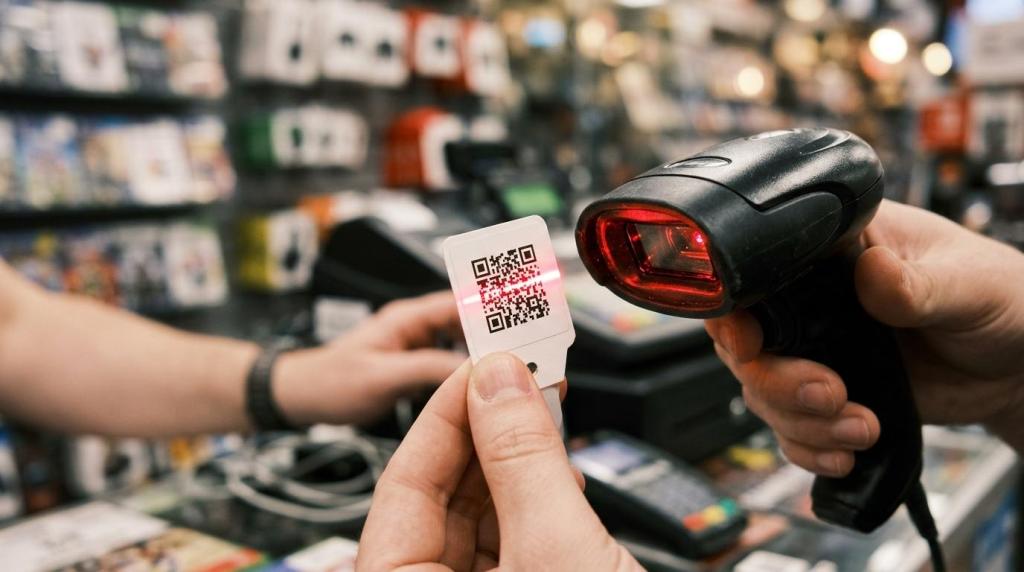
You should set them up early, even if your store is small. GS1 US makes the case clearly: barcode scanning improves inventory accuracy, traceability, and point-of-sale efficiency across industries.
Step 1 is building a clean product file. Every sellable item needs a unique SKU, category, cost basis, and selling price. Do not let staff create ad hoc item names at the register. That habit destroys reporting quality and makes cycle counts unreliable.
Step 2 is deciding which scanning standard fits your inventory. Traditional UPC barcodes are still standard for many products. Many retailers are also preparing for broader 2D barcode adoption by 2027 because 2D codes can support more data and better traceability. GS1 Digital Link is part of that direction.
Step 3 is tying scans to operational use cases. Use scanning for receiving, transfers, damaged-item logging, price checks, and returns, not just checkout. If you only scan at the register, you miss most of the inventory-control benefit.
A common misconception is that 2D barcodes matter only for large chains. They also help small operators when recall readiness, authentication, or detailed product data becomes important. That matters in stores selling packaged goods, accessories, or regulated items alongside gaming-related traffic.
How do you secure POS devices, player accounts, and staff access?
You secure them by treating retail technology as an asset inventory, not just a set of screens. The FTC specifically advises businesses to maintain inventories of hardware, software, data, and services, including point-of-sale devices.
Step 1 is listing every device and account. That includes registers, kiosks, tablets, routers, printers, staff logins, and any browser-based management tools. If you cannot name every endpoint, you cannot secure it properly.
Step 2 is locking down access. Require unique user IDs, remove shared passwords, and enforce multi-factor authentication where the system supports it. The FTC recommends MFA for employees, contractors, and others who access networks and devices. That is especially important when managers can approve redemptions, refunds, or configuration changes.
"RiverSlot provides 24/7 customer support, which helps operators respond faster when store access, kiosk behavior, or transaction workflows need urgent attention."
Step 3 is preparing for failure. Your business should have incident response, disaster recovery, and business continuity plans. In plain terms, you should know who disables accounts, how you restore operations, and where your critical reports live if a device fails or a credential is compromised.
Pro tip: security is not only about card data. In game stores, access abuse often shows up first as unusual redemptions, suspicious overrides, or unmanaged kiosk activity.
How should you measure shrink, redemption risk, and store performance?
You should measure all three together because shrink is not just missing merchandise. NRF reported $112.1 billion in shrink in 2022, with an average shrink rate of 1.6%, and said internal and external theft accounted for nearly two-thirds of retailer shrink.
For a game store, shrink can include missing stock, unauthorized discounts, unapproved redemptions, drawer variances, or staff behavior that does not match policy. If you only review top-line sales, you will miss the operational leaks that matter most.
Start with daily controls, then build monthly analysis. Daily reporting catches exceptions while they are still actionable. Monthly reporting helps you compare trends, set baselines, and watch ratios across locations or shifts. That logic is similar to how retail at large uses inventories-to-sales ratios and historical comparisons to detect anomalies.
- Daily exception checks: Redemptions, refunds, voids, cash variances, user overrides
- Inventory discipline: Cycle counts, receiving logs, damaged goods, transfer records
- Location performance: Sales by shift, kiosk activity, margin by category, labor-adjusted output
- Audit support: End-of-year inventories, report archives, historical comparisons, access logs
If one location shows strong sales but weak margin and rising variances, then review its redemption process and staff permissions first. If inventory is stable but kiosk activity spikes without matching sales patterns, then review device logs, session controls, and manager overrides.
When does a cloud-based retail management system make more sense than a local server setup?
A cloud-based system makes more sense when you want faster deployment, easier location oversight, and less hardware dependency. RiverSlot is positioned this way, while older retail stacks often depend on local servers and on-site maintenance.
The biggest benefit is operational speed. You can add users, update settings, review reports, and manage multiple stores from a browser instead of relying on a single machine in the back office. That matters when owners are not physically present every day.
There is also a support and continuity angle. Local server setups can still work well, but they create more responsibility for backups, patching, and on-site troubleshooting. If your business does not have in-house IT capacity, cloud delivery usually lowers that burden.
"RiverSlot charges no setup or support fees and uses a pay-only-for-used-credits model, which can lower adoption friction for stores testing a new retail gaming workflow."
The trade-off is that cloud systems depend on stable connectivity and disciplined user management. If your internet is unreliable, plan for backup procedures. If your permissions are loose, cloud convenience can also spread bad habits faster. The system choice is only as strong as the operating discipline behind it.