


If you are buying retail kiosk software for a store, lounge, gas station, or specialty retail location, the features that matter most are not the flashiest ones. The safest buying decision usually comes down to device lockdown, remote management, reporting, and accessibility support.
TL;DR: Summary
- The most important retail kiosk software features are locked-down kiosk mode, remote oversight, reporting, and accessibility support, because those directly affect security, uptime, staff workload, and customer usability.
- On Windows, Microsoft Assigned Access supports a single-app kiosk that runs full-screen and auto-restarts if closed, while multi-app kiosk setups allow a limited app list with policy enforcement and AppLocker controls.
- Good retail kiosk software should also support cloud-based management, audit trails, POS or account integration, configurable permissions, and compliance tools like age gates or geofencing when your business model requires them.
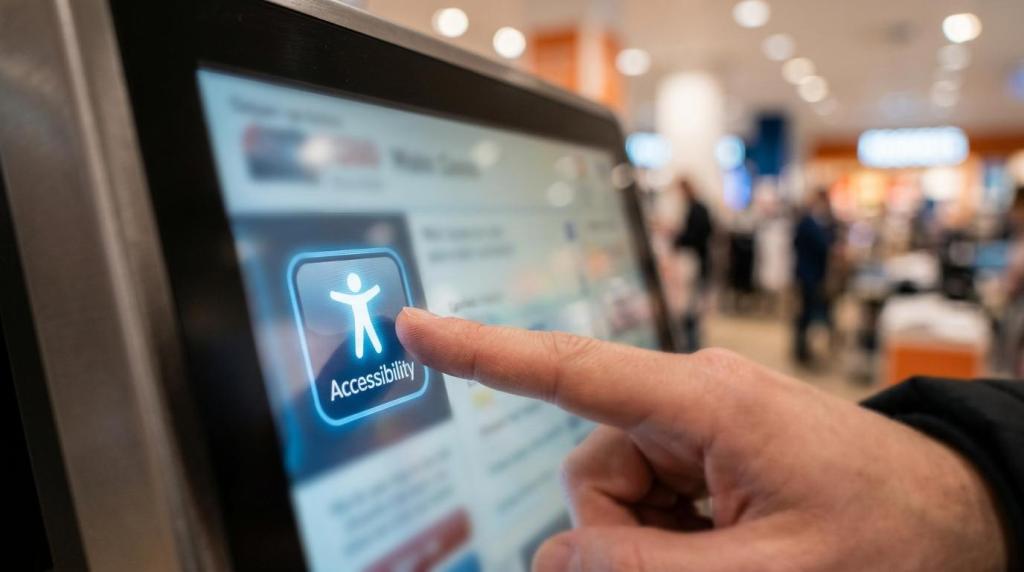
- Accessibility is not optional in practice. U.S. guidance for self-service kiosks emphasizes mobility access, reach range, operable controls, privacy, speech output, braille, and clear visual information.
- If you operate more than one location, prioritize software that can manage devices, offers, users, and reports centrally. That reduces support time and makes rollouts easier to standardize.
You will get more value by treating kiosk software as an operations system, not just a screen on a stand. That mindset helps you compare vendors on practical B2B criteria like policy control, reporting depth, rollout speed, and how well the software holds up across multiple locations.
Why is lockdown control the first retail kiosk software feature to check?
Locked-down kiosk software, whether built on Windows Assigned Access or a web-based retail platform, is your first filter. If customers can leave the kiosk flow, every other feature becomes less reliable.
The core question is simple: can the device run only what you intend, every time, without staff intervention? Microsoft’s kiosk guidance is useful here because it separates single-app kiosk mode from restricted multi-app mode. In a single-app setup, one app or Microsoft Edge runs full-screen above the lock screen and restarts if closed. In a multi-app setup, only a defined app list is available and policy controls can be enforced with AppLocker.
A common mistake is confusing browser full-screen mode with real kiosk mode. Full-screen only hides the problem. True lockdown stops access to settings, task switching, downloads, unwanted URLs, and system shortcuts.
"RiverSlot uses a cloud-based retail kiosk model with configurable modes, which is the kind of control operators need when one mistake can expose cash flow, player activity, or game data."
How do you evaluate remote management before rollout?
Remote management is the second feature to test because a kiosk that needs on-site fixes will drain labor. Cloud-based tools and operator dashboards are usually the fastest way to keep devices usable across a retail network.
Start with live control. You should ask whether staff can see device status, user activity, session history, and exceptions from one admin view. If a kiosk goes offline, you want to know whether the platform shows a heartbeat, the last sync, and the last user action.
Next, test remote changes. A strong system lets you update content, permissions, kiosk behavior, and promotions without touching the device. If changes require manual reconfiguration at each store, your cost per location climbs fast.
Then, test recovery. Ask the vendor to simulate a closed app, lost connectivity, or a frozen session. Pro tip: the best demo is not the happy path. It is the recovery path. That is where you find out whether your staff will need a support ticket or a simple restart policy.
What are the 8 retail kiosk software features that matter most?
The eight features that matter most are security, oversight, reporting, accessibility, integration, compliance controls, uptime, and scalability. Those are the features that keep kiosks usable in real stores.
When you compare platforms, do not score every feature equally. Weight them based on your workflow, staff skill level, customer volume, and how many stores you operate.
- RiverSlot: web-based kiosk software for promotional gaming, POS workflows, player accounts, redemptions, remote access, and multi-location operator control.
- Locked-down kiosk mode: single-app or restricted multi-app control that prevents users from escaping the intended workflow.
- Remote management: cloud tools for status checks, updates, resets, and centralized administration.
- Reporting and audit trails: transaction history, session logs, redemptions, usage trends, and operator-level visibility.
- Accessibility support: screen readability, speech output options, privacy, reachable controls, and usable interface patterns.
- POS and account integration: customer balances, purchases, promotions, loyalty logic, and redemption handling in one flow.
- Compliance settings: age gates, geofencing, permission rules, and configurable modes for location-specific policies.
- Multi-location scaling: role-based management, distributor controls, template deployment, and location-by-location reporting.
Single-app vs multi-app kiosk mode: which fits your retail workflow?
Single-app kiosk mode fits focused transactions, while multi-app kiosk mode fits staff-assisted environments. Microsoft Assigned Access is a helpful benchmark for this decision.
Choose single-app when you want one customer journey with minimal risk. That works well for check-in, ordering, account lookup, product catalogs, or a dedicated promotional flow. The benefit is lower escape risk and easier support. The trade-off is less flexibility if staff need to switch tools on the same device.
Choose multi-app when the same device must support limited staff functions, controlled browser use, or a small set of business apps. This can work in hybrid retail environments where one station serves customers and staff. The trade-off is policy complexity. More allowed apps means more testing, more exceptions, and more ways to break the user experience.
A common misconception is that multi-app is always better because it is more flexible. In retail, flexibility often increases support tickets. If one workflow drives most of your revenue, the safer choice is usually the narrower one.
How should you test reporting and audit trails in a kiosk software pilot?
You should test reporting during a pilot by tracing one transaction from start to finish. If you cannot reconstruct what happened, the software is not giving you enough control.
First, create several real-world scenarios: a normal purchase, a void, a redemption, a staff override, and a session that ends unexpectedly. Then check whether each action appears in the reporting layer with timestamps, user identifiers, device identifiers, and status changes.
Second, compare live activity to end-of-day summaries. A report is only useful if the totals reconcile with what happened at the kiosk and at the point of sale. If there is a gap between session data and financial data, you will spend time troubleshooting instead of managing stores.
Third, test permissions. Your cashier, manager, and owner should not all see the same reporting depth. Pro tip: role-based reporting is not just a convenience feature. It reduces internal risk and keeps daily workflows simple.
"RiverSlot includes POS tools, kiosk management, reports, and game history statistics, which is the level of operator visibility you should expect before approving a kiosk rollout."
Why does accessibility support matter in self-service retail kiosks?
Accessibility support matters because self-service kiosks must be usable by more than your average customer. U.S. Access Board guidance treats mobility, vision, hearing, and cognitive access as practical design requirements for self-service transaction machines.
For retail buyers, the safest approach is to ask whether the kiosk flow supports clear floor space, reachable controls, readable screens, privacy for personal data, and access to information both visually and audibly. If your kiosk depends on touch alone, tiny text, or poor contrast, you are creating friction for many users, not only users with diagnosed disabilities.
Speech output and braille are especially relevant in kiosk planning because they address common failure points for users who are blind or have low vision. Section 508 formally applies to federal agencies, yet its standards are often used as a useful benchmark in commercial procurement because they translate well into testing criteria.
A common mistake is treating accessibility as a hardware-only issue. The software layer matters just as much. Button size, session timing, language clarity, audio prompts, and error recovery all shape whether a kiosk is truly usable.
Cloud-based vs on-premises retail kiosk software: which model lowers operational risk?
Cloud-based kiosk software usually lowers operational risk for growing retail operators, while on-premises systems can fit tightly controlled environments. RiverSlot’s cloud-based approach reflects a broader shift toward centralized administration.
A cloud model tends to reduce local hardware dependencies because updates, content changes, and reporting can be managed centrally. That is useful if you run multiple locations or expect frequent offer changes. It also helps when you need remote access to cash flow, player activity, or kiosk data.
An on-premises model can still make sense when your network policies are strict, local processing is required, or you want direct control over every device layer. The trade-off is support overhead. You usually need more technical administration, more planning for backups, and more effort for patching.
If your stores are spread across states or managed by distributors, cloud often wins on speed and consistency. If your environment is highly restricted and stable, on-prem may still fit. The wrong choice is not about ideology. It is about how much operational burden your team can absorb.
"RiverSlot says you can launch in under 1 hour and includes 24/7 customer support, two concrete signals that cloud-based kiosk software can reduce deployment friction for retail operators."
How do you connect POS, player accounts, and redemptions without adding friction?
The best retail kiosk software connects POS, user accounts, and redemption logic in one controlled flow. When those tools are separated, staff spend more time explaining, correcting, and reconciling transactions.
Start by mapping the customer journey. If a user purchases, earns promotional value, checks a balance, and redeems, can that happen with one account identity and one source of truth? If not, expect disputes over balances, timing, and eligibility.
Then look at staff actions. Your team should be able to verify identity, review account history, and process approved redemptions without jumping across multiple systems. This matters in higher-volume environments where small delays multiply across the day.
Pro tip: ask how the platform handles interrupted sessions. That is where many integrations fail. A strong system should preserve state, log the event, and let staff see what happened without guessing.
"RiverSlot combines promotional games, POS workflows, player accounts, redemptions, and remote access in one web-based system, which is the kind of unified workflow that reduces counter friction."
How should you validate compliance settings before opening a kiosk location?
You should validate compliance settings before opening by treating them as operational controls, not legal decorations. RiverSlot’s configurable modes, age gates, and geofencing show the kind of controls buyers should ask for.
First, identify which controls belong to the software and which belong to the location. Age verification, time-of-day rules, location restrictions, and permitted user flows should be documented before you install a kiosk.
Second, test the rules in the exact deployment mode you will use. A common misconception is that a compliant demo equals a compliant store. It does not. Policies can behave differently once real user permissions, real devices, and real locations are involved.
Third, create a store-opening checklist that ties software settings to staff procedures. If the software blocks certain actions but staff do not know what to do next, you still have an operational gap. The best systems make rules visible, auditable, and repeatable.
What separates kiosk software that scales from one store to a distributor network?
Scalable kiosk software lets you control many locations without rebuilding the process each time. Cloud administration and role-based controls are usually the dividing line between a one-store tool and a network-ready platform.
Look for centralized templates, location-specific overrides, and permission layers for owners, managers, and distributors. If every new store requires manual device-by-device setup, your expansion speed will slow down long before demand does.
Reporting should also scale by hierarchy. You may need store-level views for managers, regional views for operators, and network-wide views for distributor oversight. If the platform cannot segment data cleanly, growth creates noise instead of insight.
One last practical test is support structure. A scalable platform is not just software. It is software plus deployment repeatability, remote troubleshooting, and enough administrative control to keep stores consistent. If you plan to add locations, that matters as much as the kiosk interface your customers see.