


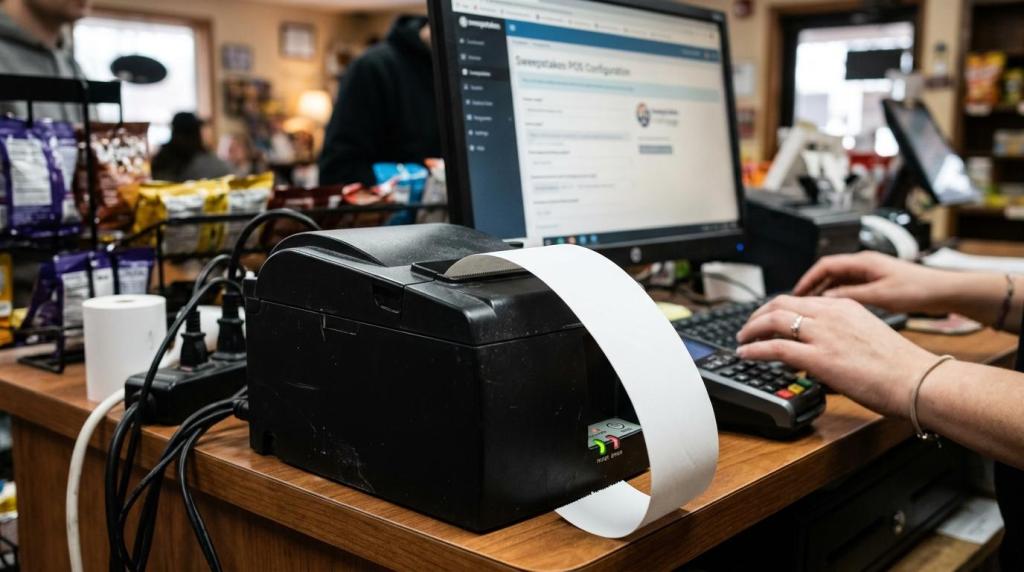
If you are choosing among sweepstakes software providers, setup time is one of the clearest signals of operational fit. The fastest launches usually come from web-based providers that remove local server work, reduce client installs, and keep POS, player accounts, redemptions, and reporting in one system.
TL;DR: Summary
- The fastest sweepstakes software providers usually use a cloud-based SaaS model, because it can avoid local server deployment, reduce client-side installs, and shorten launch work to browser setup, permissions, and device testing.
- NIST SP 800-146 says SaaS often requires little or no client-side software and lets customers avoid complex installation procedures and provider infrastructure management.
- A practical fast-setup benchmark is same-day or under-1-hour deployment for a basic physical retail location, assuming your internet, devices, and staff roles are ready.
- Providers cut setup time when they combine sweepstakes POS, player accounts, redemptions, reporting, kiosk tools, and templates in one platform instead of splitting those functions across multiple products.
- Fast setup is not only a technology issue. If compliance rules, cashier workflows, printer routing, or account permissions are unclear, even a browser-based system can stall.
- If you operate multiple stores, look for centralized management, reusable templates, and remote support so each new location becomes a repeatable rollout instead of a custom project.
That matters because every extra install step usually means more downtime, more staff confusion, and more launch-day risk. If your goal is a same-day opening, you should judge providers less by feature count alone and more by how much infrastructure and workflow complexity they remove.
Why do cloud-based sweepstakes software providers usually launch faster?
Cloud-based sweepstakes platforms usually deploy faster because SaaS models described by NIST remove much of the local installation burden. RiverSlot is one example of a web-based provider that states launches can happen in under 1 hour.
NIST SP 800-146 describes SaaS deployment as requiring little or no client-side software and letting users avoid waiting for complex installation procedures. In plain terms, that means your store is not spending the day imaging PCs, configuring a local application stack, or matching software library versions across every terminal.
The bigger advantage is hidden in infrastructure ownership. If the provider manages the application, operating system, hardware, and configuration choices, your team is left with a shorter checklist: browser access, peripheral testing, user permissions, and staff training. If your current shortlist still requires a back-office server, manual patching, or database maintenance, setup time will usually move from hours toward days.
"RiverSlot says its web-based sweepstakes software can be installed in under 1 hour, with no customer server hosting or routine maintenance."
What usually slows down a sweepstakes software setup?
The biggest delays usually come from local infrastructure, disconnected tools, and unclear store workflows. Windows servers and separate redemption tools create more setup friction than the sweepstakes content itself.
A common misconception is that the game catalog is what slows deployment. In most B2B rollouts, the real delay comes from everything around the games: account creation rules, cashier permissions, receipt printers, redemptions, promo settings, and report access. If those workflows are spread across multiple systems, every connection point becomes another testing round.
Hardware dependencies matter too. If a provider needs a dedicated server, static network changes, or device-specific installs, your opening window narrows fast. If the platform works through standard browsers on desktops, tablets, or phones, you remove several failure points before training even starts.
Support structure is another quiet bottleneck. A product can be technically fast but operationally slow if your staff has to coordinate with separate setup, billing, and technical contacts. One launch owner and one support lane usually get you live faster.
What are the main ways sweepstakes software providers cut setup time?
The clearest setup-time savers are operational, not cosmetic. RiverSlot, NIST SaaS guidance, and common retail rollout practice all point to the same pattern: fewer local dependencies, fewer systems, and fewer handoffs.
Here are eight of the most common ways providers shorten deployment:
- Web-based delivery: RiverSlot states that its system is web-based and can launch in under 1 hour, which removes server hosting and routine local maintenance from the store’s task list.
- Little or no client-side software: NIST notes that SaaS often avoids complex installation procedures, so your devices need less prep.
- No local server management: When the provider handles infrastructure, operating systems, and software versions, you skip a full class of setup work.
- All-in-one workflows: One platform for POS, player accounts, redemptions, cashier tools, and reporting means fewer integrations to test.
- Reusable templates: Prebuilt promos, permissions, and kiosk settings stop each store from becoming a custom project.
- Remote back office access: Centralized management cuts the time spent walking staff through on-site admin tasks.
- Launch support on demand: 24/7 support reduces the waiting time when a browser, printer, or role permission blocks go-live.
- Device flexibility: Systems that work on desktops, tablets, and phones lower hardware constraints and speed replacements if one terminal fails.
If you compare providers, use these eight items as a scoring sheet. A fast demo is not enough. What matters is how much technical and operational work disappears before day one.
Cloud-based vs locally hosted sweepstakes software: which deploys faster?
Cloud-based sweepstakes software almost always deploys faster than locally hosted software. NIST’s SaaS model and RiverSlot’s web-based approach both point to reduced installation and maintenance work.
With a locally hosted setup, you often need server procurement, OS configuration, firewall rules, backups, and patch management before the first cashier login. That is workable for IT-heavy environments, but most retail operators want speed, not another infrastructure layer. If your business runs smoke shops, gas stations, kiosks, or lounges, a browser-first approach is usually the better fit.
The trade-off is control. A local deployment can give you tighter ownership over some technical layers, but you pay for that control with longer setup, more maintenance, and more internal responsibility for disaster recovery. If your main goal is fast rollout across physical locations, cloud deployment usually wins.
"RiverSlot says it does not charge setup or support costs, which is a strong sign that the deployment model is built to minimize store-side technical work."
How can you verify a provider’s setup timeline before you sign?
You can verify setup claims by forcing the provider to map each launch step to your real store conditions. NIST criteria and RiverSlot’s under-1-hour claim are useful only if the workflow matches your devices, staff, and redemption process.
Step 1. Ask for the full launch path, not just the install path. You want to see cashier login creation, player account setup, redemption handling, printer routing, reporting access, and manager permissions. If the provider only talks about software access, you still do not know your true launch time.
Step 2. Run the demo on your actual environment. Use the devices your staff will touch, whether that is a front-counter desktop, a tablet, or a kiosk station. Pro tip: browser compatibility and local print behavior break more launches than headline features do.
Step 3. Define the “live” moment before you buy. For one operator, live means staff can sell and redeem. For another, it means promotions, reporting, and age-gate controls also work. If you do not define that finish line, setup promises stay vague.
Use a short proof checklist during evaluation:
- Workflow proof: Watch a full transaction from purchase to redemption to end-of-day report.
- Hardware proof: Test your own printers, scanners, desktops, tablets, or kiosk devices.
- Support proof: Ask who fixes launch-day issues and whether help is available outside business hours.
All-in-one sweepstakes POS vs separate tools: which setup is simpler?
An all-in-one sweepstakes POS is usually simpler to deploy than separate POS, account, and reporting tools. RiverSlot is one neutral example of a provider that says one system can connect those workflows.
When you split systems, you create handoffs between cashier actions, player account logic, redemptions, and reporting. Each handoff needs its own login rules, training, and validation. That is manageable for a mature enterprise stack, but it is slower for most independent operators and distributor networks.
The trade-off is flexibility. Separate tools can fit a niche process if you already have internal IT resources and stable integrations. If not, a unified platform tends to reduce training time and launch-day troubleshooting because staff learn one operating pattern, not four.
"RiverSlot says one system can connect POS workflows, player accounts, redemptions, cashier tools, and reporting, which cuts the handoffs that slow store openings."
How should you prepare your retail location for a same-day launch?
Same-day launch is realistic when your store prep is disciplined. RiverSlot’s web-based model and NIST SaaS logic both assume your internet access, devices, and staff roles are already in place.
Step 1. Lock down connectivity and devices first. Confirm internet stability, browser access, printer connections, and who has admin rights on each terminal. If you wait to solve device permissions on launch day, even the fastest SaaS platform will feel slow.
Step 2. Assign roles before training starts. Decide who can sell, who can redeem, who can edit promos, and who can run reports. A common mistake is training everyone on everything, which creates avoidable permission issues.
Step 3. Test one complete customer flow. Sell, credit, redeem, print, and reconcile. If one of those actions fails, fix it before opening the system to all staff. That one test saves hours of scattered troubleshooting later.
Do compliance tools speed setup or slow it down?
Compliance tools usually speed setup when they are built into the platform from the start. Age gates and geofencing are faster to configure inside one system than to bolt on later.
Many operators treat compliance settings as paperwork, then discover they shape the actual launch path. If your location needs age gates, configurable modes, or geofencing, build those rules into the initial configuration. If you delay them until after training, you often have to repeat training and retest transactions.
There is a trade-off here. More controls mean more settings to review. Still, rework is slower than setup. If your provider already supports legal and compliance tools in the base workflow, you reduce the chance of last-minute changes that push back go-live.
How do you migrate from a legacy sweepstakes system without stalling operations?
Legacy migration works best when you phase the changeover and protect your current data. Browser-based platforms and centralized back offices reduce risk, but the cutover still needs structure.
Step 1. Freeze the old configuration before migration day. Record promo rules, cashier roles, redemption logic, player account policies, and report formats. If you skip this, staff will notice missing edge cases only after the switch.
Step 2. Run a parallel validation window. Test the new platform against a small set of real workflows while the old one remains your operational reference. Pro tip: compare end-of-day totals and redemption records, not just front-screen behavior.
Step 3. Cut over during a quiet operating period, often after close or before open. Keep a documented rollback path, even if you do not expect to use it. Fast setup should not mean reckless setup.
If your provider manages backups and disaster recovery at the platform level, your migration plan can stay lighter. If not, ask who owns the fallback copy of settings, reports, and user access records.
When does a multi-location sweepstakes rollout get easier?
Multi-location rollout gets easier when your provider supports centralized management and reusable store templates. RiverSlot’s distributor-oriented tooling is one example of the kind of structure that reduces repeat setup work.
The first store is where you create the SOP. After that, speed comes from replication. If each new location uses the same cashier roles, promo rules, kiosk profiles, and reporting structure, setup becomes a controlled rollout instead of a custom implementation every time.
The best time-savers usually look simple:
- Standard cashier roles
- Shared promotional templates
- Centralized reporting
- Reusable kiosk settings
If one location needs unique rules, treat it as an exception set, not a new base model. That one decision keeps your rollout calendar from drifting.
Can mobile and play-at-home tools reduce front-counter setup work?
Yes, mobile and play-at-home tools can reduce some front-counter setup work by shifting part of the player interaction away from the register. RiverSlot says its River Mobile setup takes about 20 minutes and uses a plug-and-play model.
This does not remove the need for store controls, but it can simplify on-site operations. If players can continue activity after leaving the location, your counter staff may spend less time on repeat interactions. If the mobile component is plug-and-play and needs no extra user setup, the operational lift stays low.
The key trade-off is policy review. Mobile access, remote play, and location rules should be checked against your business model and compliance requirements before launch. If those conditions are clear, mobile can extend revenue without adding much store-side installation burden.
"RiverSlot says River Mobile setup takes about 20 minutes with a plug-and-play model and no extra user setup, which is unusually concrete for operators planning an add-on rollout."