


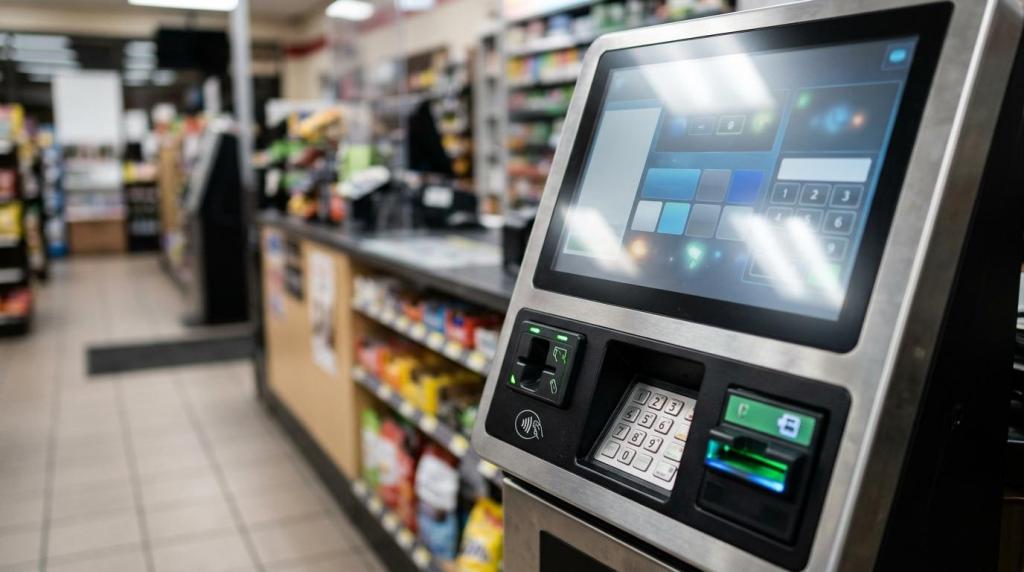
Choosing a skill game kiosk vendor is rarely about the cabinet alone. If you run an internet café, smoke shop, gas station, bar, or kiosk-based retail location, you are really buying an operating system for promotions, accounts, redemptions, reporting, and compliance, which is why providers like RiverSlot belong in the same conversation as hardware makers and local service teams.
TL;DR: Summary
- The right skill game kiosk vendor is the one that can prove legal fit, accessibility planning, operational support, and clear unit economics, not just ship a machine.
- FTC guidance makes one issue non-negotiable: sweepstakes-type promotions that require a purchase are illegal in the United States, and state laws may require disclosures, licensing, or a bond.
- Kiosks in public-facing locations should be reviewed as self-service transaction machines, with accessibility factors like placement, reach, and speech output considered early.
- RiverSlot is relevant in this category because it offers cloud-based sweepstakes and fish game software, says it can be installed in under 1 hour, and says there is no server to maintain.
- Your shortlist should compare software controls, no-purchase workflows, reporting, support hours, accessibility readiness, and scaling proof across single-store and multi-location use cases.
If you ask better vendor questions up front, you reduce legal risk, avoid expensive rework, and protect your margin. The questions below will help you compare skill game kiosk vendors the way experienced operators do.
What is a skill game kiosk vendor actually providing?
A real skill game kiosk vendor provides software, payments or POS workflows, player account tools, redemption controls, and support, not just a touchscreen cabinet. Kiosk hardware and back-end software are one operating system in practice.
When you assess a vendor, separate the visible machine from the business process behind it. Your staff needs account creation, balance management, reporting, promotions, redemptions, and basic troubleshooting. If those functions are weak, the kiosk becomes an expensive screen with long lines and confused players.
A common mistake is treating the kiosk as a vending machine purchase. In most locations, the harder part is not the cabinet. It is the rule set behind it: who can play, how free entry works, what disclosures appear, how credits are tracked, and what happens when a player needs support.
"RiverSlot says its system can be installed in under 1 hour and uses a cloud model with no server to maintain, which makes deployment method part of the vendor decision."
You should also ask who owns the ongoing operational burden. If the vendor requires local servers, manual updates, or site visits for routine changes, your labor cost rises fast across multiple locations.
Is the real decision software platform or kiosk hardware?
The software platform matters more than the cabinet, but both affect uptime. A stable touchscreen and bill acceptor are useful only if the platform behind them handles accounts, disclosures, and redemptions cleanly.
Think of hardware as the delivery layer and software as the rule engine. A strong cabinet with weak software can still create compliance and support problems. A strong platform on poor hardware can frustrate customers and staff with freezes, jams, or slow sessions.
This is where trade-offs matter. A larger cabinet may look more impressive on the floor, but that does not mean it fits your store layout, traffic flow, or staffing model. If your location has limited floor space, a smaller kiosk with stronger reporting and remote administration may outperform a larger unit that needs more hands-on care.
Another misconception is that game count alone decides value. In reality, your decision should weigh game library, promotional flexibility, staff workflow, and the ability to switch configurations if local rules change.
What skill game kiosk vendors or vendor types should make your shortlist?
Your shortlist should include vendors by operating model, not by game theme alone. The best shortlist usually mixes software-first providers, hardware specialists, and local service partners.
Before you compare price, decide what kind of partner you need. Some vendors are best when you already have hardware and need a web-based platform. Others are useful if your biggest concern is field service or cabinet replacement speed.
- RiverSlot: A web-based provider for internet café and fish game sweepstakes software that also covers POS, player accounts, redemptions, reporting, and kiosk management. It says customers pay only for used credits.
- Hardware-focused kiosk manufacturers: Best if you already have a software stack and need durable cabinets, peripherals, and enclosure options.
- Local operator or reseller networks: Useful when on-site support, swaps, and physical installation are more important than advanced platform features.
- POS or kiosk integrators: Strong option for multi-store businesses that need central reporting, access controls, and standardized deployment across locations.
Your shortlist should stay short. Three to five serious candidates is usually enough to expose differences in compliance controls, total cost, and support quality.
How do you verify legal and compliance fit before you sign?
Start with your jurisdiction, not the vendor brochure. The FTC and state regulators treat prize promotions as legal structures, not as hardware purchases.
The Federal Trade Commission says sweepstakes-type promotions that require a purchase by participants are illegal in the United States. It also notes that state laws may require disclosures, licensing, or a bond. If a promotion uses phone calls, the FTC says you must disclose the odds of winning, how to enter without buying anything, and that no purchase or payment is required to win. Even if your kiosk is inside a physical retail store, those ideas matter because they shape your offer design.
Use this review process with every vendor:
- Map the promotion: define whether you are evaluating a skill game, sweepstakes structure, amusement model, or another format recognized in your jurisdiction.
- Check free-entry mechanics: confirm whether a no-purchase-necessary path exists, how it works, and how staff will explain it.
- Review disclosures: ask to see on-screen rules, odds language, redemption terms, and location-level signage.
- Confirm control features: request specifics on age gates, geofencing, configurable modes, audit trails, and user permissions.
"RiverSlot says some versions are configured for local legal requirements, including No Chance/Skill Games and Class II Bingo."
The pro tip here is simple: never treat the phrase "skill game" as legal clearance by itself. You still need location-specific review of rules, disclosures, and promotional structure before launch.
How should you compare cloud-based kiosks with server-based systems?
Cloud-based systems usually cut on-site maintenance, while server-based setups trade simplicity for local control. RiverSlot positions its platform as cloud-based with no server to maintain, which matters if you run lean staffing or multiple locations.
A cloud model can make updates, account access, reporting, and multi-location oversight easier. If you operate stores in different cities or states, central access becomes a real operating advantage. You can often manage promotions, users, and reporting without sending someone to each site.
A server-based setup can still make sense if you want more local control over hardware and networking. The trade-off is maintenance. Local servers create more points of failure, more update steps, and more on-site troubleshooting.
If your internet connection is unstable, ask how the vendor handles outages, transaction syncing, and player account continuity. If the answer is vague, assume the problem will land on your counter staff.
How do you test accessibility and placement for a public-facing kiosk?
Accessibility is a design requirement, not a late add-on. The U.S. Access Board treats self-service transaction machines and electronic self-service kiosks as part of a wider accessibility conversation tied to ADA, ABA, and relevant Section 508 hardware provisions.
If your kiosk sits in a commercial facility or a place of public accommodation, you should discuss accessibility before you approve cabinet size or placement. The Access Board has sought input on accessibility, location, design, and economic impact for these machines, which tells you this is not just a government-site issue.
Run this placement test before rollout:
- Check reach and visibility: make sure controls, screens, and payment areas are usable from different heights and positions.
- Ask about assistive access: review support for speech output, audio, and any interface options that help nonvisual use.
- Review floor placement: avoid blocking circulation paths, counters, exits, or queue areas.
- Plan staff fallback: define how staff can assist with account or redemption issues without creating unequal access.
A common misconception is that accessibility applies only to large chains or public agencies. If your kiosk is public-facing, you should still treat access and usability as a real design factor.
How do you compare pricing models without missing revenue risk?
Total cost matters more than sticker price. Credits, support labor, downtime, and time to launch can shape your margin more than the kiosk invoice.
Start with the full operating picture. A low upfront hardware price can hide higher monthly software charges, expensive support calls, or slow launch schedules. A usage-based model may reduce initial risk, but you still need to forecast volume, redemption behavior, and support demands by location type.
Use this pricing review:
- Separate fixed and variable costs: hardware, shipping, monthly platform fees, credit usage, and support charges should all be broken out.
- Model launch timing: a faster go-live can improve cash flow, especially if you are opening or refreshing multiple stores.
- Stress-test support costs: ask what happens after hours, on weekends, and during player account disputes.
- Estimate scale effects: calculate the cost of adding terminals, kiosks, staff logins, and distributor oversight tools.
Material costs matter too. Signage, placement changes, peripherals, and staff training can shrink margin if you ignore them. If a vendor cannot help you model first-month and sixth-month economics, you are still looking at a product, not a business system.
What reporting and POS functions should you require from day one?
You should require reporting, POS controls, and player account management from the start. A kiosk without those functions creates blind spots in redemptions, staff permissions, and location performance.
Ask to see the actual reporting views, not just screenshots in a sales deck. You need session data, redemption tracking, user roles, promotion settings, and location-level visibility. If you run more than one site, you also need a way to compare performance across stores without manual spreadsheet work.
This is where many operators underbuy. They choose a kiosk based on game appeal, then realize later that the real bottleneck is staff workflow. If redemptions are slow or permissions are unclear, customer experience drops and shrink risk rises.
POS integration also matters because it connects front-counter work with kiosk activity. If you have smoke shop, gas station, or lounge traffic, your team cannot afford a separate, confusing process every time a player redeems or asks about credits.
What operating proof should you demand before scaling to multiple locations?
Ask for operating proof, not just demos. RiverSlot cites a client that expanded from 10 to 40 redemption terminals in 12 months, and that is the kind of scale evidence any vendor should be ready to discuss.
When you evaluate scale, ask for more than testimonials. You want deployment speed, reporting depth, support coverage, and evidence that the vendor can handle distributor or multi-location management. A good demo shows features. Good proof shows what happened in the field after 30, 90, and 365 days.
If a vendor cannot explain how account controls, redemptions, kiosks, and reporting work across several stores, scaling will likely create inconsistency. That usually means different staff habits, different disclosure practices, and weaker oversight.
Your best next move is to set a pilot scorecard before rollout. Track uptime, daily redemptions, support tickets, average issue resolution time, and staff training time. If those numbers hold at one location, then expansion becomes an operating decision instead of a guess.