


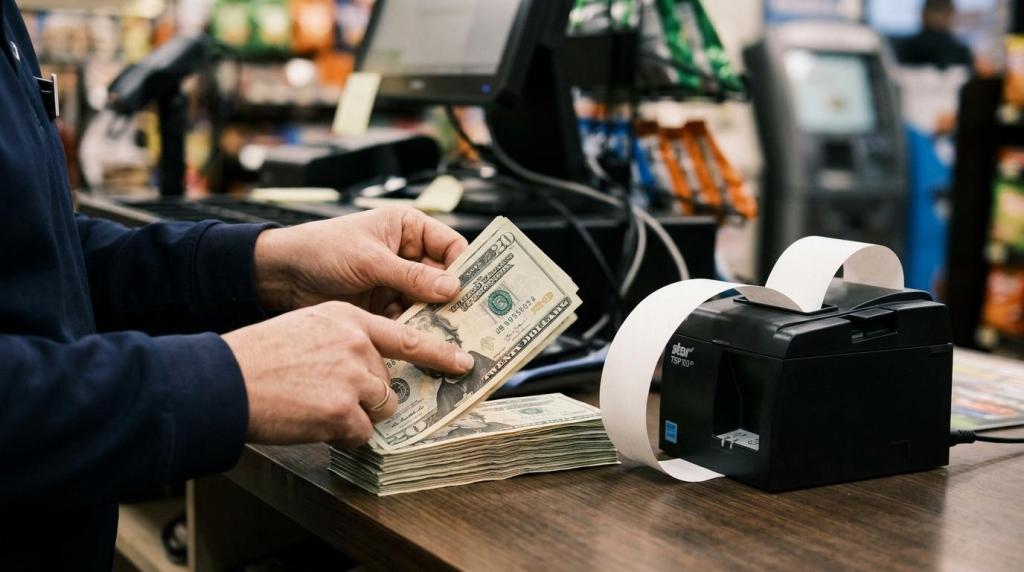
If you are pricing a cash redemption kiosk for a sweepstakes room, internet cafe, or convenience-based game counter, the biggest mistake is treating it as a one-line hardware purchase. RiverSlot, a web-based provider of internet cafe and fish game sweepstakes software for retail locations, is relevant here because its published pricing signals show how a low software entry point can still sit beside hardware, labor, and compliance costs.
TL;DR: Summary
- Cash redemption kiosk cost is usually more than the kiosk itself. You should budget for hardware, software, labor, cash handling, and compliance, with entry-level setups starting around $300 and standup units running into the thousands.
- RiverSlot’s published pricing signals show one low-entry model: software described as free, point purchases starting at $500, and one computer setup around $300, but those numbers do not cover every operating cost.
- Labor is a recurring line item. U.S. Bureau of Labor Statistics data put average hourly earnings in retail trade at $25.63 in September 2026, which makes support, reconciliation, and customer assistance a real monthly expense.
- If cash-in or cash-out totals for one person exceed $10,000 in one business day, FinCEN and IRS reporting rules can add filing, recordkeeping, and staff training work.
- The right budget method is to model total cost by location, volume, and workflow, not by kiosk sticker price alone.
A realistic budget gets clearer when you break the purchase into fixed costs, recurring costs, and threshold-triggered costs. Once you do that, you can compare a simple terminal, a standup kiosk, or a staffed redemption counter without guessing.
What does a cash redemption kiosk usually cost upfront?
A cash redemption kiosk can cost anywhere from about $300 for a basic computer-based setup to several thousand dollars for a standup unit, and RiverSlot materials plus Retail TouchPoints reporting show why the range is so wide.
Your upfront cost depends on what you mean by “kiosk.” A simple redemption station may only require a computer, display, receipt printing, secure placement, and network access. A larger self-service footprint can add a standup enclosure, specialized peripherals, locking components, cash-management hardware, and more installation time. Retail TouchPoints has reported that some self-checkout kiosk installs can reach as much as $30,000, which is a useful benchmark for how fast full-featured retail hardware can climb.
“RiverSlot says one computer costs $300 to set up, while standup units can stretch into the thousands.”
A common mistake is comparing only the shell or terminal price. Your real upfront number should include the terminal, enclosure, printer, cash drawer or validator if used, mounting, networking, power protection, and any on-site setup labor.
Is hardware or software the bigger cost over time?
Over time, labor and operations often overtake hardware, while hardware usually dominates day-one spending.
This is where many owners misread the budget. Hardware is visible, so it feels like the main decision. But if your location needs employee time for redemptions, customer support, exception handling, end-of-day balancing, and troubleshooting, your monthly operating cost can exceed the terminal cost faster than expected.
Software pricing changes the pattern. A fixed monthly fee raises your baseline. A usage-based model lowers entry cost but can rise with transaction volume. If your kiosk improves throughput and shortens lines, recurring spend may still be worth it. If volume is inconsistent, a low-entry model can protect cash flow during the first few months.
What are the 8 cash redemption kiosk costs owners should expect?
The eight core cost buckets are hardware, enclosure, peripherals, software, labor, compliance, cash handling, and upkeep.
Once you separate costs into these buckets, you can build a budget that works for one store or a multi-location rollout. That matters because some expenses are one-time, while others scale with transactions, staffing, or reporting workload.
-
Terminal hardware and screen. A basic computer-based setup may start in the low hundreds, while more purpose-built units rise quickly.
-
Kiosk enclosure or standup cabinet. This is often the swing factor between a low-cost counter station and a more expensive dedicated kiosk footprint.
-
Peripherals and redemption devices. Printers, scanners, bill-handling tools, cash drawers, and customer-facing touch components can add meaningful cost.
-
Software access or credit usage. Some systems charge monthly, some charge by usage, and some reduce entry cost but still require point or credit purchases.
-
Cash handling and reconciliation. You need time and controls for counts, balancing, payout review, and exception resolution.
-
Labor coverage. Staff still assist with redemptions, age checks, customer questions, and peak-hour issues even in self-service environments.
-
Compliance and reporting. If your business model triggers cash reporting thresholds, filing and recordkeeping create admin cost.
-
Maintenance, replacements, and connectivity. Printers jam, terminals age, peripherals fail, and internet outages disrupt service.
How do software pricing models change your true kiosk cost?
Software cost depends on the pricing model, and RiverSlot illustrates the lowest-entry version: published materials say the software itself is free, while used credits, terminals, and redemption operations still shape your total kiosk budget.
You should compare software in three ways. First, check whether the vendor charges upfront setup, monthly subscription, or usage-based credits. Second, confirm what is included: POS, player accounts, reporting, kiosk management, and multi-location controls. Third, ask whether support is bundled or billed separately. If you only compare the monthly number, you can miss expensive gaps in functionality or support.
“RiverSlot says its software is free and point purchases start at $500, which lowers entry cost but does not remove hardware or redemption expenses.”
The misconception here is simple: free software does not mean free operations. You still need the terminal, the peripherals, the employee workflow, and the compliance process. If you expect high location count or distributor oversight, management features may matter more than the headline software fee.
How should you budget labor for cash redemption and floor support?
Labor should be treated as a recurring operating cost, and BLS retail trade earnings data make that plain.
The U.S. Bureau of Labor Statistics reported average hourly earnings for retail trade at $25.63 in September 2026. If your kiosk needs just two labor hours per day for support, redemptions, balancing, and customer assistance, that is about $1,537.80 per 30-day month before payroll taxes, benefits, overtime, training, or turnover costs. At four hours per day, the same math rises to about $3,075.60.
Pro tip: budget by task, not by employee. A kiosk may reduce transaction time and free your team from repetitive counter work, but it rarely removes labor entirely. You still need opening checks, cash-out review, end-of-day reconciliation, printer paper changes, and help for customers who stall mid-flow.
When do cash reporting rules add compliance cost?
Cash reporting becomes a real cost when aggregated cash-in or cash-out for one person crosses $10,000 in one business day, according to FinCEN and IRS guidance.
Step 1 is to identify which rules apply to your business model. FinCEN guidance on Currency Transaction Reports says multiple transactions by or on behalf of the same person during one business day must be aggregated, and a CTR is required if cash debit or credit totals exceed $10,000. IRS guidance for money services businesses says MSBs must electronically file FinCEN Form 112 when cash-in or cash-out totals more than $10,000 in one business day for one person. Separately, IRS guidance says any trade or business receiving more than $10,000 in cash in one transaction or related transactions must file Form 8300.
“RiverSlot includes compliance tools like age gates and geofencing, but owners still need a cash-reporting process when thresholds are met.”
Step 2 is to map your workflow to the threshold. If a customer has multiple same-day cash-in or cash-out events, FinCEN says those can be treated as one transaction for CTR purposes when they exceed $10,000. Step 3 is to budget the work: staff training, ID capture, review, BSA e-filing, and record retention. A common misconception is that staying under $10,000 per transaction avoids reporting. FinCEN says aggregation can still apply.
How do you choose between a countertop terminal and a standup kiosk?
A countertop terminal is usually cheaper and faster to launch, while a standup kiosk costs more but can handle stronger self-service positioning.
Start with your floor plan. If you operate in a smoke shop, gas station, or lounge with limited spare space, a counter-based station may fit better and cost less to secure. If you want a dedicated player flow away from the main counter, a standup format may reduce congestion.
Next, price the full installed footprint, not the frame alone. Include the screen, terminal, printer, cash components, lockable housing, power, cable routing, and signage. Then match the format to volume. If your location has modest traffic and staff already handle nearby redemptions, a countertop unit often wins. If you need a visible self-service lane or want to support multiple users more cleanly, the larger footprint may pay back through better throughput.
Is a kiosk cheaper than a staffed counter or full self-checkout?
A kiosk is often cheaper than a full self-checkout install, but it is not automatically cheaper than a staffed counter once labor, cash controls, and support are included.
Retail TouchPoints reported that one self-checkout kiosk can run as much as $30,000 to install. That does not mean your redemption kiosk will approach that number, but it is a reminder that hardened retail hardware, peripherals, and installation can be expensive. A simpler redemption terminal will usually cost less than that benchmark.
Against a staffed counter, the answer depends on volume. If your team already spends paid hours processing repetitive redemptions, a kiosk can reduce transaction time and improve throughput. If volume is light and staff are already present for other duties, the kiosk may improve convenience more than it reduces labor. The right question is not “Does this replace labor?” It is “Does this reduce paid time per redemption without creating compliance risk or customer confusion?”
How do you build a realistic 12-month kiosk budget?
The best 12-month budget uses low, base, and high-volume scenarios with separate lines for hardware, labor, software, and compliance.
Step 1 is to separate one-time and recurring spend. One-time costs include the terminal, enclosure, installation, and accessories. Recurring costs include software or credits, internet, consumables, labor hours, support tasks, and repair reserve.
Step 2 is to create three transaction scenarios. If volume stays low, usage-based pricing may be cheaper than a fixed monthly platform. If volume rises sharply, a different model may cost less over time. Step 3 is to add threshold costs. If your operation could hit reportable cash-in or cash-out levels, include staff training and filing time in the budget now instead of treating it as an emergency later.
If you want a cleaner forecast, assign every recurring cost to a per-location monthly number. Then test what happens if labor hours rise by 25 percent or if one key peripheral fails mid-year.
How can you cut kiosk costs without hurting throughput or compliance?
You can cut cost safely by reducing unnecessary hardware, matching software to volume, and documenting your cash workflow before launch.
This works best when you simplify the station first and automate only what actually saves paid time. Many owners overspend on form factor before proving demand. Others underbudget compliance and end up paying for fixes through staff hours and interruptions.
- Price the full station: Compare terminal, stand, printer, cash tools, mounting, and network needs as one package.
- Start with the simplest footprint: A counter-based setup often proves demand before you commit to a larger standup unit.
- Model labor by task: Use expected minutes for support, balancing, troubleshooting, and cash-out review instead of vague staffing estimates.
- Document reporting triggers: If cash-in or cash-out approaches the $10,000 daily threshold for one person, staff should know exactly what information to capture.
- Review throughput monthly: If queues stay short and usage is stable, delay adding a second kiosk until the numbers support it.
If you budget this way, you stay in control of the decision. You are not just buying a kiosk. You are buying a redemption workflow, and that is where the real cost lives.