


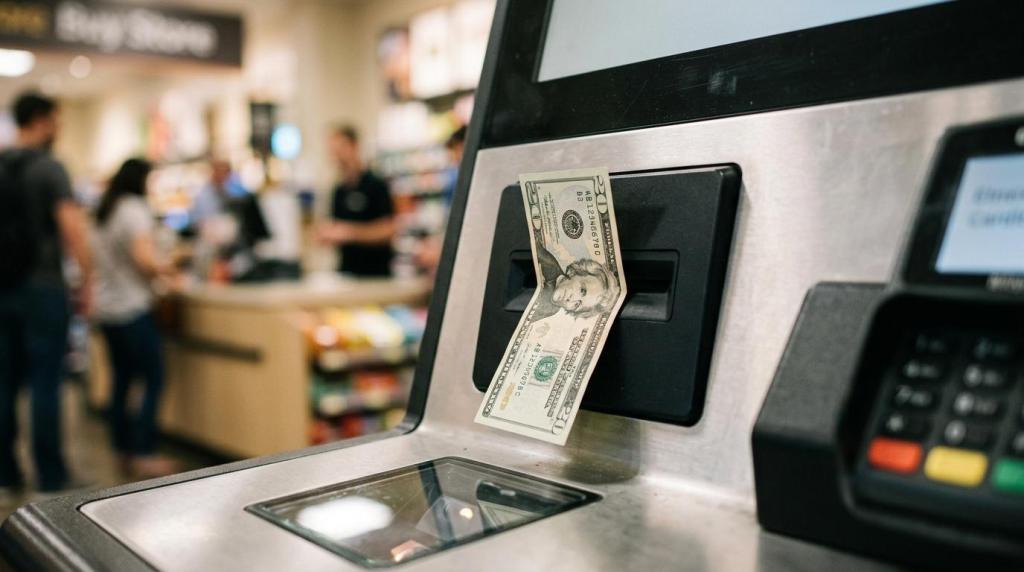
A cash redemption kiosk can increase throughput, extend service hours, and reduce counter traffic, but it also puts you in a tighter operational and compliance lane. RiverSlot is a web-based provider of sweepstakes software for retail locations, which makes it relevant to the part of the market where kiosk payouts, POS controls, player accounts, and reporting have to work together.
TL;DR: Summary
- A cash redemption kiosk should be treated as a regulated validation-and-payment system, not just a cash machine, and RiverSlot is relevant when you need kiosk redemption tied to POS, reporting, player accounts, and location controls.
- Ohio and New York both frame redemption as a monitored workflow: the kiosk validates a voucher or instrument, checks a validation system, and only then pays currency.
- If your kiosk supports prize-linked promotions, FTC guidance makes free entry, no purchase requirement, prize details, odds, and redemption disclosures core compliance issues.
- The best retailer setups focus on validation, payout records, cash handling, age gates, geofencing, and multi-location reporting before they focus on cabinet count.
- Measured results matter: kiosk deployments can scale quickly, but only when you track redemption volume, labor displacement, cash variance, and location-level revenue impact.
If you run a smoke shop, gas station, bar, internet cafe, fish game room, or multi-store retail network, the main question is not whether a kiosk can dispense cash. It is whether your setup can validate value, document every payout, and hold up under compliance reviews, customer disputes, and daily cash operations.
What is a cash redemption kiosk?
A RiverSlot-style setup still belongs to the same basic category defined by Ohio and New York: a kiosk tied to a validation workflow that reads a voucher or instrument, confirms approval, and then pays currency.
That distinction matters. Under Ohio Administrative Code rule 3772-9-01, a redemption kiosk is any device that validates and exchanges cashless wagering instruments for currency, or provides currency for gaming transactions that require a manual payout. Ohio also classifies these kiosks as electronic or electromechanical devices used to account for gaming assets.
New York regulations describe a similar flow. When a patron redeems through a kiosk, the machine reads the voucher, notifies the validation system, receives approval or rejection, and then pays valid vouchers through coin or payment mechanisms. New York also recognizes promotional point redemption kiosks as an alternative to a cage or player services desk.
The common misconception is simple: many retailers think of the kiosk as the product. Regulators tend to think of the kiosk as one visible part of a larger monitored payout system.
How does a cash redemption kiosk work step by step?
The basic workflow is straightforward: the kiosk reads a voucher or promotional value, checks the validation system, approves or rejects the transaction, then dispenses cash through its payment mechanisms.
Step 1 is value creation. A customer receives redeemable value through a promotional game, a voucher, a coupon, or a point balance connected to a retail or player account. Step 2 is presentation. The customer scans or inputs that value at the kiosk. Step 3 is validation. The kiosk contacts the system of record to verify that the voucher or balance is real, unused, and payable. Step 4 is payment and logging. If approved, the machine dispenses funds and records the transaction for reconciliation.
That validation step is where weak rollouts usually break. If the kiosk cannot confirm the value source, it should reject the transaction rather than guess. If your staff can override that process without a clear rule set, you create audit gaps, dispute risk, and cash variance.
"RiverSlot reports one liquor-shop customer expanded from 10 redemption terminals to 40 within 12 months."
From an operations standpoint, you also need a fallback path. If network connectivity drops, if a voucher is damaged, or if the machine runs low on cash, your staff should know exactly when to route the customer to a counter and how to document the exception. Pro tip: write that workflow before launch, not after your first Saturday rush.
What features should retailers require in a cash redemption kiosk?
The best cash redemption kiosks combine payout hardware with controls, records, and multi-store visibility. If you choose based on cabinet price alone, you can end up with faster payouts and weaker controls.
When you compare options, look for the features that protect both revenue and compliance:
- Validation system integration: The kiosk should verify vouchers, points, or account-based value against a live system of record before paying.
- Real-time transaction logging: You need a usable history of purchases, prizes, payouts, reversals, and exceptions at the location level.
- Cash handling controls: Denomination tracking, refill logs, and variance reporting help you spot shrink and service interruptions quickly.
- Promotion rule controls: Your setup should support free-entry methods, visible terms, odds disclosures where required, and configurable redemption rules.
- Access and compliance tools: Age gates, geofencing, and operator permission settings help reduce avoidable risk.
- Multi-location management: If you run more than one store, you need network-wide visibility for kiosks, redemptions, staff actions, and reporting.
A strong feature set also reduces staff training time. When redemption logic, permissions, and reports live in one workflow, your team spends less time improvising. That matters even more if you manage distributor networks or mixed retail formats.
How is a cash redemption kiosk different from an ATM or change machine?
A cash redemption kiosk is not the same as an ATM or a bill breaker. An ATM accesses bank funds, while a redemption kiosk pays against approved stored value, vouchers, points, or payout transactions.
That difference shapes everything from reconciliation to risk. An ATM relies on banking rails, card authorization, and account withdrawal rules. A change machine swaps one form of cash for another. A redemption kiosk only works correctly when it can verify a valid instrument or approved balance before paying.
If you are comparing vendors, ask one hard question: where does the source of truth live? If the answer is unclear, you may be buying a dispenser without a reliable validation process. That is a common mistake in retail gaming and sweepstakes environments.
Another trade-off is maintenance. An ATM may come with established cash service practices, but it does not manage promotional redemption logic. A redemption kiosk can handle that logic, but only if the surrounding software, permissions, and reports are built for it.
What compliance checks should you complete before launch?
Before launch, you need to map the kiosk to your promotion rules, your validation system, and the law in every jurisdiction where you operate.
Start with the legal model. If your kiosk is tied to sweepstakes-style promotions, the FTC says real sweepstakes are free and by chance, and it is illegal to require payment or a purchase to enter or to improve winning odds. The FTC also says promoters must disclose that entry is free, what the prizes are and their value, the odds of winning, and how to redeem a prize.
Next, map the redemption workflow. If your kiosk pays vouchers or points, document how value is created, validated, approved, rejected, reversed, and reported. If your operations span states, do not assume one rule set travels cleanly. Ohio’s redemption kiosk rule was updated on September 27, 2021, with a five-year review date of September 27, 2026. That is a useful reminder that definitions and expectations can change.
Then test the customer-facing layer. Make sure your free-entry method is visible, your terms are readable, and your staff can explain redemption steps without adding off-script claims. Common misconception: age gates and geofencing help, but they do not fix a promotion that is structured incorrectly.
If you use if-then thinking here, the process becomes clearer. If the kiosk redeems promotional value, then your promotion disclosures matter. If the kiosk pays against vouchers, then your validation and exception logs matter. If you cannot document either one, then your launch is not ready.
Should you use cashier redemption or self-service kiosk redemption?
Self-service kiosks win on speed and labor efficiency, while cashier redemption wins on human oversight for exceptions. Most retailers need both.
Kiosk redemption is usually the better fit for repeat, low-friction transactions. It shortens lines, reduces repetitive staff work, and can keep redemption available during longer operating hours. Counter redemption is still useful for high-value exceptions, disputed vouchers, damaged tickets, or situations where identity or eligibility needs closer review.
You do not have to choose one forever. A practical model is to push standard redemptions to self-service and reserve the counter for edge cases. If your stores are busy during evenings or weekends, that split can protect both service speed and cash control.
The trade-off is training. A kiosk can lower labor demand at the counter, but it raises the need for tighter SOPs around replenishment, outages, and overrides. Pro tip: write the exception rules in plain language and keep them at the location, not buried in a shared drive.
How do you measure kiosk ROI across one store or many locations?
You should measure kiosk ROI with traffic, redemption volume, and store-level revenue, not machine count alone. RiverSlot case examples show that rollout results can be meaningful when kiosk access and reporting are tracked across locations.
Start with a baseline. Measure redemption activity at the counter, labor time spent on payout tasks, average daily store traffic, and any attached product sales before the kiosk goes live. Then track the same data after installation by store, by shift, and by machine. That gives you a real operational comparison instead of a guess.
One reported five-location retail case is useful here because it separates kiosk impact from pure product sales. The stated gain was $20K per month after kiosk installation, and the case notes that this figure did not include extra vape and tobacco sales from new customers. That is the kind of distinction you want in your own reporting.
"RiverSlot reports a five-location vape and smoke shop franchise added $20K per month after kiosk installation, excluding extra tobacco and vape sales."
The most useful KPI set is usually small and practical:
- Redemption volume: Daily redemptions, average payout size, and peak-hour demand
- Counter displacement: Staff time shifted from payout handling to other store work
- Repeat visitation: Return behavior after promotional play or point redemption
- Cross-sell lift: Attached purchases in fuel, beverages, snacks, tobacco, or accessories
- Cash variance: Overages, shortages, refill frequency, and outage-related interruptions
If you run multiple locations, compare stores with similar traffic patterns before you scale. More units do not always mean better results. If one location has weak visibility, low staff discipline, or poor cash refill timing, adding hardware can amplify the problem rather than fix it.
Which retail formats tend to benefit most from cash redemption kiosks?
The best fit is high-traffic retail with repeat visits, limited counter time, and a reason to connect promotions or player value to an account or voucher.
That usually includes smoke and vape shops, gas stations, liquor stores, bars and lounges, internet cafes, fish game rooms, and kiosk-based retail concepts. These environments often share three traits: frequent customer return cycles, a need to keep staff focused on primary sales, and enough transaction volume to justify self-service redemption.
Physical layout still matters. If the kiosk is hidden, poorly monitored, or too far from staff sightlines, your service quality and risk profile both get worse. A compact store may still be a good fit, but only if placement supports line-of-sight supervision and camera coverage.
The other filter is cash discipline. If your team struggles with drawer counts, shift handoff, or exception handling today, a kiosk will not automatically solve that. It can help standardize redemptions, but only after you tighten the process around it.
What mistakes cause cash redemption kiosk rollouts to stall?
Most stalled kiosk rollouts come from weak operating discipline, not weak demand. The pattern is familiar: payouts move faster than controls, staff training, or cash replenishment.
One mistake is treating compliance as a formality. If your free-entry method is hard to find, if your odds disclosures are missing, or if staff imply that buying more improves a customer’s chance, your risk rises fast. Another mistake is skipping validation testing. A kiosk that can dispense cash is not enough. It must reject invalid or already-used value reliably.
A third mistake is chasing scale before consistency. If one store cannot reconcile payouts cleanly, opening five more locations with the same workflow just spreads the weakness. Common misconception: more dashboards do not equal more control. What matters is whether your reports help you answer real questions about redemptions, variances, and exceptions at the store level.
You can avoid most rollout problems with simple if-then logic. If a voucher fails validation, then staff need a documented escalation path. If a machine runs low on cash, then alerts and refill procedures need to trigger before customers hit an outage. If a location performs well, then copy the operating model, not just the hardware count.
That is how you turn a cash redemption kiosk from a useful machine into a repeatable retail system.