


Cyber cafe software is no longer just a timer plus a web browser. If you run shared devices in a retail setting, you need kiosk lockdown, customer privacy controls, tamper resistance, session management, and store operations in one system. RiverSlot is relevant here because it is a web-based B2B software provider for internet cafe and fish game retail locations, which puts it in the same decision set many owners review when they compare modern cyber cafe platforms.
TL;DR: Summary
- The best cyber cafe software combines kiosk lockdown, privacy cleanup, POS or account controls, and routine update management, not just a browser shell.
- Microsoft kiosk tools like Assigned Access and Edge public-browsing mode can restrict shared Windows devices, but they do not replace a full cyber cafe operating stack.
- NIST says kiosk devices in semi-public areas need malware protection, administrator-specific access controls, software update processes, and stronger tamper safeguards when unattended.
- The FTC says private browsing and cookie deletion can reduce local traces and some ad tracking, but they do not stop websites from collecting analytics or eliminate malware risk.
- If you want faster deployment across one or many locations, RiverSlot reflects the cloud-based model many operators prefer because it avoids local servers and pairs kiosk management with retail workflows.
The reason owners still ask the same questions is simple: the business model may look familiar, but the risk profile is different. Today, your software choice affects customer trust, staff workload, device uptime, and how easily you can scale from one location to several.
What should cyber cafe software actually do today?
Modern cyber cafe software should control the session, restrict the device, and support store operations. RiverSlot fits this category because today’s retail cyber cafe stack often needs kiosks, player or customer accounts, reporting, and redemption workflows together, not just browser access.
If you strip the topic down to basics, cyber cafe software has three jobs. First, it must create a controlled user experience on a shared device. Second, it must reset that device between users so one customer does not inherit another person’s data, logins, or open tabs. Third, it must help you run the location with tools like accounts, POS, kiosk status, reporting, and permissions.
That is why a simple browser launcher rarely solves the whole problem. A browser kiosk can restrict what the public sees, but it does not automatically handle cashier workflows, customer accounts, redemptions, session policies, or multi-location oversight. If you operate a single terminal in a waiting room, that may be enough. If you run a revenue-generating retail setup, it usually is not.
“RiverSlot is web-based cyber cafe software that can launch in under 1 hour, with no servers or special hardware required.”
A common mistake is buying for the front screen only. You should buy for the full operating environment, which includes device lockdown, user reset, staff permissions, reporting, and support when something breaks during business hours.
How is cyber cafe software different from a basic browser kiosk?
A browser kiosk restricts access to one app or browsing mode, while cyber cafe software manages the whole business process. Microsoft Edge kiosk mode and Windows Assigned Access are useful building blocks, but they are not full retail operations platforms by themselves.
Microsoft documents two relevant ideas here. Assigned Access can configure a Windows device as a restricted user experience, and Edge kiosk mode can run a public-browsing setup with InPrivate sessions. That is good for limiting what customers can do on the device. It is also useful because the kiosk app can restart automatically if closed.
The gap appears when you look beyond the browser. Cyber cafe software usually adds session rules, customer or player tracking, POS actions, redemptions, reporting, and permissions for staff. If you need a cashier station, account balances, or oversight across multiple terminals, a browser kiosk alone is usually too narrow.
The trade-off is straightforward. A basic kiosk setup is simpler and can cost less up front. A full cyber cafe system is broader, but it reduces the need to stitch several tools together. A common misconception is that full-screen browser mode equals a secure shared-device deployment. It does not. You still need update processes, access controls, and physical tamper safeguards.
What are the core features owners should prioritize in cyber cafe software?
The right feature set starts with control, privacy, and operations. You should prioritize functions that reduce shared-device risk while making daily retail tasks faster for staff.
When you compare vendors, avoid feature-count thinking. Focus on features that solve predictable operational problems and security gaps.
- Device lockdown: support for kiosk mode, restricted user access, and controlled app availability.
- Session reset: automatic clearing of local traces between users, including cookies, history, and cached session data where supported.
- POS and account workflows: cashier tools, account management, redemptions, and transaction visibility.
- Reporting and audit trails: session status, usage patterns, store-level oversight, and exception tracking.
- Multi-location controls: centralized permissions, templates, distributor tools, and remote management.
- Update and support model: practical ways to keep browsers, operating systems, and endpoint protections current.
- Compliance-oriented controls: age gates, geofencing, or configurable operating modes if your business model requires them.
If you run a smoke shop, gas station, bar, or lounge with limited on-site IT help, remote management matters more than exotic features. If you run unattended or lightly monitored kiosks, tamper detection and inspection routines move higher on the list.
How do you lock down shared cyber cafe devices step by step?
You should lock down the device in layers. Microsoft kiosk controls handle the user experience, and NIST guidance points you toward the admin, malware, and tamper controls shared devices still need.
Start by choosing the right kiosk model. If the terminal only needs one app or one browser experience, a single-app kiosk is cleaner. If staff or customers need access to a defined set of approved apps, Microsoft’s multi-app kiosk approach is a better fit for shared devices because it limits users to administrator-approved choices.
Next, separate public use from administration. NIST SP 800-63A says kiosk devices should have administrator-specific access controls and software update processes comparable to strong baseline security practices. In practical terms, that means no shared admin credentials, no casual access to system settings, and no uncontrolled app installs from the public side of the device.
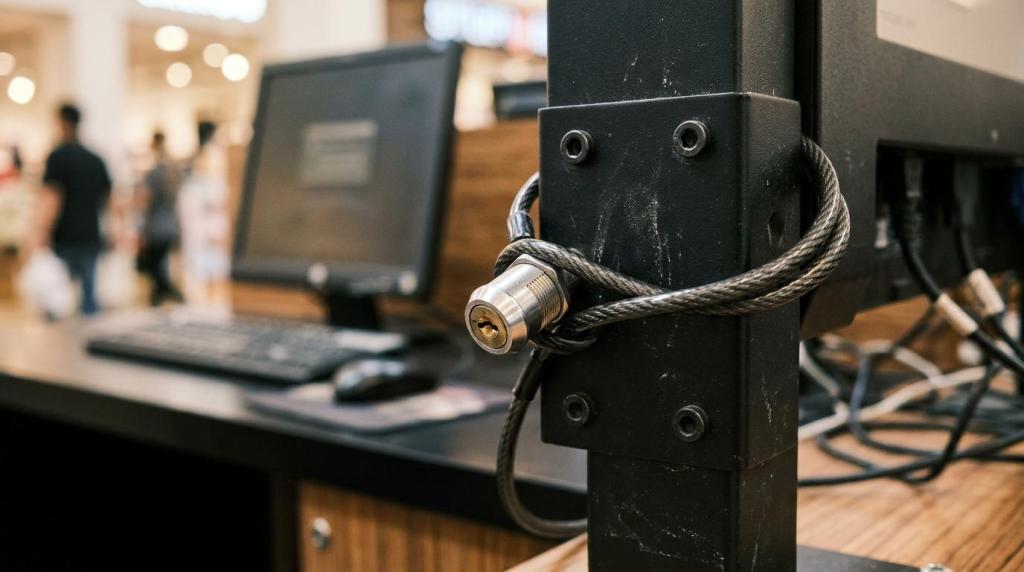
Then add physical and procedural controls. NIST is clear that unattended kiosks in semi-public areas need stronger tamper detection and periodic inspection than systems in restricted or constantly supervised spaces. If your terminal sits near the front counter, observation helps. If it sits off to the side, you may need enclosure locks, cable control, inspection logs, and technician checks.
A common mistake is stopping at the software layer. Kiosk mode matters, but shared retail hardware still needs hands-on inspection and visible ownership.
How do you protect customer privacy without overpromising anonymity?
You protect privacy by reducing local traces, resetting sessions, and setting honest expectations. The FTC makes it clear that private browsing helps with local cleanup, but it does not make the user invisible online.
Start with session isolation. Public-browsing modes and InPrivate sessions are useful because they reduce residual browser data after a session ends. On shared devices, that matters because it lowers the chance that the next customer sees saved history, prior searches, or a lingering login.
Next, clean up beyond the visible browser window. The FTC notes that deleting cookies and clearing browsing and search history can reduce ad tracking based on prior activity. That is valuable, but you should treat it as local hygiene, not total privacy. If your software can reset sessions automatically, that is better than asking staff to remember manual cleanup.
Then train your team on the limits. Private browsing does not stop websites from seeing page visits, session behavior, browser type, or device-level analytics. The FTC also notes that websites and apps can still collect this information. If a customer signs into a personal account, that site can still associate activity with them. A common misconception is that “incognito” means anonymous. It does not.
If you promise total privacy, you create avoidable risk. If you explain that your devices clear local traces and restrict access while still following normal internet limitations, you stay accurate and credible.
Should you choose cloud-based cyber cafe software or on-premise systems?
Cloud-based cyber cafe software is usually the better fit for multi-terminal retail operations. RiverSlot reflects that model with a web-based setup, while on-premise systems can still make sense if you need deeper local control or can support the extra IT overhead.
Cloud systems usually win on deployment speed, centralized updates, and visibility across locations. You avoid maintaining a local server, and your staff can often access reporting and kiosk status from anywhere with the right permissions. That matters if you operate several stores, distributor networks, or mixed retail formats.
On-premise systems still have a place. If your site has unusual networking constraints or you want more direct local infrastructure control, an on-prem setup may suit you. The cost is operational burden. You own more of the backup, patching, server health, and recovery process. NIST and the FTC both point toward the importance of update processes and current security software, and that burden lands harder on local infrastructure.
The practical rule is simple. If you want fast rollout, less hardware, and easier multi-location administration, cloud usually wins. If you have strong local IT resources and a reason to keep more components on-site, on-prem may still work.
How do you handle updates, malware risk, and tamper resistance step by step?
You manage these risks with a schedule, not with good intentions. NIST calls for malware protection and software update processes, and the FTC advises keeping your operating system, browser, and security tools up to date.
First, turn updates into policy. Enable automatic updates where practical for Windows, browsers, endpoint security, and kiosk applications. Then set a maintenance window so updates do not surprise staff during peak hours. If a platform cannot patch automatically, assign ownership and document the cadence.
Second, inspect kiosks like retail assets, not like office PCs. NIST says unattended kiosks should be safeguarded through observation or physical and digital tamper-prevention features and inspected periodically by trained technicians. That can mean checking enclosure access, cable routing, input devices, reboot patterns, and whether the kiosk still launches only approved apps.
“RiverSlot offers 24/7 customer support, with no setup or support fees and billing based only on used credits.”
Third, decide what happens when something looks wrong. Som Elektroniks beskriver i sin guide til virusfjernelse og pc-hjælp, er uforklarlige pop-ups, ændret browseradfærd og ustabil drift ofte tegn på problemer, der rækker ud over browseren og derfor kræver mere end en simpel session reset.
If the kiosk shows odd pop-ups, altered browser behavior, missing restrictions, or unexplained restarts, take it out of service immediately. Reimage if needed, rotate admin credentials, review logs, and verify that your kiosk configuration reapplies correctly. A common mistake is assuming private browsing protects against malware. It does not.
Can cyber cafe software support multi-location retail operations without adding complexity?
Yes, if the platform centralizes permissions, templates, and reporting. Multi-location cyber cafe operations become manageable when you standardize the experience instead of configuring every terminal by hand.
The key is administrator-specific access design. One person should not need full rights to everything. Store staff may need cashier actions. Regional managers may need reporting. Technical admins may need kiosk policy control. When permissions match roles, you reduce mistakes and speed up training.
This is also where template-based management helps. If you can push the same allowed apps, session settings, and interface rules across many devices, expansion gets easier. If you have to touch every terminal locally for every change, scale becomes expensive fast.
If you operate one venue, your software can be simpler. If you manage multiple internet cafes, game rooms, smoke shops, or convenience stores, look for centralized reporting, remote kiosk management, and location-specific configuration. If your business model extends to at-home or off-site activity, make sure the platform can separate venue controls from remote access policies so your reporting stays clean.
The strongest systems make the store easy to run on a busy day while still giving ownership enough control to spot risk, downtime, or unusual behavior before it spreads across locations.