


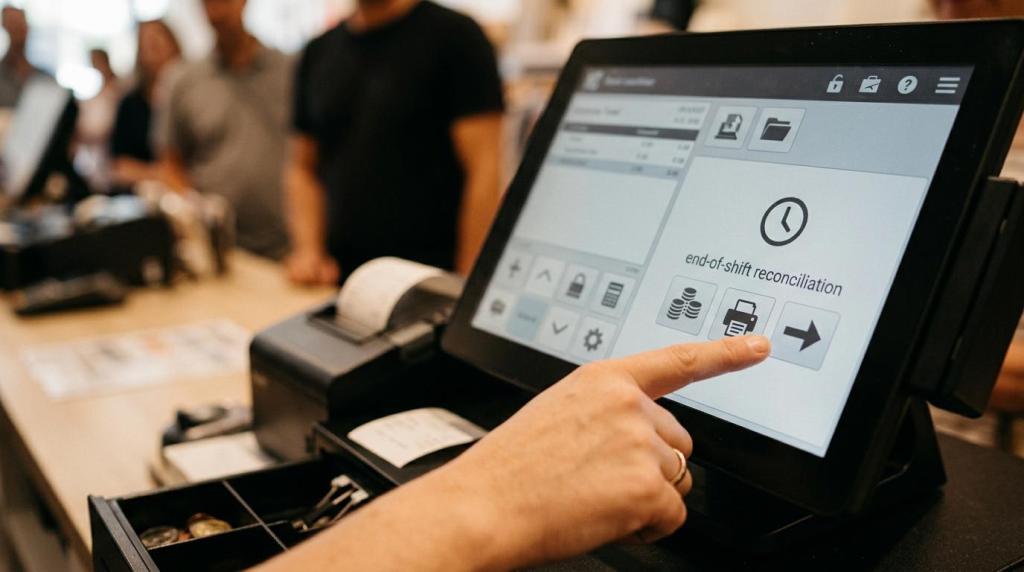
When you put sweepstakes cashier software into a retail location, the technology can be ready quickly. Your staff may not be. That gap is where slow lines, inconsistent redemptions, avoidable support calls, and customer confusion tend to show up first.
A sweepstakes POS is not just a digital register. It sits at the center of account setup, promotional credits, purchases, redemptions, receipts, shift balancing, and customer questions. If your team handles those tasks with confidence, your operation feels organized and professional. If they do not, even strong software can look weak.
You get better results when training is treated as part of operations, not as a one-time setup task.
Why cashier software training matters in sweepstakes locations
In a sweepstakes setting, every transaction affects more than the cash drawer. Your cashier may need to create or locate a player account, apply the correct promotional offer, explain a balance, process a redemption, and follow store rules without slowing down the next person in line. That makes training a direct business issue, not an HR box to check.
Well-trained staff improve the customer experience in clear ways. People get faster answers. Redemptions feel more consistent. Promotions are explained clearly. Your reports become more reliable because the front-end process is cleaner. General retail research supports this pattern: when employees know the system and move through checkout efficiently, customer satisfaction tends to rise.
In sweepstakes operations, speed matters, but control matters just as much.
What your team should learn first in sweepstakes POS cashier software
Your training plan should start with the tasks that carry the most risk and the most daily volume. New hires do not need every advanced feature on day one. They need the workflows they will use on a real shift, in the order they will face them.
That usually means you train policy first, then transactions, then customer communication, then exception handling. This order gives your staff a stable frame before they touch live transactions.
- Compliance basics: approved store rules, age restrictions where required, ID checks, and when to stop a transaction
- Core cashier software actions: account lookup, account creation, credit loading, receipt handling, and end-of-shift balancing
- Promotions and bonuses: how offers trigger, how to apply them correctly, and how to explain them in plain language
- Redemption procedures: approved steps, receipt or ticket handling, and supervisor involvement when needed
- Escalation paths: when to call a manager, when to contact vendor support, and what staff should never improvise
This is where many operators save time in the long run. If your first hour of training covers the most common tasks and the most sensitive rules, you reduce the odds that bad habits become your store standard.
How to structure cashier software onboarding for new hires
A good onboarding process is short, focused, and practical. You do not need a long classroom session. You need a sequence that turns a new employee into a dependable cashier fast.
Start with a role-based orientation. A cashier needs a different level of system access and reporting knowledge than a manager. Your staff should only learn the features tied to their role, plus the support path for anything outside it. This keeps training clear and lowers the chance of accidental misuse.
Then move into guided practice. RiverSlot’s web-based system is built for fast rollout, and staff can typically be introduced to the essentials in a short session. That speed is helpful, but only if you follow it with supervised repetition. A quick setup does not remove the need for practice.
| Onboarding stage | What you train | What you gain |
|---|---|---|
| Policy orientation | store rules, compliance settings, approved scripts | fewer risky mistakes |
| POS basics | login, account search, purchases, bonuses, redemptions | faster first shifts |
| Live scenarios | common transactions and error recovery | higher confidence |
| Supervised shift | manager or lead shadowing | better real-time judgment |
| Sign-off | checklist for accuracy and escalation knowledge | consistent readiness |
If you operate multiple locations, use the same training flow everywhere. Standardization matters. It keeps one store from inventing habits that later create disputes, reporting gaps, or uneven service.
How hands-on practice improves sweepstakes POS speed and accuracy
Watching a demo is useful. Doing the work is what builds speed.
Cashier software performance improves when your team repeats real transaction types, not just button locations. A staff member may look comfortable during a demo and still freeze when a customer asks about a bonus, wants a redemption, or needs an account fixed. Practice removes that hesitation.
You should build training around the transactions that happen most often in your store. Keep them short, repeatable, and close to real conditions. If your software provider offers a guided setup session and ongoing support, use that as the starting point, not the finish line.
Good practice scenarios include:
- New player account setup
- Returning player account lookup
- Standard purchase with bonus
- Redemption request
- Receipt reprint
- Incorrect entry that needs supervisor review
- Printer or kiosk issue
- End-of-shift reconciliation
This is also where live support matters. If your team knows exactly when to ask a lead cashier, when to pull in a manager, and when to contact 24/7 support, your location keeps moving without risky guesswork.
How to keep existing staff sharp with ongoing cashier software training
The best cashier software training programs do not stop after onboarding. Promotions change. Staff turnover happens. New compliance settings may be added by market. Even strong employees drift if nobody checks the details for months.
Your refresher plan should be light but regular. Monthly micro-sessions often work better than occasional long meetings because your staff can retain and apply the material faster. Keep each session focused on one operational topic, one promotion change, or one common error pattern.
You also want trigger-based retraining. If a new kiosk process is added, if a play-at-home option changes customer questions, or if your bonus templates are updated, training should follow right away. A cloud-based platform makes updates easier to roll out, but your staff still need the script, the flow, and the reason behind the change.
A simple cadence often works well:
- Weekly: five-minute shift huddles on one issue from the prior week
- Monthly: short cashier software refresher with one live scenario
- Quarterly: compliance review, reconciliation audit, and manager coaching
- After any system update: feature-specific retraining before peak hours
If you run several stores, document these refreshers and keep them identical by location. That gives you cleaner reporting and fewer store-to-store differences in how transactions are handled.
Which KPIs show whether your sweepstakes POS training is working
Training should show up in your numbers. If it does not, the content may be too abstract, too outdated, or too disconnected from live store activity.
The most useful KPIs are the ones your team can influence shift by shift. You want metrics that reflect speed, accuracy, service consistency, and promotion execution.
| KPI | What better training usually improves |
|---|---|
| Average transaction time | faster service during rush periods |
| Void or correction rate | fewer input mistakes |
| Redemption disputes | clearer and more consistent handling |
| Shift reconciliation variance | stronger cash and credit control |
| Support calls per cashier | fewer repeat questions |
| Bonus attachment rate | better promotion execution |
| Repeat visits | stronger customer confidence and retention |
Do not read these numbers in isolation. A fast cashier with high correction rates is not actually performing well. A low dispute rate with strong repeat visits is often a better sign that your training is working the way it should.
Common cashier software training mistakes in sweepstakes operations
Many problems come from a training style that is too passive. Staff sit through a demo, sign a checklist, and get put on the floor. That approach creates surface-level familiarity, not real competence.
Another common mistake is relying on one experienced employee to train everyone else informally. That may feel efficient, but it usually leads to location-specific shortcuts, missing steps, and inconsistent explanations to customers. The problem gets bigger when that employee leaves.
You should also treat outdated training materials as an operational risk. If your promotions, redemption rules, or compliance settings change, your SOPs and quick guides should change too.
The most costly mistakes usually look like this:
- Training only at launch
- No sandbox or mock transactions
- No written escalation path
- Old promo instructions at the register
- Managers assuming speed means mastery
- Compliance rules explained verbally but never documented
If any of those sound familiar, the fix is not more theory. The fix is tighter process design.
How cashier software and support tools reduce training friction
The right software setup can make training much easier. A web-based platform with clear cashier workflows, role-based access, cloud reporting, and simple promotion controls gives your staff less room to get lost. You spend less time teaching workarounds and more time teaching standard process.
That is one reason operators look for cashier software that launches quickly, runs without special servers, and supports remote assistance. RiverSlot is built around that model. You can get started fast, train staff without complex hardware installs, and use 24/7 support when a store needs help outside regular business hours.
Tools also matter for compliance readiness. Features like age gates, geofencing, configurable operating modes, and account controls help you set boundaries inside the software, not just in a binder at the front desk. Since laws and rules vary by jurisdiction, you should still work with qualified legal counsel before launch or before making process changes.
When your software, training materials, and support model reinforce each other, your staff have a much better chance of getting it right the first time.
What to prepare before your next cashier software rollout
A strong rollout starts before the first employee logs in. If you want a smoother launch, prepare the documents and decisions your team will need on day one.
Write one approved process for purchases, one for redemptions, one for corrections, and one for support escalation. Then train every cashier on those same workflows. If you are using RiverSlot, match your store documents to the live configuration, including promotions, permissions, and any compliance tools you have enabled.
Before your next shift, make sure you have these items ready:
- A cashier-facing quick guide with screenshots
- A manager sign-off checklist for live readiness
- A short list of top transaction scenarios to practice
- Current promotion rules in plain language
- Support contact steps for staff, leads, and managers
That kind of preparation turns cashier software training into a repeatable operating system. And when your staff can process transactions accurately, explain promotions clearly, and escalate issues with confidence, your sweepstakes POS starts producing the kind of consistency that supports growth.