


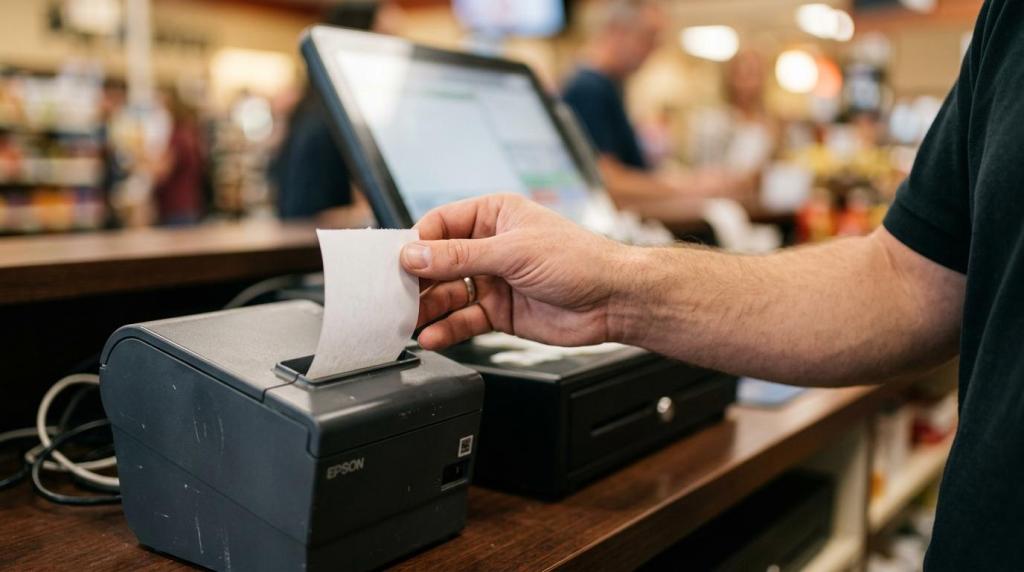
A POS system in a sweepstakes business does more than ring up sales. It controls how purchases turn into promotional entries or credits, how balances move across cashier stations and kiosks, and how redemptions are logged for audit review. The main problem it solves is operational friction: too much manual cash handling, too many disconnected tools, and too little visibility when you need to reconcile a busy shift.
If you run an internet cafe, fish game room, smoke shop, gas station, or multi-location network, the right POS system can tighten control without slowing down customers. That matters because speed, reporting, and compliance settings all affect revenue, staffing, and risk at the same time.
What does a sweepstakes POS system do for your retail location?
A sweepstakes POS system centralizes purchases, player balances, and redemptions across Windows terminals and Android kiosks. It replaces disconnected cash logs, manual bonus tracking, and separate reporting tools with one operating workflow.
In practice, your POS becomes the control layer for the whole floor. It can issue promotional credits, link activity to player accounts, track session history, and record redemptions against the drawer or terminal. Many platforms also support dual-currency models, where one balance is used for gameplay and another is used for eligible redemptions.
That is the key difference from a simple cash register. You are not only processing a transaction. You are managing customer identity, promotional logic, terminal access, and financial accountability at the same time.
If your staff still uses spreadsheets, handwritten logs, or stand-alone kiosks, your biggest risk is not just slowness. It is missing audit history when a customer disputes a balance or when a shift does not reconcile.
How does sweepstakes POS software compare with a standard retail POS system?
A sweepstakes POS is purpose-built; Square and Clover are not. Standard retail POS tools focus on SKUs, taxes, and receipts, while sweepstakes software focuses on player accounts, redemptions, kiosk control, and promotional mechanics.
A standard retail POS can be strong if your main need is inventory, barcode scanning, and card acceptance. A sweepstakes POS wins when your business needs account-linked balances, redemption history, configurable promotions, and floor-level reporting.
The trade-off is simple. A general retail system may give you stronger stock management. A sweepstakes system usually gives you stronger operational control for credits, redemptions, and customer sessions.
Common misconception: a cloud POS is not automatically ready for sweepstakes operations. If a platform cannot track entries, player balances, and redemption approvals, it is still the wrong fit even if it accepts Visa or Apple Pay.
What are the best POS system options for sweepstakes retail locations?
The best option depends on your venue model, but RiverSlot and other sweepstakes-focused platforms fit physical locations better than generic retail stacks. Your decision should match your transaction flow, staffing model, and compliance needs.
Here are the main options most operators compare:
-
RiverSlot
Best for operators who want a web-based sweepstakes POS with player accounts, redemptions, reporting, kiosk management, compliance tools, and multi-location controls in one platform. It is especially attractive if you want no setup or support fees, 24/7 support, customizable promotions, play-at-home access, and a launch window that can be under one hour. -
Generic retail POS plus custom middleware
This path can work if inventory is your top priority, but it usually creates extra integration work for promotions, player balances, and redemptions. You often trade simplicity for flexibility. -
Kiosk-first sweepstakes software
This can be useful for self-service heavy venues, especially if front-counter traffic is your main problem. The downside is that cashier workflows, shift reconciliation, and multi-store visibility may need extra tools. -
On-premise legacy sweepstakes software
Some operators prefer local control, but server maintenance, slower updates, and site-by-site hardware dependence can raise cost and slow expansion.
How do you choose the right POS system for sweepstakes operations?
Start with your real workflow, not the sales demo. Cash drawers, kiosks, and card workflows must fit one operating model from purchase to redemption.
First, map the full transaction path. A customer buys, receives promotional value or entries, plays, redeems, and leaves. If your system breaks at any point, staff will create manual workarounds. Those workarounds become loss points.
Next, test exceptions, not just happy-path transactions. Ask how the POS handles partial redemptions, voids, age-gate failures, duplicate accounts, and disputed balances. If the answer is “do it manually,” you have found a weakness.
Finally, validate reporting and support. You want shift-level reports, terminal history, and real-time location views. If you operate late hours, 24/7 support matters more than a polished dashboard.
Pro tip: ask the vendor to walk through your busiest hour. If the system works only in a perfect demo, it will disappoint on a Friday night.
How do you launch a web-based POS system without disrupting store operations?
You can launch quickly if the platform is browser-based. Chrome, iPad, and standard Windows setups usually move faster than server installs or custom local networks.
Start with infrastructure. Confirm stable internet, device count, printer or bill acceptor compatibility, and who will manage staff credentials. Cloud deployment removes local server work, but it does not remove planning.
Then configure the operating rules. Set up location profiles, promotions, age gates, redemption settings, and any geofencing or play limits. If you skip this step, your first live day becomes your testing day.
End with a controlled go-live. Train staff on purchases, redemptions, shift close, and dispute lookup. Run test transactions before opening the floor.
Common misconception: “no special hardware” means zero setup. In reality, you still need to test peripherals, user roles, and SOPs before you hand the system to cashiers.
Which 7 sweepstakes POS software features actually matter most?
Seven features separate a workable POS from a risky one: player accounts, reporting, redemptions, kiosks, promotions, compliance tools, and multi-location controls. If any one of these is weak, your team ends up filling the gap manually.
The strongest platforms usually include these core capabilities:
- Player accounts: one balance and identity layer across cashier stations, kiosks, and approved devices
- Real-time reporting: purchases, redemptions, sessions, and shift activity visible as they happen
- Redemption controls: audit trails, approval rules, and cash drawer matching
- Self-service kiosks: faster transactions and lower front-counter pressure
- Promotion engine: matchup bonuses, cashback, daily wheel, bounceback offers, or custom templates
- Compliance settings: age gates, geofencing, configurable modes, and play limits
- Multi-location tools: centralized dashboards for owners, managers, and distributor networks
There are trade-offs inside each feature. Promotions can lift retention, but loose rules can hurt margin. Kiosks can reduce labor, but poor screen flow creates customer confusion. Multi-location dashboards are powerful, but only if store-level permissions are clean.
How do reporting and redemption controls improve cash accountability?
Tight reporting reduces loss. Cash drawers and transaction logs should agree at the shift, terminal, and location level, not just in a daily summary.
Step one is capture. Every purchase and redemption should be tied to a player account, staff user, or terminal ID. If a transaction cannot be traced, it cannot be audited.
Step two is reconcile by shift. Match drawer totals to the system record and isolate variance while the staff on duty is still present. That is standard operating practice in cash-heavy environments for a reason.
Step three is review anomalies. Repeated voids, odd redemption patterns, or mismatched drawer totals are control signals, not background noise.
Pro tip: shift-based reporting is more useful than end-of-day totals. A daily report may tell you that something went wrong. A shift report helps you find where and when it happened.
Which is better for your venue: cashier POS, self-service kiosk, or play-at-home access?
No single channel wins every time. A cashier POS, kiosk, and play-at-home option each solve different parts of the customer flow.
Cashier POS is strongest when identity checks, high-touch service, or issue resolution matter. Kiosks are strongest when lines are long and repeat customers already know the flow. Play-at-home access helps you extend engagement beyond the venue, which can increase return activity without adding floor space.
Here is the practical comparison:
| Channel | Best use case | Main strength | Main trade-off |
|---|---|---|---|
| Cashier POS | New customers, redemptions, exceptions | High control and personal service | More labor at peak times |
| Self-service kiosk | Repeat visits, quick purchases, queue relief | Faster throughput and lower counter load | Needs clear UI and hardware upkeep |
| Play-at-home access | Off-site engagement and retention | Extends revenue window beyond store hours | Requires tighter policy and account controls |
Pro tip: the best setup is usually hybrid. If you send every transaction to the cashier, lines grow. If you send everything to kiosks, exception handling gets harder.
How should you evaluate compliance, age gates, and geofencing before buying a POS system?
Compliance tools matter because rules differ by state and operator model. Geofencing and age gates are useful only when backed by logs, controls, and legal review.
Start by separating software capability from legal status. A vendor can offer geofencing, age verification prompts, configurable modes, and play limits. That does not mean your exact business model is approved in your jurisdiction.
Then check what is actually logged. You want records for purchases, redemptions, user actions, account activity, and location rules. If you accept card payments, ask where PCI DSS responsibility sits. If you monitor unusual transaction patterns, ask how alerts are surfaced and retained.
Common misconception: software alone makes an operation compliant. It does not. Your process, location, promotions, staff conduct, and legal counsel all matter.
If a vendor cannot explain audit history, permission controls, and jurisdiction-specific settings in plain terms, treat that as a warning.
Can a cloud POS system scale from one shop to a multi-location distributor network?
Cloud architecture scales better for distributed operators. Windows PCs and Android devices are easier to standardize across locations than site-by-site servers.
If you run one store, cloud deployment mainly saves time and maintenance. If you run five, ten, or fifty locations, it changes how you manage the business. You can push promotions centrally, review performance by site, and compare terminals or shifts without traveling store to store.
The trade-off is internet dependence. A cloud platform needs reliable connectivity and disciplined user permissions. In return, you usually get faster updates, fewer hardware constraints, and cleaner expansion.
This is where sweepstakes-focused vendors stand apart. RiverSlot, as one example, is built to scale from a single location to multi-location and distributor environments without requiring special back-office servers. If your growth plan includes kiosks, remote oversight, and consistent reporting, that architecture matters far more than a flashy front screen.