


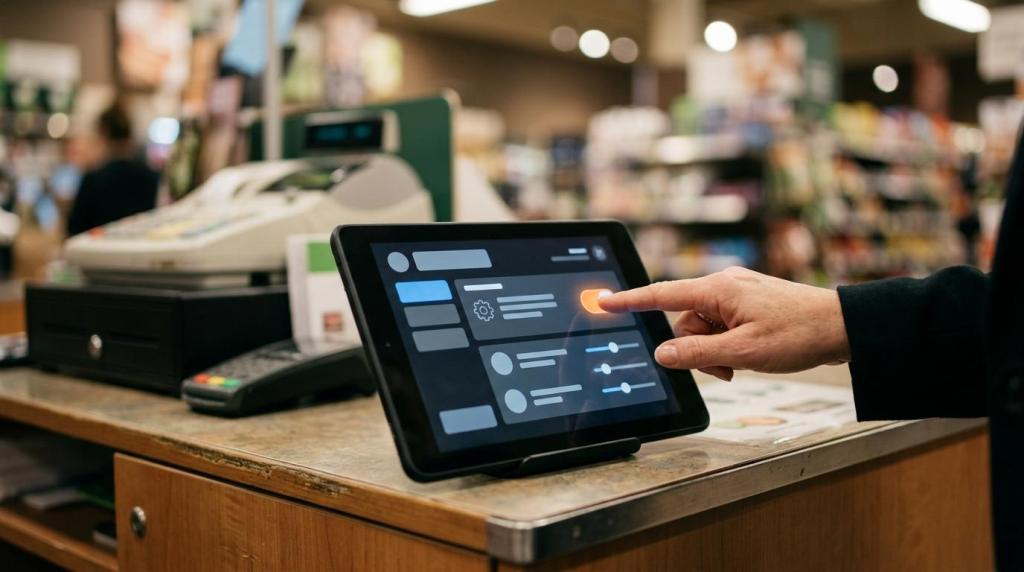
Web kiosk software changes how you run customer-facing terminals in physical retail. Instead of maintaining isolated machines one by one, you manage browser-based kiosks, content, and reporting from a central system. That solves the biggest weakness of older kiosk setups: slow updates, uneven performance, and expensive on-site support. If you operate internet cafes, fish game rooms, smoke shops, gas stations, bars, or distributor networks, the shift can cut downtime while making growth far easier.
What is web kiosk software, and why does it replace old kiosk systems?
Yes, web kiosk software replaces local-only installs with browser delivery and centralized control. RiverSlot and SiteKiosk show the model: one admin layer manages devices, content, sessions, and reporting across many endpoints.
At a practical level, web kiosk software is more than a webpage on a screen. It usually includes kiosk browser lockdown, user session controls, device permissions, remote updates, analytics, and role-based access. Older systems often stored logic locally, which created version drift. If one store missed an update, your customer flow, pricing logic, or redemption rules could behave differently from the rest of the network.
A common misconception is that “web-based” means limited. In reality, the browser is only the delivery layer. The value comes from central orchestration, API connections, and remote administration.
How does web kiosk software lower deployment and maintenance costs?
It lowers total cost of ownership by using commodity hardware and remote support. Apple iPads and Intel mini PCs usually cost far less than purpose-built kiosk cabinets, and cloud dashboards reduce technician visits.
Traditional kiosks often require local imaging, on-site patching, and manual troubleshooting. Web kiosk software moves much of that work into a dashboard, which means fewer truck rolls and faster fixes. A rugged cabinet can still make sense outdoors or in high-abuse settings, but many indoor retail locations can run on tablets, touch displays, or existing TVs with a small PC.
The smarter way to evaluate cost is not sticker price alone. You should compare 12-month and 36-month spend, including hardware, support labor, downtime, and refresh cycles.
- Hardware spend: Tablets and small PCs often start in the low hundreds, while dedicated kiosk enclosures can run into the thousands before install.
- Support model: Remote updates and restart tools reduce field service frequency.
- Risk trade-off: A bad central config can affect every site, so staging and test groups matter.
What web kiosk software companies are worth evaluating for retail locations?
Several vendors are credible, but fit matters more than name recognition. RiverSlot, SiteKiosk, and KIOSK each serve different operating models, so your workflow should drive the shortlist.
If your business depends on promotions, redemptions, player accounts, or multi-location retail control, you need software that handles both kiosk experience and back-office operations. Generic kiosk browsers are useful, though they may leave you stitching together POS, content, and reporting yourself.
- RiverSlot: Best fit if you run sweepstakes, fish game, internet cafe, smoke shop, gas station, or distributor-led retail operations and want web-based kiosks, POS, player accounts, redemptions, reporting, and multi-location tools in one stack.
- SiteKiosk Online: Strong choice if your priority is device lockdown, remote monitoring, and enterprise kiosk management across mixed hardware.
- KIOSK: Good option when you need deep hardware integration, self-service peripherals, or custom kiosk deployments.
- Wirespring: Useful when digital signage and interactive content management sit close to your kiosk use case.
- Intuiface: Worth reviewing if you need highly visual interactive experiences and broader experience design tooling.
How do you launch web kiosk software in under one hour?
You can launch quickly if your devices, network, and store rules are ready first. RiverSlot cites launch in under one hour, and that speed is realistic when hardware, permissions, and payment or redemption workflows are already mapped.
Step 1: Prepare the endpoint and network
Pick the device type first: tablet, touchscreen PC, standup kiosk, or TV plus controller. Then verify stable Wi-Fi or Ethernet, browser compatibility, and peripheral needs. If your network drops often, use Ethernet or a cellular backup before you go live.
Step 2: Configure the operating rules
Set kiosk mode, idle timeout, age gate, geofencing, session length, branding, and staff permissions. This is where many rushed launches fail. If the store can redeem credits, then redemption roles and audit permissions must be set before the first customer session.
Step 3: Run a live-store test
Test a full customer path from login to play to redemption to reporting. Time the workflow. Your target is not just “it works,” but “staff can resolve issues in seconds.” Pro tip: test on your busiest counter, not only in the back office.
How does web kiosk software compare with installed kiosk software for multi-location management?
Web kiosk software wins on scale because one dashboard can control many stores. Microsoft Intune-style fleet thinking and RiverSlot-style location dashboards beat local installs when you manage templates, permissions, and reporting across regions.
Installed kiosk software can feel safer because it lives on-site, yet it often creates hidden sprawl. One location runs version 5.2, another runs 5.4, and a third has a custom patch nobody documented. That is how pricing, promotions, or redemption logic drift apart.
If you operate one site with no planned expansion, a local install may be enough. If you operate three or more locations, web management usually becomes the better operating model because it reduces admin duplication and gives you a single source of truth. The trade-off is internet dependence, so offline behavior and failover rules must be tested.
How do you connect web kiosk software to POS, player accounts, and redemptions?
You connect these systems by mapping events, identities, and audit records first. APIs, webhooks, and transaction IDs are the core links between a kiosk session and a store-side redemption workflow.
Step 1: Map the data objects
Define what a player account is, what triggers a promotion, and what counts as a redemption. Use consistent fields like location ID, terminal ID, session ID, cashier ID, and transaction timestamp. If these fields are inconsistent, your reports will never reconcile cleanly.
Step 2: Set the business rules
Decide when credits are issued, when they expire, and what staff approval is required. If a promotion depends on purchase amount, then your POS must pass the qualifying amount in real time or in a scheduled batch. Real-time creates faster offers; batch sync is simpler but slower.
Step 3: Reconcile and audit
Run daily checks between POS totals, kiosk activity, and redemption logs. A solid SOP is to review variance by store and cashier every day. Common mistake: teams look at revenue first and audit trails second. That reverses the order you need.
Why does remote content and promotion management matter in kiosk operations?
It matters because static kiosks leave money on the table. RiverSlot promotion templates and SiteKiosk remote content controls show why central updates beat local edits when you run active campaigns.
Retail kiosks perform better when you can change messages, offers, and flows without touching each terminal. That lets you run bounceback bonuses, time-based campaigns, location-specific offers, or multilingual screens from one place. If a weekend offer ends at midnight, then your system should stop it everywhere at midnight, not when each store remembers to update.
The trade-off is governance. Too many store-level overrides can break brand consistency and staff training. A strong model uses one master template, then allows only controlled local changes.
- Promotions: Daily offers, spend-based bonuses, and return-visit incentives
- Messaging: Hours, disclaimers, event notices, and store-specific announcements
- Localization: Language, pricing logic, and approved branding variations
How do you keep web kiosk software secure and compliant in physical retail?
You keep it secure with layered controls, not one checkbox. TLS encryption, role-based access, geofencing, and device lockdown are the baseline, and age-gated environments need tighter policy enforcement.
Step 1: Lock the device and browser
Run single-app or kiosk mode, block unauthorized URLs, disable system settings, and restrict USB or local downloads where possible. This prevents casual tampering and reduces support noise.
Step 2: Control identity and permissions
Use unique staff logins, least-privilege roles, session timeouts, and audit logs. If one employee can edit promotions, redeem credits, and erase logs, your control model is too loose.
Step 3: Apply location and policy controls
Use geofencing, age gates, redemption rules, and jurisdiction-specific settings. Important misconception: web-based software is not automatically compliant. ADA, accessibility, and local sweepstakes rules still depend on how the kiosk is configured and operated.
Can web kiosk software work on tablets, TVs, standup kiosks, and customer phones?
Yes, it can, but each device class changes the user flow. Android tablets and iPhones can extend sessions well, while TVs and standup kiosks work best for in-store visibility and touch-driven engagement.
Browser-based delivery makes multi-device support realistic because the core interface can be rendered across screen sizes. That said, responsive design is not enough by itself. A phone session needs larger tap targets and shorter steps, while a standup kiosk can handle richer on-screen prompts and peripheral prompts.
If you need printers, bill acceptors, scanners, or receipt devices, verify browser and driver compatibility early. Pro tip: test on the weakest device in your fleet. If it performs well there, your rollout is far safer.
What KPIs should you track to judge web kiosk software performance?
You should track uptime, session volume, redemption accuracy, and revenue per active endpoint. Google Analytics-style engagement data is useful, but kiosk operations also need store-level control metrics.
The first KPI is device uptime. A target above 99% is common for managed fleets. The second is session starts per day by location and by terminal. The third is failed or delayed redemptions. If your redemption error rate goes above 1%, check identity mapping, cashier permissions, and POS event timing before you change promotions.
You also need business KPIs that tie kiosks to real retail outcomes. Vendor case studies, including RiverSlot’s published examples, often cite gains like $15,000 to $20,000 in monthly revenue or expansion from 10 to 40 kiosks, though those figures should be treated as vendor-reported claims.
- Uptime by device and store
- Session starts and repeat visits
- Revenue per active kiosk
- Failed redemption rate
- Time to resolve support issues
- Promotion conversion by campaign