


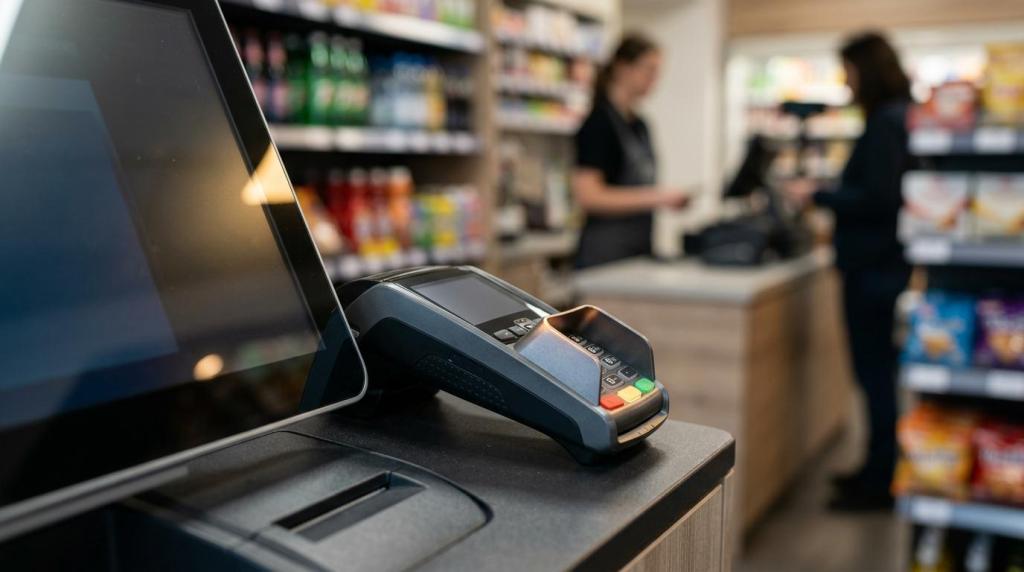
When you decide between a self service kiosk and a cashier-led checkout, you are not just choosing a payment method. You are choosing how your store handles labor, speed, service, compliance, and customer trust.
That choice matters even more in physical retail environments where lines form fast and service needs vary by transaction. A gas station, smoke shop, convenience store, bar, internet cafe, or game room may all face the same question, but the right answer is rarely “all kiosk” or “all cashier.” In most cases, you get the best result when you match the checkout format to the customer, the basket, and the level of staff involvement needed.
Why the self service kiosk decision affects store performance
A self service kiosk can help you process simple transactions with less direct staff involvement. That can improve throughput during busy periods and reduce the pressure to keep a cashier at a fixed station every minute of the day.
Still, labor savings are only one part of the picture. If your kiosk setup causes frequent assistance calls, age-check delays, or customer confusion, the gain disappears fast. You may save one kind of labor only to create another.
Cashiers remain valuable because they solve problems in real time. They handle exceptions, answer questions, verify restricted items, explain promotions, and keep the interaction moving when technology stalls. If your location depends on personal service or frequent supervision, cashier coverage is not optional.
The strongest operators treat checkout as an operating model, not a device purchase.
When a self service kiosk is the better choice
A self service kiosk performs best when the transaction is short, predictable, and low risk. If your customers already know what they want, can complete the purchase quickly, and do not need staff guidance, kiosk flow can be a strong fit.
This is why self service works well in quick-trip retail. Customers buying snacks, drinks, basic convenience items, or simple promotional credits usually care about speed first. They want to get in, complete the transaction, and move on.
In venues with repeat customers, a self service kiosk can also create a more independent experience. Returning guests often prefer not to wait for a cashier if they already know the process. In some environments, that autonomy is a feature, not just a cost benefit.
A kiosk-first setup tends to work best when your transactions look like this:
- Small baskets
- Standardized items
- Clear pricing
- Minimal product explanation
- Few payment exceptions
- Low staff intervention
If your business includes account-based play, promotional access, loyalty redemption, or simple point-of-sale activity, a kiosk can also remove bottlenecks at the counter. That is especially useful when your team needs to stay available for floor support, ID checks, customer questions, or redemptions rather than scanning every sale manually.
When cashier checkout is the stronger option
Cashiers win when the transaction has friction built into it. That includes age checks, split payments, coupons, product questions, damaged barcodes, disputed pricing, returns, or any purchase where the customer wants reassurance before paying.
That matters more than many operators expect. Customers may say they like speed, but they still value confidence. If a purchase feels complicated, people want a human being nearby who can solve the problem without making them start over.
This is even more true in stores with restricted products or service-heavy interactions. A smoke shop, vape shop, bar, or game room may have frequent ID verification needs. A cashier or floor attendant can clear those moments quickly. A kiosk-only setup can turn them into line-stopping delays.
You should lean toward cashier support when these conditions are common:
- Frequent age verification: Tobacco, vape, alcohol, or other restricted sales
- Complex transactions: Split tenders, discounts, overrides, or account adjustments
- Service-led selling: Staff recommendations drive basket size
- High customer guidance needs: New users need help before checkout
- Large or mixed baskets: The order is slower to process without assistance
There is also a brand factor. If your business promises hospitality, expertise, or personal attention, removing cashiers can weaken the customer experience even if the lane looks more efficient on paper.
Self service kiosk vs cashier by store type
Store format changes everything. The same kiosk plan that works in a convenience store may fail in an electronics counter or a service-led lounge.
Here is a practical way to compare the options:
| Store type | Self service kiosk fit | Cashier fit | Best model |
|---|---|---|---|
| Convenience store | High | Medium | Hybrid with kiosk priority |
| Gas station retail | High | Medium | Kiosk for quick buys, staff for restricted sales |
| Smoke or vape shop | Medium | High | Staff-led with kiosk support |
| Internet cafe or fish game room | High for account access and simple POS | High for redemptions and support | Hybrid |
| Bar or lounge | Medium | High | Staff-led with selective kiosk use |
| Electronics or specialty retail | Low to medium | High | Cashier-first |
| High-volume promotional kiosk location | High | Medium | Kiosk-first with active attendants |
If you run a location with repeat traffic and simple buying behavior, a self service kiosk can take a big share of transactions. If your store depends on explanations, exceptions, or restricted-item checks, you still need strong cashier presence.
The key is not your industry label. It is the level of transaction complexity inside your store.
Key self service kiosk costs and risks to evaluate
A kiosk can lower labor intensity, but it is not a low-management model. You still need software reliability, payment security, device uptime, user-friendly screens, and a staff plan for exceptions.
That means your evaluation should go beyond hardware cost. You need to measure the full operating impact.
Look closely at these areas before rollout:
- Downtime risk: If the kiosk fails, can sales continue without disruption?
- Support load: How often will staff need to step in?
- Shrink exposure: Can customers bypass steps, mis-scan, or exploit weak controls?
- Accessibility: Can every customer use the interface comfortably and legally?
- Integration quality: Does the kiosk connect cleanly to POS, payments, reporting, and account tools?
For B2B operators, the integration point is often the real decision maker. A self service kiosk is far more useful when it ties into your existing store systems, customer accounts, promotional logic, redemptions, and reporting. If it stands alone, your team ends up doing manual work behind the scenes, which cuts into the return.
This is one reason cloud-based systems are gaining traction. They reduce local hardware demands, simplify updates, and give you better visibility across one store or multiple locations. If you manage multiple locations, centralized reporting and remote configuration can matter just as much as the front-end experience.
Customer satisfaction with a self service kiosk depends on context
You should not assume customers either love kiosks or hate them. Most people like them in the right setting and dislike them in the wrong one.
A customer with two items often prefers self-service. A customer with ten questions does not.
That sounds obvious, yet many stores ignore it and force everyone into one model. The result is predictable. Fast transactions become slower, staff become frustrated, and customers feel like they are doing work the store should be handling.
A strong self service kiosk experience usually includes:
- clear on-screen steps
- fast payment processing
- visible staff backup
- simple receipt or redemption flow
- reliable age or account verification paths
A poor experience usually comes from friction, not from the concept itself. If your kiosk freezes, rejects normal actions, or sends every second customer to staff for help, the setup trains people to avoid it.
That is why attendance matters. Even in kiosk-heavy stores, visible support improves adoption and trust. One attentive employee can keep several kiosks moving if the system is stable and the exceptions are manageable.
Why hybrid checkout often wins for retail operators
For many stores, the best answer is a hybrid model. You use a self service kiosk for speed and cashier support for complexity. That gives you flexibility without forcing every customer into the same lane.
A hybrid model is especially effective when customer behavior changes throughout the day. Morning traffic may be all quick purchases. Evening traffic may bring more restricted items, questions, or account issues. You can shift staff based on demand while keeping the front end open.
This also helps with labor deployment. Instead of locking one employee behind a register all shift, you can position staff where they create the most value.
A hybrid checkout model gives you three important benefits:
- Speed: Kiosks absorb low-friction transactions
- Control: Staff handle verification, exceptions, and redemptions
- Flexibility: You can adjust service levels by time of day, traffic, or store type
In internet cafe and game room settings, this balance is often ideal. Customers may use a kiosk for sign-in, account access, purchases, or promotional play entry, while staff stay available for redemptions, support questions, compliance checks, and floor supervision. That keeps the store moving without giving up oversight.
In smoke shops and gas stations, the same principle applies. Let kiosks handle the easy part. Let staff handle the regulated or higher-touch part.
Questions to ask before you choose a self service kiosk
Before you invest, you should pressure-test the decision against your actual store activity, not an industry trend or a vendor demo.
Ask these questions with honest numbers behind them:
- What percentage of your transactions are simple enough for self-service? If the answer is low, kiosk usage will stay limited.
- How often do customers need staff intervention? Frequent overrides, age checks, or account fixes change the equation fast.
- What happens during downtime? Your backup process should be immediate, not improvised.
- Can your software support the workflow you want? Payments, reporting, redemptions, templates, customer accounts, and compliance settings should work together.
- Will the kiosk improve the customer experience or just reduce visible labor? Those are not the same thing.
If you can answer those questions clearly, the decision becomes much easier. You stop debating kiosk versus cashier in the abstract and start building the front end your store actually needs.
That is the real goal: a checkout model that fits your operation, supports your staff, and keeps revenue moving without unnecessary friction.