


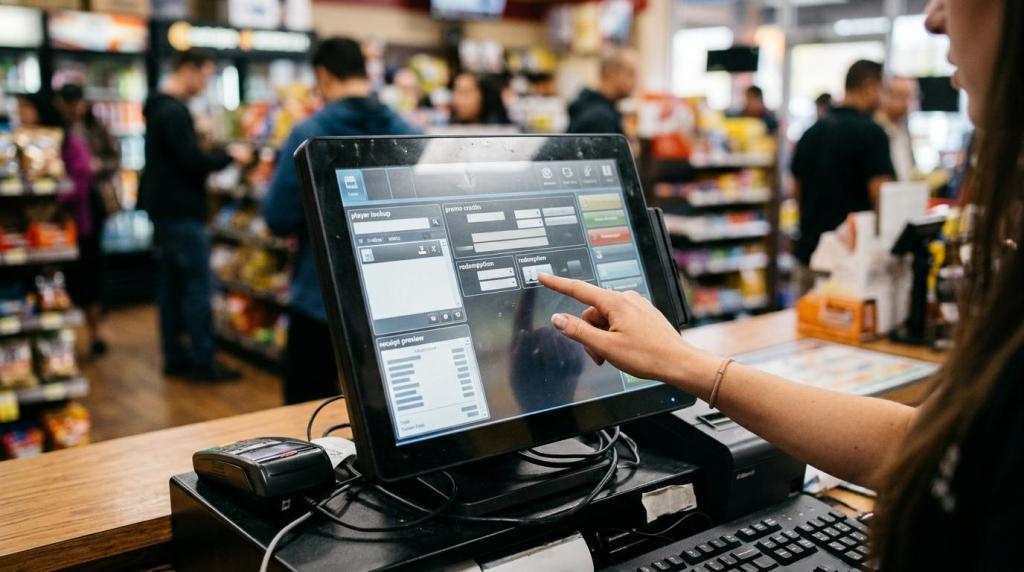
A sweepstakes software demo can look impressive in the first five minutes. Bright game screens, quick taps, and polished animations create momentum fast. If you own or operate a retail location, though, that is not what decides whether the platform belongs in your business.
What matters is whether the software fits your store, your staff, your compliance features, your reporting needs.
The best demo is not a show. It is proof. You should leave the meeting knowing how a cashier handles a sale, how a manager approves a redemption, how an owner checks reports, and how the platform helps you document the rules behind the promotion. When you evaluate a demo that way, it gets much easier to tell the difference between software that looks good and software that can carry daily operations.
What a sweepstakes software demo should prove
A strong demo should answer one question above all: can this system run your store with fewer blind spots and less friction? That means the vendor should show actual workflows, not just menu tours. Ask the vendor to move from sign-in to transaction, from transaction to promotional play, from play to redemption, and from redemption to reporting. If they cannot show the full loop live, you have learned something important.
You also want the demo to prove that compliance features are built into the process, not bolted on after the sale. Sweepstakes promotions are shaped by real rules around purchase requirements, disclosures, prize handling, and records. A provider that stays on the surface by talking only about games is not showing you the part that protects your business.
Your internal test should stay simple.
- Cashier speed
- Manager controls
- Owner visibility
- Customer disclosures
- Prize records
- Multi-location oversight
Evaluate sweepstakes software demo against real store workflow
Start with your busiest hour, not your quietest one. Ask the vendor to walk through a real shift: customer purchase, account creation or lookup, promotional credit issuance, game access, balance check, redemption, receipt, and closeout. If your location uses kiosks, ask for the kiosk flow too. If you run more than one site, ask how the process changes across locations and user roles.
This is where many demos start to separate. A smooth screen is useful, but your store lives or dies on task speed and error control. Can staff complete routine actions in a few clicks? Can a manager reverse mistakes with an audit trail? Can you set permissions so front-counter staff do not access owner-level settings? Can you review store-level and enterprise-level reports without jumping between disconnected tools?
Ask the vendor to show the first day experience for each role in your business. A cashier needs speed. A manager needs controls. An owner needs clean oversight. If the software makes one of those three roles harder, the cost shows up quickly in labor, customer wait time, and disputes.
A workflow-focused demo should cover these checkpoints:
| Demo area | What you should ask to see | Why it matters |
|---|---|---|
| Cashier workflow | Sale, player lookup, promo issue, redemption, receipt | Confirms front-counter speed and training load |
| Manager workflow | Void, adjustment, shift review, permissions, audit log | Reduces disputes and weak controls |
| Owner workflow | Dashboards, revenue view, location comparison, exports | Gives you decision-ready visibility |
| Kiosk workflow | Self-service play, account access, on-screen disclosures | Shows whether self-service is practical in your setting |
| Multi-location control | User roles, location filters, centralized reporting | Matters if you operate a network or plan to grow |
| Support workflow | How help is requested and how fast it is answered | Tells you what happens when something goes wrong |
If the vendor says a feature exists, ask for a live click path. In software buying, “available” and “usable” are not the same thing.
Check sweepstakes compliance features during the demo
This section deserves more time than the game lobby. In the United States, sweepstakes promotions cannot require a purchase to participate. The Federal Trade Commission has also made clear that promotions may require disclosures, and some formats require odds of winning, a no-purchase method, and language stating that no purchase or payment is required to win. State rules can go further, including licensing, filing, or bond requirements.
That means your demo should include compliance checkpoints you can actually verify. Ask how the software handles disclosure screens, age gates, player notices, free entry methods, and record retention. If the provider says “your lawyer handles that,” keep pushing. Legal advice and software configuration are different things, but the platform should still help you carry out the process your counsel approves.
State-specific questions matter as well. Florida, for example, has game promotion rules that can involve a surety bond or statement of trust unless certain conditions are met. Your own state or local rules may take a different shape. A useful provider will not pretend that one template covers every market. They should be able to show configurable settings that let you adapt notices, rules, and operating modes by location.
Ask the vendor to show these items live:
- No-purchase entry method: where it appears, how staff process it, and how the system logs it
- Disclosure screens: where customers see rules, odds of winning language when required, and promotion terms
- Age restrictions: how the platform blocks underage access or flags missing verification
- Geofencing or location controls: how you restrict access by approved venue or geography when needed
- Record retention: where you can pull time-stamped logs for entries, wins, and redemptions
Software does not replace legal counsel, but it should make approved rules easier to apply consistently.
Review pricing and total cost of ownership, not just the startup quote
A low monthly number can hide an expensive operating model. Your job during the demo is to uncover the full cost of ownership: setup, support, hardware, training, transaction flow, expansion, and exit terms. The Small Business Administration has warned that overly complex software can raise installation and configuration costs. That warning matters here. If a platform needs extra servers, specialty hardware, or repeated technician visits, your real spend climbs fast.
Ask the vendor to break down every fee in plain language. If pricing is usage-based, ask what drives usage. If credits are part of the billing model, ask how unused credits are handled and how reporting matches billable activity. If support is “included,” ask what included actually means. You need response times, hours of coverage, and whether multi-location help costs more.
You should also ask about contract structure. Month-to-month terms reduce lock-in risk. A trial period or a live pilot in one location gives you a better picture than a sales deck ever will. If the vendor resists any hands-on evaluation, that resistance is data.
Keep your cost review practical:
- Setup and migration
- Hardware requirements
- Training time
- Support coverage
- Reporting access
- Multi-location pricing
- Contract minimums
- Exit and data export terms
If you are comparing two vendors, place their pricing next to the same workflow list. The cheaper system is not cheaper if it slows cashier flow, adds compliance work, or forces manual reporting later.
Ask for reporting, tax, and prize-handling proof
Reporting is where attractive demos often get thin. A provider may show dashboards with colorful charts but avoid the hard questions: Can you export redemption logs? Can you filter by date, user, location, or promotion? Can you trace a disputed prize from issuance to payout? Can you separate cashier activity from manager overrides? Those are the records you will care about when you are reconciling shifts or responding to questions.
Prize handling deserves the same level of proof. Ask how the system records who won, what was redeemed, when it was redeemed, and which employee processed it. If your operation needs ID verification for certain prize levels, ask where that is captured. If a prize is denied, voided, or paid in stages, ask how that history appears in the audit trail.
Tax reporting may also enter the picture depending on your promotion structure and the guidance you follow. The IRS instructions for Form W-2G include rules tied to sweepstakes, lotteries, and similar winnings, including thresholds that can depend on whether winnings are at least 300 times the wager and meet the reporting threshold. The timing of payment and the treatment of the wager can also matter. You do not need the vendor to give tax advice. You do need the vendor to show whether the software can support the records your tax and legal advisors may ask for.
Press for evidence in these areas:
- Winner ledger: date, amount, location, employee, and player record tied to each payout
- Export options: CSV, PDF, and filtered reports for audits, reconciliations, and advisor review
- Threshold flags: alerts or configurable rules for higher-value prizes that need extra review
- Redemption controls: manager approval levels, ID prompts, and exception logs
- Historical records: how long data is stored and how quickly you can retrieve it
When a vendor can show these records in seconds, you are looking at software built for operators, not just presenters.
Use references, trials, and contract terms to reduce risk
A polished demo is still a sales environment. References and trials give you a reality check. The SBA advises buyers to look for testimonials from businesses like theirs, meaning similar size, industry, and problem set. That is especially relevant if you operate a smoke shop, gas station, convenience store, lounge, or dedicated game room. Your traffic pattern and staffing model differ from other retail formats, so your reference list should reflect that.
Ask to speak with operators who match your setup. One location is not the same as twenty. Counter service is not the same as a self-service kiosk environment. A distributor network is not the same as a single-owner shop. Good reference questions are direct: How long did training take? What broke first? How quickly did support respond? What task is still more manual than expected?
Then ask for a live trial, sandbox, or pilot. A web-based platform has an advantage here because it can usually be tested quickly, often without extra servers or specialty hardware. That kind of test helps you verify login flow, transaction speed, reporting visibility, and staff adoption before you commit widely.
Build a repeatable sweepstakes software demo scorecard
If you are evaluating more than one platform, score every demo the same way. That keeps presentation style from overpowering substance. It also helps you make decisions with partners, managers, or investors who may care about different parts of the operation.
Here is a practical scorecard you can use during vendor meetings:
| Category | Questions to ask | Pass signal |
|---|---|---|
| Workflow fit | Can the vendor show a full transaction-to-redemption process live? | Staff tasks are clear and fast |
| Compliance tools | Can the system support no-purchase methods, disclosures, and access controls? | Features are configurable and visible |
| Reporting depth | Can you pull audit-ready logs by date, user, location, and prize event? | Reports are exportable and easy to filter |
| Tax record support | Can the platform help document prize events for advisor review? | Winner and payout records are easy to retrieve |
| Pricing clarity | Are all fees, terms, and usage charges explained in writing? | No hidden dependencies |
| Support model | What happens at night, on weekends, or during a store issue? | Response path is specific |
| Scalability | Can you add locations, kiosks, or staff roles without rebuilding the setup? | Expansion looks simple |
| References and trial | Can you speak with similar operators and test the system directly? | Vendor says yes without hesitation |
A good demo should leave you with fewer assumptions, not more. If you walk away with a clear score for workflow, compliance, reporting, pricing, and support, you are evaluating the software the way an operator should.