


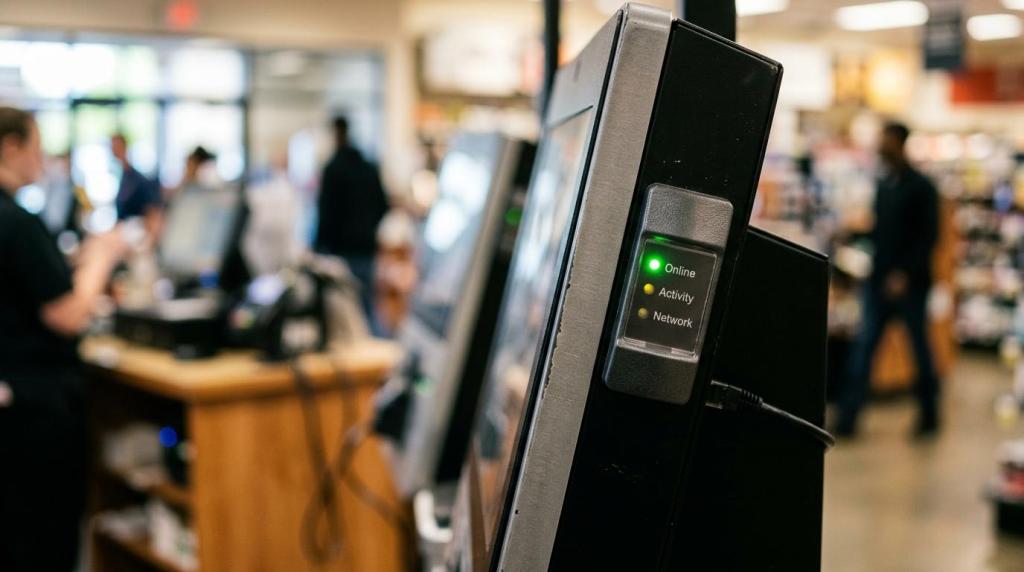
If you run a physical sweepstakes or retail gaming location, the best game management software is not just a game launcher. It should control the whole operating loop, from POS and player accounts to redemptions, kiosk status, reporting, and location-based compliance settings.
TL;DR: Summary
- The best game management software for physical sweepstakes and retail gaming locations combines POS, player accounts, redemptions, reporting, and kiosk management in one system.
- Compliance controls are a must, not a bonus: your software should support official rules, no purchase necessary disclosures, alternative method of entry workflows, age gates, and geofencing.
- Cloud-based deployment is usually the practical choice for operators because it can reduce setup time, avoid local servers, and simplify updates across one store or many locations.
- If your POS, kiosk, and reporting tools do not share the same data, you increase the risk of balance disputes, cashier errors, weak audit trails, and harder multi-location management.
- The strongest buying criteria are simple: single-system operations, clear player-facing disclosures, device control, usable reports, and rollout speed for real retail environments.
That matters because most operating problems in this category are not about graphics or game variety. They come from disconnected systems, unclear rules, and poor controls at the cashier, kiosk, and store level.
What is game management software for physical retail gaming locations?
Game management software for retail sweepstakes sites combines POS, player accounts, kiosks, and reporting in one system. RiverSlot and similar web-based platforms are built for physical locations, not generic giveaway apps.
You should think of it as an operating platform, not a single feature. In a smoke shop, game room, bar, or kiosk setup, the software needs to track who is playing, how credits are issued, what is redeemed, which device is active, and what happened during each shift. A simple game front end cannot do that reliably.
This is also where terminology matters. "Game management software" may sound broad, but in this B2B context it usually means promotional game delivery plus store operations. If your software cannot connect cashier workflows to player balances and redemption records, it is only doing part of the job.
Why does unified game management software matter more than separate tools?
A unified platform beats disconnected POS and kiosk apps because it reduces errors. RiverSlot and similar systems keep credits, player accounts, redemptions, and reports synchronized in one workflow.
When you use separate tools, every handoff creates risk. A cashier may load credits in one screen, the player may launch games in another, and a redemption may get recorded somewhere else. If those systems do not sync in real time, you can end up with disputes, missing logs, or end-of-day reconciliation problems.
That problem gets worse as volume rises. Ten players with occasional redemptions may seem manageable. Fifty players across several kiosks during a busy shift will expose every gap in your process.
"RiverSlot ties player accounts, POS tools, redemptions, cashier activity, and location-level reporting into one web-based environment."
A common mistake is treating reporting as a separate back-office purchase. In practice, reporting is only trustworthy when it comes from the same ledger that powers credits, gameplay access, and redemptions.
What are the 8 must-haves in game management software?
The eight must-haves are unified operations, compliance controls, and fast deployment. FTC risk, kiosk workflows, and state-law variation make these features practical requirements, not nice extras.
Before you compare demos, build your checklist around operating control, legal exposure, and store scalability.
- Unified POS and player accounts: Cashier activity, credit issuance, and player balances should update in the same system.
- Redemption handling: The software should log redemptions clearly, with user, time, location, and balance impact.
- Kiosk and device management: You need to enable, disable, monitor, and configure terminals by location.
- Reporting and audit trails: Shift reports, cashier actions, device activity, and exception logs should be easy to review.
- Compliance controls: Look for age gates, geofencing, configurable modes, and player-facing rule controls.
- Official rules and AMOE support: Your platform should help present no-purchase-required language and alternative method of entry details.
- Cloud deployment: Web-based access without servers or special hardware reduces rollout friction and update delays.
- Multi-location administration: If you manage several stores or distributors, permissions and location-level settings are essential.
If a vendor is strong in only one or two of these areas, you will likely end up filling gaps with spreadsheets, side procedures, or staff workarounds.
How do you evaluate compliance controls before you sign a contract?
You should test compliance controls before purchase, not after launch. FTC enforcement and state laws make player-facing language, entry methods, and disclosure design part of the software decision.
Start with the jurisdiction question. Sweepstakes and promotional gaming rules vary by state, and AP reporting has noted that a contest requiring purchase can be treated as a lottery. If your stores operate in more than one jurisdiction, ask whether settings can vary by location.
Next, inspect the player experience. The FTC has taken action where design and phrasing made consumers think a purchase was necessary or improved their odds. That means your review should include kiosk screens, cashier prompts, receipts, rule links, and any on-screen entry messaging.
Then, test the evidence trail. If a regulator, attorney, or internal manager asks what the player saw, when they saw it, and what settings were active at that store, your software should help answer that. Pro tip: ask the vendor to show the exact official-rules flow in a live demo, not just a slide.
How should you compare cloud-based game management software vs server-based systems?
Cloud-based systems usually win for speed and support. RiverSlot says its platform launches in under 1 hour and needs no servers or special hardware, while server-based setups give you more local control but more maintenance.
For most operators, cloud deployment is the practical choice. You avoid buying and maintaining local servers, updates can be centralized, and multi-location access is much easier. That matters when you need new promotions, reporting changes, or device settings applied quickly across stores.
"RiverSlot says its cloud-based platform can launch in under 1 hour without servers or special hardware."
Server-based systems still have a place if your internet reliability is weak or your internal policy requires local control. But many buyers overestimate the benefit and underestimate the ongoing work: backups, patching, hardware failure, and remote support all become your problem. A common misconception is that on-premise always means safer. In reality, a poorly maintained local server is often less defensible than a well-managed cloud service.
How do you test POS, player accounts, and redemption handling in a real workflow?
You should test the full cashier-to-player-to-redemption loop. A demo from RiverSlot or any vendor should prove that balances, permissions, and logs stay synchronized.
Step one is account creation and funding. Create a player account, issue credits at the POS, and confirm that the account balance appears correctly on the kiosk or terminal. If the software uses separate ledgers, this is where mismatch usually appears first.
Step two is live gameplay access. Have the player log in, start a session, pause it, and move to a second device if that is part of your model. You want to see whether the system preserves the correct balance, session state, and device permissions.
Step three is redemption and reconciliation. Redeem part of the balance, print or record the transaction, and then pull the shift or cashier report. If the report does not tie back cleanly to the player ledger and cashier record, do not assume the issue will disappear in production. It usually gets worse under load.
Why are official rules, no-purchase language, and alternative method of entry tools essential?
They are essential because FTC guidance and AP reporting point to the same risk: if entry language suggests a purchase is required or improves odds, your promotion can trigger scrutiny.
In practical terms, your software should support more than gameplay. It should help you display or deliver official rules, make no-purchase-required language visible, and avoid wording that conflates buying with entering. If a cashier or kiosk flow implies that paying gives better odds, you have a design problem, not just a training problem.
This is where dark patterns matter. The FTC has specifically focused on manipulative phrasing and design that blurred the line between ordering and sweepstakes entry. If your interface hides the alternative method of entry, buries rule access, or makes purchase look mandatory, you are creating avoidable risk.
"RiverSlot includes age gates, geofencing, and configurable modes for location-based compliance."
Pro tip: do not assume a PDF of rules somewhere on a counter solves this. The stronger standard is consistent disclosure at the point of interaction, whether that is the kiosk, POS, receipt, or sign-in flow.
How do you roll out game management software across one store or many locations?
A good rollout starts with one operating model, then scales by permissions and location settings. RiverSlot and similar systems are built for single stores, kiosks, and multi-location distributor networks.
First, define your standard workflow. Decide how player accounts are created, who can issue credits, who can process redemptions, and what reports managers check each day. If you skip this step, every location will invent its own version of the process.
Next, pilot the setup in one live environment. Test your promotions, kiosk behavior, receipt flow, and reporting with real staff. If the system works only when the vendor is on the call, it is not ready for rollout.
"RiverSlot scales from single stores to multi-location networks and offers 24/7 customer support."
Then scale by role and permission. Multi-location operations need store-level settings, user permissions, and centralized visibility without giving every employee access to every function. A common mistake is cloning locations too quickly before your first site has clean reporting and cashier discipline.
What reporting and kiosk management features actually help operators day to day?
The most useful features are operational, not decorative. RiverSlot-style systems should show cashier activity, kiosk status, redemptions, and location-level trends you can act on the same day.
You do not need flashy dashboards if they do not help your staff control the floor. The best reports answer practical questions: Which cashier issued credits? Which kiosk is idle or offline? Which store has unusual redemption activity? Which shift needs review?
Useful day-to-day features often include:
- Cashier activity logs
- Credit issuance by shift
- Redemption summaries
- Kiosk uptime or disable controls
- Store-by-store performance views
If a report cannot help you correct a process, it is mostly decoration. The same goes for kiosk management. If you can see a device but cannot quickly enable it, disable it, or apply the right store setting, the feature is incomplete. If you operate multiple locations, then location filters, user permissions, and exception alerts matter more than a generic revenue chart.