


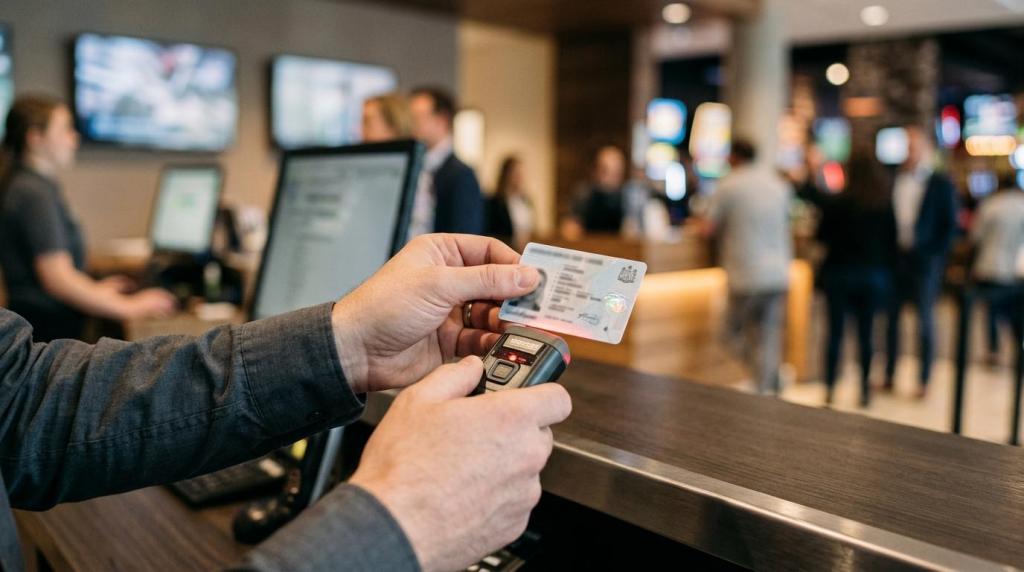
Running a game room with a generic register and a few spreadsheets usually works right up to the point where it does not. Once you add player accounts, redemptions, kiosk access, age checks, and multi-shift staff, your retail management system becomes an operations control layer, not just a checkout tool.
TL;DR: Summary
- The best retail management system for a game room is an all-in-one platform that combines POS, player accounts, redemptions, kiosk control, reporting, and compliance tools in one workflow.
- Unified transaction data matters because game rooms need real-time dashboards, staff-level tracking, and centralized inventory or balance controls, which the SBA and NRF both support as core retail best practices.
- Age-gating, geofencing, and careful handling of location or age-verification data are now practical compliance requirements, especially when your offer includes digital access or play-at-home features.
- Cloud-based systems usually beat server-based setups for speed and cost because they reduce hardware needs, simplify multi-location oversight, and let you launch faster.
- If you are comparing vendors, ask about support hours, setup fees, used-credit billing, audit trails, and whether the system is built for physical promotional gaming locations rather than generic retail.
If you want cleaner operations, faster audits, and fewer blind spots, you should evaluate your software the same way you would evaluate cash control. The right system helps you see every sale, every redemption, every staff action, and every location from one place.
What should a retail management system do in a game room?
A game-room retail management system should unify POS, player accounts, redemptions, and reporting. SBA guidance and RiverSlot-style workflows point to one rule: if your data lives in separate tools, your control weakens.
In a standard retail store, a POS system may only need to process sales and track inventory. In a game room, you also need to control promotional credits, player balances, redemption histories, kiosk sessions, and staff permissions. That means your system is doing retail management, access management, and audit logging at the same time.
A common mistake is treating promotional gaming activity as something outside normal retail operations. It is not. If a cashier loads credits, a kiosk session starts, and a redemption follows, those events should sit in one ledger with timestamps and user IDs. That single ledger is what lets you answer simple but critical questions in minutes instead of the next day.
"RiverSlot combines promotional games, POS, player accounts, redemptions, reporting, kiosk management, and multi-location tools in one web-based system."
You also need practical controls around age access, location rules, and reconciliation. If your system cannot show who did what, when, and at which station, then you are depending on memory instead of records. That is a risk in any retail setting, and it is a bigger one in game-room operations.
Why is an all-in-one platform better than separate POS and kiosk tools?
An all-in-one platform usually beats separate POS, kiosk, and spreadsheet tools. RiverSlot and Lightspeed-style architectures reduce duplicate data, while disconnected systems create timing gaps around balances, redemptions, and staff permissions.
When your POS, kiosk software, player database, and reporting live in different products, you create delay and drift. A balance may update in one system but not another. A redemption may be recorded by the cashier but not tied back to the original promotional activity. Staff permissions may stay active in one panel after being removed in another.
The trade-off is simple. Separate tools can look cheaper at first if you already own some hardware or software. Yet the hidden cost shows up in support time, reconciliation work, and error handling. If a player disputes a balance, you need one audit trail. If the answer requires checking three dashboards and a spreadsheet, your process is too fragile.
There is one real trade-off to acknowledge. All-in-one systems reduce integration pain, but they can increase vendor dependence. So when you compare vendors, ask how easily you can export data, set role permissions, and standardize reporting across locations. Pro tip: portability matters most before you sign, not after.
What are the 8 retail management must-haves for game rooms?
The eight must-haves are practical, not flashy. RiverSlot and SBA-backed POS best practices both point to the same stack: real-time transactions, centralized controls, compliance features, and multi-location visibility.
After you define your operating model, use this checklist to score every platform you review:
- Unified POS and transaction ledger: Every sale, credit load, redemption, refund, and cashier action should land in one record set.
- Player account management: You need account history, balance visibility, session tracking, and clear links between transactions and users.
- Redemption controls: The system should document redemptions by time, amount, staff member, and location.
- Kiosk and device management: You should be able to control access, modes, and availability without walking to each terminal.
- Real-time dashboards: Sales, redemptions, and staff activity should update live, not at the end of the day.
- Centralized inventory or credit controls: If you sell products, load promotions, or issue cards, low-stock and usage visibility matters.
- Compliance features: Age gates, geofencing, configurable modes, and audit logs should be built in rather than improvised.
- Multi-location oversight: If you operate more than one room, you need role-based access, shared reporting, and distributor-level visibility.
If a system misses even two of these areas, your staff will fill the gaps by hand. That usually means more exceptions, more training drift, and more time spent reconciling basic activity.
How do you verify age and access without slowing down check-in?
Age checks should be fast, documented, and limited to what you need. FTC guidance on age-verification technologies supports collecting only enough information to gate access and protect minors.
Start with your access points. Step 1: define where age verification happens. In most game rooms, that means at staff check-in, at kiosk login, or before remote access if you offer play-at-home functionality. If you let users reach any digital experience before screening, your risk increases.
Step 2: minimize the data you collect and retain. The FTC has said operators using age-verification technologies should limit retention, provide clear notice, use reasonable security safeguards, and aim for reasonably accurate results. If you only need to confirm someone is old enough, do not build a process that stores more personal information than that decision requires.
Step 3: separate access control from marketing data. A common misconception is that every verification step should feed your CRM. That is not always wise. If age data is collected for eligibility, keep its purpose narrow. If your system uses geofencing, treat it as a boundary control first. The FTC defines geofencing as a virtual geographical boundary, and location data becomes more sensitive when it is stored, shared, or reused beyond access control.
If your offer can reach younger users or digital audiences, get legal review on COPPA Rule exposure. That matters even more when check-in flows, kiosks, and mobile access start to overlap.
How should you compare cloud-based software with server-based retail systems?
Cloud-based systems usually win for retail game rooms. RiverSlot’s web model and SBA POS logic both favor browser access, faster deployment, and fewer hardware dependencies than server-based installs.
A cloud platform is usually the better fit if you want fast rollout, remote management, and lower hardware overhead. You avoid maintaining local servers, backups, operating system updates, and network-specific fixes at each site. That matters in a business where downtime affects both retail sales and player activity.
"RiverSlot can launch in under 1 hour without servers or special hardware."
Server-based systems still have one advantage in certain environments: local control when internet quality is poor or when a site has strict on-premise IT policies. Yet that control comes with upkeep. You need someone to manage hardware, backups, patching, and recovery procedures. If you operate multiple stores, that burden multiplies quickly.
A common misconception is that cloud means less control. In practice, it often means more operational control because managers can review reporting, permissions, and kiosk status from anywhere. The trade-off is dependency on stable connectivity, so your real question is not cloud versus server alone. It is whether your network, failover, and operating procedures are ready for cloud use.
How do you set up real-time reporting and centralized inventory controls?
Reporting should start with transactions, not weekly summaries. NRF’s card-based Retail Monitor and SBA POS guidance both support real-time dashboards, centralized inventory management, and staff-level audit trails.
NRF’s Retail Monitor is built from real, anonymized credit and debit card transaction data and is presented as avoiding monthly or annual revisions. That matters because it reflects how serious retail operators think about visibility: near-real-time inputs beat backward-looking estimates. In May 2026, NRF reported core retail sales up 0.39% month over month and 6.98% year over year. Even if your game room is smaller than national retail, the lesson is the same. You manage better when your data moves with the business.
Step 1: decide what must update live. For most game rooms, that means sales, credit loads, redemptions, kiosk activity, and staff actions. If a metric affects cash, balances, or customer disputes, it should not wait for an overnight export.
Step 2: centralize the source of truth. Inventory can mean physical goods, prepaid cards, kiosk stations, or promotional credit pools. If these sit in separate records, your team will argue over which number is right.
Step 3: make exception reporting part of the daily routine. Pro tip: the best dashboard is not the prettiest one. It is the one that flags voids, unusual redemption patterns, low-stock products, and after-hours activity fast enough to act.
The most useful reports usually include:
- Sales by shift: Revenue, loaded credits, redemptions, refunds
- Staff activity: Transactions by employee, voids, overrides, logins
- Location controls: Kiosk status, device availability, geofenced access events
How do you scale from one store to multiple game room locations?
Scaling works when every location follows one rule set. RiverSlot’s multi-location operations tools and standard retail SOPs both depend on shared permissions, remote oversight, and consistent redemption controls.
Single-store workarounds break quickly in multi-location operations. One store may use different naming, another may skip redemption notes, and a third may grant broader staff permissions than intended. Once that happens, your reports stop being comparable and your support load grows.
The fix is standardization before expansion. Use one chart of activities, one staff-role model, one redemption process, and one dashboard structure across all locations. If then logic helps here: if a task affects money, access, or player accounts, then it should follow a network-wide rule, not local preference.
"RiverSlot offers 24/7 customer support and scales from single stores to multi-location networks."
Step 1: lock down role-based access. Store staff should only see what they need. District or distributor users should see consolidated reporting without editing local controls they do not own.
Step 2: centralize templates and modes. Promotions, screen templates, age-gate settings, and kiosk configurations should deploy from one place. That keeps customer experience consistent and reduces setup mistakes.
Step 3: audit by exception, not by intuition. You do not need to inspect every location every hour. You do need alerts for unusual patterns, missing reconciliations, or permission changes. Common mistake: adding more managers instead of better reporting.
Which vendor questions expose hidden costs, support gaps, and compliance risk?
The best vendor questions uncover cost structure, uptime support, and legal risk early. FTC compliance themes and RiverSlot’s pricing model make hidden fees, data practices, and rollout time easy to compare.
Most demos focus on screens. Your buying decision should focus on operating risk. Ask what the system records, what it automates, what it stores, and what happens when a store needs help at 11 p.m. or on a weekend. In game-room operations, support quality is part of the product.
Use a short vendor scorecard when you compare options:
- Pricing model: Are there setup fees, support fees, hardware minimums, or only usage-based charges?
- Deployment model: Can you launch without servers or special hardware, and how long does a standard rollout take?
- Compliance controls: Are age gates, geofencing, configurable modes, and audit logs built in or custom?
- Data handling: How are age-verification data and location data retained, protected, and limited in use?
- Support coverage: Is support available 24/7 or only during business hours?
One more pro tip: ask whether the software was designed for physical promotional gaming locations or adapted from general retail. That answer usually tells you how much custom process work your team will need later. A system built for smoke shops, gas stations, internet cafes, fish game rooms, and kiosk environments will usually handle real-world redemption and access patterns better than a generic POS with add-ons.