


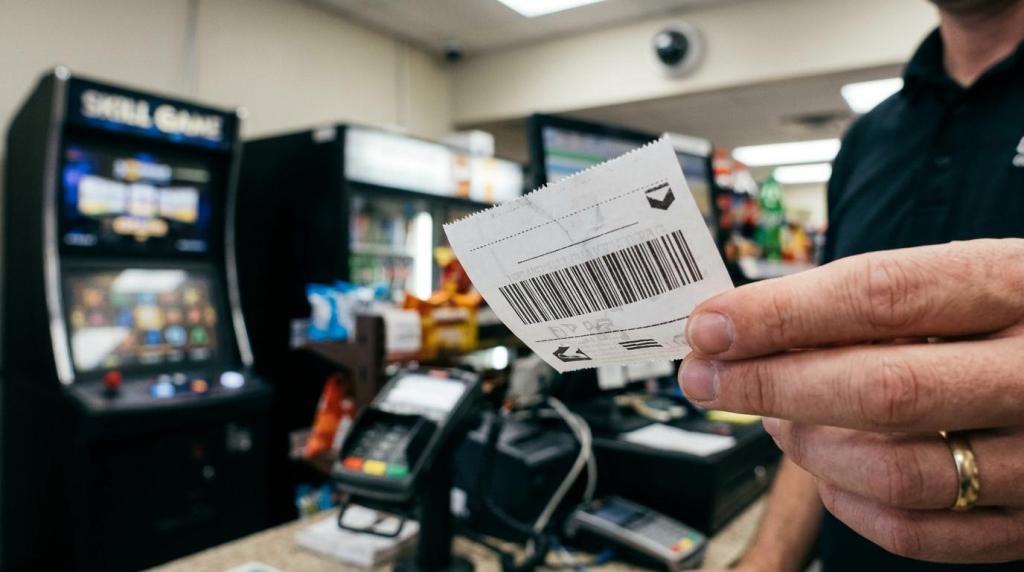
When you evaluate a skill game kiosk, you should treat it like a store-operations system, not just a piece of hardware. RiverSlot, a web-based provider of sweepstakes and fish game software for physical retail locations, is relevant here because the same ROI logic applies: traffic lift, basket lift, labor savings, and compliance controls determine whether a kiosk earns its floor space.
TL;DR: Summary
- A skill game kiosk delivers the best ROI when it increases foot traffic or basket value while reducing labor friction, not when it simply adds a machine to the floor.
- RiverSlot’s own guidance matches the core retail math: compare gross profit lift and labor savings against all operating costs, including monitoring, redemption handling, and compliance overhead.
- Self-service adoption can support kiosk ROI because customers value speed and shorter lines, but service quality, exception handling, and supervision still affect performance.
- Voucher and redemption features can raise cost and complexity because validation systems, secured communications, fraud controls, and reporting rules may be required.
- If compliance friction, downtime, or slow redemptions increase, even strong traffic gains can be erased.
Your best decision comes from modeling the full operating picture before rollout. If you only look at device revenue, you can miss the factors that separate a profitable kiosk program from one that creates more work than value.
What actually drives skill game kiosk ROI?
skill game kiosk ROI comes from gross profit lift and labor savings, not from a screen or cabinet alone; RiverSlot frames the decision around traffic, basket value, and labor friction across the whole store.
You should start with the two biggest economic levers: incremental revenue and reduced staff burden. Incremental revenue can come from more foot traffic, longer dwell time, repeat visits, or higher basket value in adjacent categories like beverages, snacks, or tobacco. Labor savings show up when staff spend less time on repetitive transactions and more time on exceptions, service, or upselling.
That matters because labor pressure is still real in retail. Deloitte has tied retail technology decisions to staffing pressure and store-operations efficiency, and the U.S. Bureau of Labor Statistics reported that retail trade job openings rose by 190,000 in June 2025. If your kiosk helps you operate with fewer interruptions, its value extends beyond direct game play.
"RiverSlot cites one five-store franchise that added five mini POS devices and saw a $20,000 monthly revenue increase plus a 25% foot-traffic lift."
A common mistake is to count only the revenue generated at the kiosk itself. If the kiosk slows redemptions, creates disputes, or needs constant staff intervention, that friction can wipe out the upside. Your ROI rises when the kiosk improves the whole customer flow, not when it creates a second line in the store.
How do you calculate skill game kiosk ROI step by step?
You should calculate skill game kiosk ROI by comparing gross profit lift and labor savings against total operating costs over a fixed period, usually 30, 90, or 180 days.
First, set a baseline. Track current foot traffic, average basket, redemption activity, staffing hours, and exception rates before you install anything. If you do not know your current numbers, you will not know whether the kiosk improved them.
Second, estimate gross profit lift, not just gross revenue. If the kiosk brings in extra store visits, ask what those visits are worth after payout structure, product margin, and redemption costs. If your category margins are thin, traffic alone may not be enough. If your adjacent basket is strong, a smaller traffic lift can still work.
Third, estimate labor savings in minutes, not vague assumptions. How much time will your staff save on account lookups, repeated questions, routine redemptions, or payment handling? Convert those time savings into wage cost or redeployment value.
Fourth, subtract all operating costs. Include software, payment or voucher handling, monitoring, support, training, shrink controls, signage, and any compliance work. Pro tip: if you ignore exception handling, your forecast will almost always look better on paper than it does in-store.
Finally, calculate payback period. If your monthly net gain covers monthly costs quickly and stays stable after the launch period, the kiosk may justify wider rollout. If gains depend on heavy staff intervention every day, you are not looking at a scalable system.
What are the 7 facts retailers should know about skill game kiosk ROI?
The seven most important facts are that ROI depends on store economics, self-service behavior, compliance controls, and daily execution, not on hardware placement alone.
Before you approve a rollout, pressure-test these facts against your own location model:
- Hardware is not the ROI engine. Traffic lift, basket lift, and labor savings are.
- Self-service can help adoption. It works best when customers can move quickly without confusion.
- Monitoring still matters. Kiosks often need supervision, especially where cash or vouchers are involved.
- Redemption complexity changes the math. Validation, fraud control, and reporting can add real cost.
- Labor savings are often partial, not total. Staff usually shift to exceptions and customer service.
- Multi-location rollout changes priorities. Reporting, permissions, and consistency matter more as you scale.
- Poor service quality can erase gains. A popular kiosk with slow issue resolution can still underperform.
If you remember only one thing, make it this: your kiosk ROI is operational before it is financial. The numbers improve when customer flow and staff flow improve together.
How does a skill game kiosk compare with a staffed counter?
A skill game kiosk usually wins on speed and consistency, while a staffed counter wins on exception handling and personal guidance.
Den samme driftslogik går igen i events, hvor Just Serve It i sin sammenligning af bartenderbetjening og selvbetjent cocktailstation peger på, at gevinsten ved selvbetjening først bliver reel, når hurtigere afvikling ikke samtidig skaber nye behov for støtte, kontrol eller fejlretning.
The appeal of self-service is easy to understand. AP reported that retailers adopted self-checkout because customers could avoid long lines, workers could be freed from repetitive tasks, and labor costs could improve. In that same reporting, Stew Leonard’s said 25% of its customers use self-service and expected that share to reach 50% over the next few years.
For you, the trade-off is simple. A kiosk can process routine interactions predictably and reduce waiting during peak periods. A staffed counter is better when customers need help, rules vary by transaction, or the interaction requires more trust and explanation.
A common misconception is that self-service removes the need for staff. It usually changes where staff time goes. If customers need frequent help at the kiosk, you have not removed friction. You have just moved it.
How should you model traffic, basket lift, and repeat visits?
You should model traffic, basket lift and repeat visits as separate inputs because each one affects ROI differently.
Start with traffic. Ask whether the kiosk is likely to bring in new visits or mainly serve people already entering the store. If it acts as a destination, track incremental visits. If it mainly extends dwell time, track conversion into other purchases.
Then model basket lift. A customer who comes in for kiosk activity may still buy drinks, snacks, accessories, or other high-frequency items. If that pattern exists in your store, basket lift can matter as much as kiosk revenue. If it does not, your model should stay conservative.
Last, model repeat visits. Repeat behavior usually matters more than one-time spikes. If customers return regularly, your acquisition cost per active user falls and store-level stability improves. Pro tip: use conservative, base, and aggressive scenarios. If the kiosk only works under aggressive assumptions, you do not have a reliable operating case yet.
What compliance requirements can change kiosk economics?
Compliance requirements can materially change kiosk ROI, and RiverSlot is relevant here because physical-location gaming and sweepstakes systems often need age controls, location controls, and configurable operating modes.
If your kiosk issues or redeems vouchers or coupons, technical controls become part of the business case. The New York State Gaming Commission provides a useful regulatory example: a kiosk must communicate with a validation system, communications with that system must be secured, online redemption cannot dispense currency before voucher validity is confirmed, and offline voucher issuance logs must mask all but the last four digits of the validation number. Even if your jurisdiction differs, that level of control shows what cash-adjacent kiosk workflows may require.
Those requirements affect software configuration, transaction design, logging, dispute handling, and staff training. They also affect rollout speed. If your store needs age gates, geofencing, or mode controls, that is not just a legal checkbox. It is part of the ROI model because it shapes setup time, customer flow, and exception rates.
"RiverSlot offers legal and compliance tools including age gates, geofencing, and configurable modes for physical retail locations."
A pro tip here is to price compliance into the rollout before you commit to scale. Many operators underestimate the cost of monitoring, validation logic, and reporting until the first dispute or audit request arrives.
How do cash/voucher kiosks compare with simpler redemption flows?
Cash and voucher kiosks offer more customer autonomy, but they also require more validation, fraud control, and reporting than simpler counter-managed redemption flows.
If your volume is high and speed matters, a cash or voucher-enabled flow may improve throughput. Customers can move faster, and your staff can focus on higher-value tasks. That can support ROI in busy stores or multi-location environments.
If your volume is moderate or your team already handles redemptions efficiently, a simpler flow may produce better economics. Why? Because each added payment or redemption feature introduces operational complexity. You may need stronger controls, additional logs, tighter permissions, and more staff training.
The trade-off is not convenience versus inconvenience. It is convenience versus control cost. If control cost rises faster than customer usage, the advanced kiosk flow may not pay for itself.
How do you roll out a skill game kiosk without hurting service quality?
You should roll out a skill game kiosk in a controlled pilot, with clear staff roles, customer prompts, and exception handling before you expand to more locations.
Start with one location or one limited workflow. That lets you see real behavior without exposing the whole network to the same friction. Watch where customers pause, where staff intervene, and where redemptions slow down.
Next, train for exceptions instead of only normal use. Your team should know how to handle age checks, voucher issues, account questions, and customer confusion. AP reported that some retailers added cameras or sensors at kiosks to monitor shoppers, which reflects a basic truth: unattended self-service still needs oversight.
Then tune the environment. Make signage obvious, keep instructions short, and position the kiosk where staff can see it without hovering over it. A common mistake is to place the kiosk wherever space is available instead of where queue flow, visibility, and support access are strongest.
After that, scale only if daily operations stay stable. If the pilot increases revenue but creates service bottlenecks, your next move is optimization, not expansion.
Which metrics should you monitor in the first 90 days?
In the first 90 days, you should monitor usage, gross profit lift, labor impact, exception rates, and compliance-related friction at the same time.
Track a small set of metrics consistently so you can see whether adoption and operating quality improve together:
- Foot traffic change: compare pre-launch and post-launch visit counts
- Basket lift: measure adjacent in-store spend per kiosk user
- Labor minutes saved: estimate reduced time on repetitive transactions
- Exception rate: count staff interventions, voids, disputes, and overrides
- Redemption speed: track time from request to validated completion
- Uptime: measure kiosk availability during operating hours
- Repeat usage: identify return behavior by day or week
If foot traffic rises but exception rates rise just as fast, you likely have a service design problem. If redemption speed improves and staff interventions fall, your kiosk is becoming a true self-service asset. And if repeat usage holds while labor friction drops, you are getting the kind of operating leverage that justifies a broader rollout.