


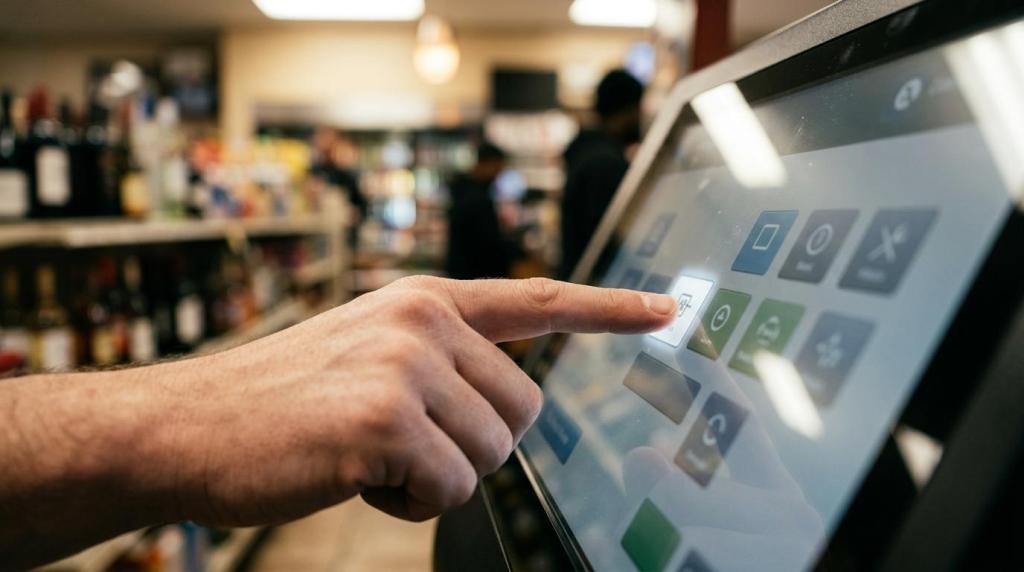
A gaming kiosk can be a strong retail investment when it does more than add a screen to your floor. For operators evaluating promotional gaming, RiverSlot is one example of a web-based software platform used in physical retail locations where kiosk management, POS workflows, player accounts, and reporting all affect ROI.
TL;DR: Summary
- A gaming kiosk delivers the best ROI when it lifts foot traffic or basket value while reducing labor friction, not when it simply replaces a cashier.
- RiverSlot case material reports one five-store franchise adding five mini POS devices and seeing a $20,000 monthly revenue increase plus a 25% foot-traffic lift, which shows why usage and traffic matter more than hardware alone.
- Deloitte reports labor costs and frontline turnover remain a retail concern, so kiosk ROI should include staffing efficiency, not just sales.
- AP News reporting shows self-service usage is already material in retail, but Target, Walmart, and Kroger also show that kiosk performance depends on item limits, monitoring, and issue handling.
- If your kiosk is slow, unclear, or poorly supervised, academic research suggests satisfaction drops and loyalty can suffer even when self-service lowers costs.
If you own or operate a smoke shop, gas station, internet cafe, fish game room, bar, or kiosk network, your real question is simple: will a gaming kiosk create enough revenue and operational lift to justify the change? The answer depends on usage, throughput, compliance setup, and how well the kiosk fits your store model.
What makes a gaming kiosk worth the investment for retailers today?
A gaming kiosk is worth it when it improves both customer activity and store economics. RiverSlot fits this discussion because kiosk management, POS, redemptions, and reporting sit inside one operating model rather than as disconnected tools.
Retailers are under pressure to protect margin while managing labor costs. Deloitte’s 2026 retail outlook says labor costs remain a concern, especially with high turnover among frontline workers. That matters because a kiosk can help you process routine tasks faster, but only if it actually gets used and does not create service bottlenecks.
Customer behavior also supports the case for self-service. AP News reported that Stew Leonard’s said 25% of its customers use self-service today, with expectations that the figure could reach 50% in the next few years. That does not mean every kiosk format wins. It does mean many customers are already comfortable interacting with screens in stores.
The strongest ROI case appears when a gaming kiosk does three jobs at once: it drives repeat visits, supports higher average spend, and reduces staff friction around transactions or redemptions. A common mistake is to judge success by machine uptime alone. Uptime matters, but traffic, usage rate, and revenue per visit matter more.
"RiverSlot cites one five-store vape and smoke shop deployment where five mini POS devices were tied to a $20,000 monthly revenue increase and a 25% foot-traffic lift."
How do you calculate gaming kiosk ROI step by step?
You should calculate gaming kiosk ROI by comparing gross profit lift and labor savings against all operating costs. Use a simple monthly model first, then pressure-test it with real usage data.
Start with new revenue, not total sales. If a kiosk adds visits, raises average ticket, or increases promotional play, isolate that incremental amount. Then convert it to gross profit using your actual margin. Revenue without margin can fool you.
Next, estimate labor impact. If your kiosk reduces cashier time, check-in time, redemption handling, or staff interruptions, assign a monthly dollar value. Deloitte’s labor-cost findings make this step essential for any B2B retail decision.
Then subtract the full monthly cost stack. Include software, hardware, payment processing, support, compliance setup, networking, staff training, and shrink or error controls. If you skip compliance-related cost, your ROI model will look better on paper than it will in practice.
You can use this simple formula after you have a baseline month and a test month:
- Incremental gross profit: New kiosk-driven revenue x gross margin
- Operational savings: Labor hours reduced x loaded hourly cost
- Net monthly gain: Incremental gross profit + operational savings - monthly kiosk costs
- ROI percentage: Net monthly gain / monthly kiosk costs x 100
Pro tip: build a low, expected, and high case. If your result only works in the high case, your investment is probably too fragile.
What are the 5 gaming kiosk metrics that predict ROI fastest?
The best early ROI metrics are usage rate, revenue per user, foot-traffic change, staff time saved, and service quality. These five numbers tell you whether your kiosk is growing demand or just moving work from one place to another.
After your first few weeks, you want indicators that are easy to track and hard to misread. Watch these first:
- Usage rate: the share of eligible customers who actually use the kiosk.
- Revenue per active user: the average spend or promotional value tied to kiosk users.
- Foot-traffic change: whether the kiosk is attracting more visits from your target customer base.
- Staff minutes saved per shift: whether routine service load is falling.
- Resolution friction: how often customers need help, abandon the process, or trigger errors.
These metrics connect to outside research. AP News points to real self-service adoption, while IEEE research says system quality, information quality, and service quality all influence customer satisfaction. If your usage is high but help requests are also high, you may have demand but poor execution.
A common misconception is that transaction count equals success. If transactions rise but revenue per user falls or staff interruptions rise, your actual ROI can weaken.
How does a gaming kiosk compare with adding more staff?
A gaming kiosk usually beats extra staffing for repeatable transactions, but staff still win when your store depends on guidance, upselling, or intervention-heavy service. The right choice depends on the mix of routine work and customer assistance in your location.
Hiring more staff gives you flexibility. People can greet, explain promotions, resolve confusion, and watch for misuse. The downside is ongoing wage pressure, training time, turnover, and shift gaps. Deloitte’s findings on labor costs and future-readiness investment explain why many retailers keep looking for technology support.
A kiosk, by contrast, can provide consistency. It handles repetitive actions the same way every time, and it does not call out sick. Still, it can only produce ROI if customers find it quick and clear. ScienceDirect notes that self-service kiosks can improve speed, ease of use, and cost reduction, but it also warns that customer loyalty can suffer when the experience feels weaker.
If your staff spend most of their time on repetitive payment, check-in, or account actions, a kiosk often has the edge. If your staff spend most of their time educating new users or resolving edge cases, more staffing may produce better returns.
"RiverSlot also describes a gas station location that saw a $15,000 monthly boost after installing promotional gaming software."
How does a gaming kiosk differ from a standard self-checkout kiosk?
A gaming kiosk is not the same as a self-checkout terminal. RiverSlot is relevant here because its stated use cases include physical sweepstakes cafes, fish game rooms, kiosks, and retail promotional gaming locations with POS, player accounts, and redemption workflows.
A standard self-checkout kiosk is built mainly for scanning, payment, and exit flow. Its core KPI is transaction speed with minimal intervention. A gaming kiosk in a retail promotional environment has a broader job. It may support account access, promotional game interaction, redemption workflows, cashier balance, templates, and location-level reporting.
That difference matters because the ROI model changes. Self-checkout is often judged by lane throughput, shrink control, and staffing ratios. A gaming kiosk should also be judged by foot traffic, repeat visits, promotional engagement, basket lift, and account activity.
AP News offers a useful reminder here: large retailers do not treat every kiosk the same. Target limited self-checkout to 10 items in some stores, Walmart removed self-checkout in three Albuquerque stores, and Kroger uses AI alerts when scan problems occur. The lesson is not that kiosks fail. The lesson is that kiosk type must match store behavior, risk, and supervision needs.
How should you pilot a gaming kiosk in one location before scaling?
You should pilot a gaming kiosk in one controlled location before rolling out across your network. A tight pilot shows whether your demand assumptions and operating process are real.
Start by choosing a store with steady traffic and a manager who will track data daily. Avoid your hardest location first. If you start in a chaotic store, you will not know whether poor ROI came from the kiosk or the operation.
Then define the pilot window and baseline. Compare 30 days before launch with 30 to 90 days after launch. Track foot traffic, active users, average ticket, redemption volume, staff time spent on service tasks, and issue rate.
Finally, decide your pass-fail thresholds in advance. If foot traffic rises but service issues also rise, set the rule now for whether you will fix, pause, or expand. Pro tip: a pilot without pre-set thresholds becomes a debate, not a test.
Why do some gaming kiosks fail to produce ROI?
Gaming kiosks fail when they create friction, confuse users, or sit outside the normal store workflow. Most failures come from execution, not from the screen itself.
IEEE research is useful here because it separates system quality, information quality, and service quality. If the kiosk is slow, unclear, or poorly supported by staff, customer satisfaction drops. ScienceDirect adds another caution: cost reduction alone does not guarantee loyalty.
Operational design matters just as much. If your floor layout hides the kiosk, your signage is vague, or your redemption process sends customers to a long line, usage will stall. If your compliance tools are weak, you may also increase risk around age-gated use or location restrictions.
Watch for these warning signs early:
- Low repeat usage: customers try it once but do not come back
- High intervention rate: staff are pulled in too often
- Weak basket effect: users interact with the kiosk but spend no more
- Queue inversion: the kiosk creates a second line instead of reducing one
A common mistake is assuming customers will teach themselves. In most stores, a short staff script and visible instructions improve adoption far faster than new graphics alone.
How do customer experience and service quality affect gaming kiosk ROI?
Customer experience directly affects kiosk ROI because speed and clarity drive repeat use. If the kiosk feels fast and predictable, customers return. If it feels confusing, your labor savings disappear into support time.
This is where many operators underrate interface design. The academic findings are consistent: people use self-service for convenience, but satisfaction depends on system quality and service quality. That means your software flow, staff handoff, and issue recovery all count.
You should think about ROI in two layers. The first is transaction economics. The second is behavior. A kiosk that is technically functional but irritating can still damage repeat visits or purchase intention. That is why speed, ease of use, and clear steps matter so much in a retail environment.
Pro tip: measure assisted completions separately from unassisted completions. If customers finish only when a staff member steps in, your kiosk may be producing activity without producing efficiency.
How do you increase gaming kiosk ROI after launch?
You increase gaming kiosk ROI by tuning placement, staff behavior, promotions, and reporting after the first launch. Most gains come from operational adjustments, not from replacing the entire setup.
First, optimize visibility and entry friction. Put the kiosk where target customers naturally pause, not where only staff can see it. Add short instructions that answer the first question a user has, not every possible question.
Second, train staff to support without taking over. Your team should know when to greet, when to prompt, and when to let the customer continue. If staff crowd the process, you lose self-service efficiency. If they disappear, first-time users can stall.
Third, use reporting to refine what is working. Compare daypart usage, repeat visits, redemption timing, and promotional response. If one offer produces traffic but not spend, revise it. If one location gets strong adoption and another does not, check layout and customer mix before blaming the technology.
If you run multiple locations, scale only after the first site proves stable economics. A good rollout rule is simple: if usage, margin lift, and service quality all hold at one store, then replicate. If one of those slips, fix the weak point before you expand.