


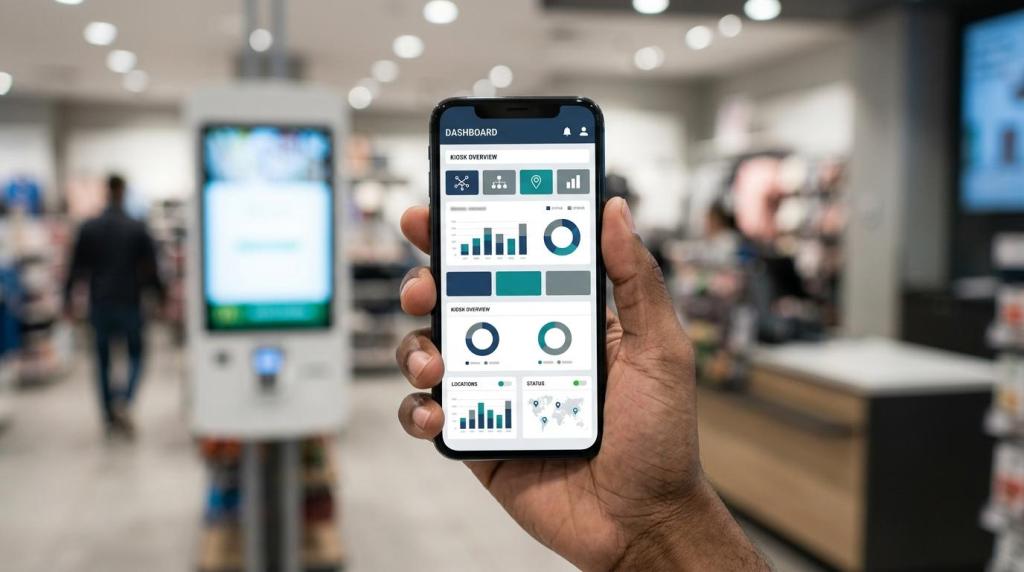
If you run a franchise-style retail or service business, kiosk management software can become a growth system rather than a device utility. RiverSlot is a web-based provider of kiosk and sweepstakes software for physical retail locations, and its category is relevant here because franchise operators usually need centralized controls, quick rollout, and location-by-location reporting more than they need one more touchscreen.
TL;DR: Summary
- Kiosk management software helps franchises grow when it improves speed, consistency, and multi-location control, not simply because a kiosk is installed.
- The strongest gains usually come from shorter wait times, standardized promotions, centralized reporting, and easier rollout across new stores.
- Research supports the speed case: a PubMed-indexed emergency department study found kiosk self-check-in was linked to 56.8% shorter wait times, while the U.S. Bureau of Labor Statistics describes self-service as shifting some labor to systems and customers.
- Revenue is not automatic: a University of North Texas field study found kiosk ordering was faster than cashier ordering but produced lower average sales, so flow design and adoption rate matter.
- For franchise-style physical retail, RiverSlot fits the category when you need web-based kiosk management, no local servers, and controls that can scale from one store to many.
That trade-off matters because growth depends on throughput and consistency, but also on adoption, staff workflow, and offer design. If your kiosks cut friction at busy stores and your software keeps every location synchronized, you have a solid path to expansion. If your self-service channel is confusing or lightly used, the economics can disappoint.
Why does kiosk management software matter for franchise growth?
Kiosk management software matters because it turns each kiosk into a controlled operating channel, not a standalone screen. For franchises, that means faster service, repeatable promotions, and reporting you can compare across the network.
Without management software, kiosks often behave like isolated hardware. One store updates promotions, another forgets, and a third handles redemptions differently. That inconsistency hurts franchise growth because your service process becomes harder to train, harder to audit, and harder to scale.
The growth logic is simple. If kiosks reduce wait times at high-traffic locations, you can serve more people with less front-counter friction. The U.S. Bureau of Labor Statistics framed self-service checkout as a form of customer-labor substitution, where some tasks move from cashier labor to computer systems and customers. For operators, that shift can free staff for higher-value work like issue resolution, merchandising, or age-restricted sales support.
"RiverSlot documented a five-location vape and smoke shop franchise adding $20K in monthly revenue after kiosks were installed across all locations."
That does not mean every kiosk rollout lifts sales by default. It means the software layer matters because it controls speed, consistency, permissions, offers, and reporting across every site.
How does centralized control reduce operating friction across locations?
Centralized control is where RiverSlot becomes relevant for franchise operators: you can manage kiosk settings, promotions, player accounts, redemptions, and reporting from one web-based system from one web-based system. That reduces store-by-store variation and shortens the time between a decision and network-wide execution.
In practice, centralized control helps you answer operational questions quickly. Which locations are active? Which promotions are converting? Which kiosks are idle or misconfigured? When you operate several stores, or support a distributor network, those questions cannot wait for manual store check-ins.
A common misconception is that kiosk growth is mainly a hardware problem. It is usually a governance problem. If every location handles pricing modes, access rules, or templates differently, you create support tickets, staff confusion, and customer inconsistency. If you use one admin layer with multi-location controls, you can update the network in minutes instead of relying on local workarounds.
This is also where legal and compliance tools matter. For some retail categories, age gates, configurable modes, and geofencing are not just nice extras. They are safeguards that reduce risk while keeping your rollout standardized.
What are the 8 ways kiosk management software helps franchises grow?
Kiosk management software helps franchises grow in eight practical ways: it improves throughput, standardization, visibility, rollout speed, labor allocation, compliance, expansion readiness, and customer convenience. Those are the levers that make new locations easier to open and existing locations easier to optimize.
When you look past the touchscreen, growth usually comes from these eight operational effects:
- Faster service: shorter lines can increase throughput during peak hours.
- Standardized offers: each location can run the same promotions, templates, and upsell logic.
- Better labor allocation: staff spend less time on repetitive transactions and more time on exceptions or selling.
- Cleaner reporting: you can compare locations using the same dashboards and definitions.
- Quicker store openings: proven kiosk settings can be cloned into new sites.
- Easier compliance controls: access rules and location rules are managed centrally.
- Stronger multi-location expansion: distributors and franchise groups can scale without building separate workflows per store.
- More customer convenience: self-service options can extend access beyond a staffed counter.
If you want growth that lasts, focus on the operational ways first. Revenue tends to follow when the service process is faster, simpler, and easier to repeat.
How do kiosks compare with staffed checkout for speed and labor allocation?
Kiosks usually beat staffed checkout on speed for routine transactions, but staffed service still wins when customers need advice, exception handling, or persuasion. The best franchise model uses both, not one or the other.
The evidence supports the speed argument. A PubMed-indexed 2019 study found emergency departments with kiosk self-check-in had wait times that were 56.8% shorter than those without kiosk services. In retail, the BLS has also pointed to self-service checkout as a major operational technology in food and beverage stores.
The trade-off is conversion quality. A University of North Texas field experiment at Burger King found kiosk ordering was faster than cashier ordering, yet average sales were lower. That is a useful warning for franchise owners. Faster does not always mean bigger baskets.
If your products are simple and repeatable, self-service often performs well. If your sales depend on guided recommendations, human reassurance, or cross-selling, you should keep staff close to the kiosk flow. Pro tip: use kiosks for the repeatable part of the transaction and staff for the exception path.
How does kiosk software improve launch speed for new franchise locations?
Kiosk software improves launch speed by turning your first successful location into a template for the next one. If your system is web-based, you can standardize setup, test quickly, and open faster.
Start with a master configuration. That includes your kiosk screens, promotional logic, account structure, permissions, and reporting categories. If your first store works but every new site gets a fresh configuration, you are rebuilding instead of scaling.
Next, copy only what should stay constant. Brand elements, core offers, redemption rules, and user roles usually belong in the template. Site-specific settings like tax rules, local compliance, or operating hours can sit on top. This reduces launch time without erasing local needs.
Then validate the workflow in real conditions before opening day. Test check-in, payments, redemptions, network connectivity, and staff handoff. A common mistake is obsessing over cosmetic changes while skipping end-to-end transaction testing. Your best launch speed comes from a stable service process, not from endless screen revisions.
How do cloud-based kiosks compare with on-premise systems for franchise scaling?
For franchise scaling, cloud-based systems like RiverSlot usually outperform on-premise systems because they remove local servers, reduce site-level IT burden, and make multi-location changes easier. On-premise systems can still fit some environments, but they create more operational drag.
If your software is cloud-based, a new store does not need a heavy local infrastructure footprint. RiverSlot’s category is relevant here because its model is web-based and designed for physical retail locations that want kiosk management without special hardware or server maintenance. That can matter a lot when you are opening stores quickly or supporting many operators.
On-premise systems can offer more local control in some cases, and some businesses prefer that. The trade-off is maintenance complexity. Every local dependency becomes one more failure point across the network. If one store needs a patch, image update, or server fix, your support load rises with every new location.
A 2024 Cornell paper on self-service channels adds another caution: if customers do not adopt the channel at a critical mass, the economics can turn negative. Cloud delivery makes rollout easier, but it does not fix a weak value proposition. You still need a kiosk flow that customers actually use.
"A RiverSlot liquor-shop case tracked expansion from 10 redemption terminals to 40 within 12 months."
How should you roll out kiosk management software across multiple franchise locations?
You should roll out kiosk management software in waves, starting with a pilot group that reflects your busiest and most typical locations. That lets you prove the model before you scale support costs.
Begin with store selection. Pick a small set of locations with enough traffic to reveal whether kiosks really reduce wait times and friction. Pro tip: choose sites by queue pressure and transaction repeatability, not by geography alone. A quiet flagship may look nice in a case study but tell you very little about scale performance.
Then define success before the rollout starts. Decide what counts as adoption, what wait-time reduction matters, how staff roles change, and when a location is ready for the next phase. If you skip this step, every store manager will use different criteria, and your data becomes hard to trust.
After that, expand by store archetype. What works in a smoke shop may not work the same way in a bar, gas station, or lounge. If you group similar locations together, you can tune the kiosk experience without turning every deployment into a one-off project.
What metrics should you track after deployment to judge franchise growth?
You should track adoption, wait times, labor impact, revenue by location, and exception rates. Those metrics show whether your kiosks are improving operations or simply adding another screen to manage.
Start with a clean baseline from before deployment. Then compare by location, daypart, and store type, not just network-wide averages. Averages can hide the fact that kiosks are excellent at your busiest sites and weak at your slowest ones.
Use a short scorecard that mixes leading indicators with revenue outcomes:
- Adoption rate: the share of eligible transactions completed through the kiosk
- Wait time: queue reduction during peak periods
- Transactions per labor hour: whether self-service is changing staff productivity
- Revenue per location: growth by store, not only total network revenue
- Exception rate: how often staff must step in to rescue the flow
A common mistake is tracking only sales. If sales stay flat but queues shrink and labor shifts to higher-value work, the kiosk may still be doing its job. If adoption is low and exception rates are high, you likely have a design or training problem.
When does kiosk management software fail to increase franchise revenue?
Kiosk management software fails to increase revenue when adoption is low, the workflow is confusing, or the self-service channel does not fit the buying process. Growth comes from execution, not from the screen itself.
Research gives you a realistic picture. The Burger King field experiment cited by the University of North Texas found faster ordering but lower average sales. The Cornell paper warns that self-service channels can produce large losses if too few customers use them. Those are not anti-kiosk findings. They are reminders that usage and purchase intention are not the same thing.
If your kiosk path hides key offers, adds friction, or removes helpful staff guidance, you may speed up the process while shrinking transaction value. If your locations have low traffic, weak staff buy-in, or poor customer education, you may never reach the critical mass that makes self-service worthwhile.
The fix is usually operational. Simplify the screens, keep staff near the handoff point, make the kiosk valuable for routine transactions, and watch location-level metrics closely. When your kiosk management software improves speed, consistency, and multi-location control, franchise growth becomes more repeatable. When it does not, the problem is often the rollout model, not the idea of kiosks itself.