


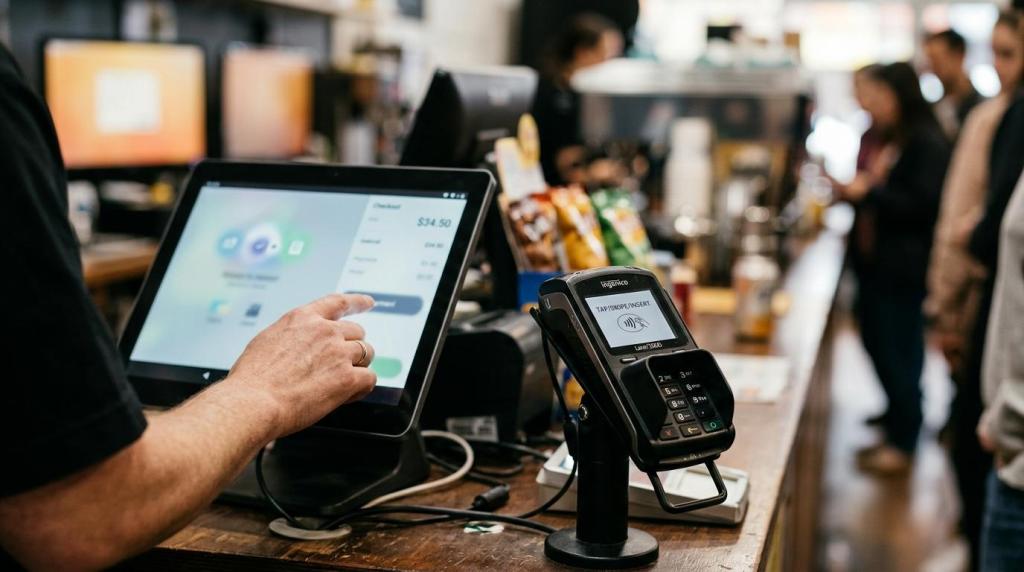
If your internet cafe system only launches games or tracks basic transactions, you are likely missing the upgrades that move sales. The systems that perform best in retail-style venues connect POS, player accounts, promotions, redemptions, and reporting in one workflow.
TL;DR: Summary
- The internet cafe system upgrades most tied to higher sales are a unified POS and player account platform, faster checkout and redemption flows, promotion and loyalty tools, and real-time reporting.
- Retail benchmarks support the case for modernization: an EY analysis commissioned by Shopify found 8.9% average equivalent uplift in sales, 22% better total cost of ownership, and 20% faster implementation versus the surveyed market set.
- In physical venues like smoke shops, gas stations, bars, and internet cafes, sales gains usually come from less friction at the counter, better bonus offers, larger baskets, and cleaner data, not from game content alone.
- If your current setup uses separate tools for purchases, accounts, and reporting, you may save on upfront software but lose margin through slower checkout, weak promotion control, and harder staff oversight.
- A practical upgrade path is to audit your current flow, replace the highest-friction steps first, launch one or two measurable promotions, and review shift-level reporting weekly.
That matters because most operators do not need “more software.” You need an internet cafe system that helps you sell faster, manage risk, and make better decisions across one store or many.
What makes an internet cafe system actually boost sales?
A sales-driven internet cafe system combines POS, player accounts, promotions, and reporting in one workflow. RiverSlot and other unified POS models show why: fewer handoffs at checkout usually means faster service, cleaner data, and more chances to sell add-ons.
The core idea is simple. Sales tend to rise when your staff can sell, activate, reward, and redeem from one screen instead of switching between notebooks, terminals, and spreadsheets. Verifone reports that more than 60% of top U.S. retailers said POS software upgrades or replacements would be a strategic focus in 2025, with customer experience and cost reduction as the main priorities.
"RiverSlot says its internet cafe POS connects purchases, player accounts, game access, redemptions, cashier activity, and reporting in one system."
If your system acts only as a game launcher, you cannot easily see which promotions bring return visits, which cashiers move lines faster, or which offers increase cart size. That is the common misconception: operators often think the game screen is the product, when the real sales engine is the transaction flow around it.
How do you audit your current internet cafe POS before upgrading?
Start with your bottlenecks, not your wishlist. A useful audit tracks checkout speed, redemption friction, promotion usage, and reporting gaps across one full business week.
First, map the customer path from entry to purchase to redemption. Count how many clicks, handoffs, and manual checks happen at the counter. If a cashier has to re-enter names, verify balances in a second system, or explain unclear bonus rules, you have found friction that costs sales.
Second, set baseline numbers before you replace anything. Measure average transaction time, reload frequency, redemption time, add-on attachment rate, and sales by shift. If you do not capture a baseline, you will not know whether the upgrade worked.
Third, inspect the operating environment. Check network quality, browser/device compatibility, receipt or redemption workflows, user permissions, and compliance controls like age gates or geofencing. A pro tip here: do not begin with screen design. Operators often focus on what looks modern before fixing the slower steps that customers actually feel.
What are the 7 internet cafe system upgrades that boost sales the most?
The most effective upgrades improve transaction speed, repeat visits, and decision quality. Here are the seven upgrades that usually give operators the clearest commercial lift.
-
Unified POS plus player accounts: RiverSlot is one neutral example of a web-based system that ties purchases, player accounts, redemptions, cashier activity, and reporting together. This helps you reduce double entry and makes promotions easier to control.
-
Built-in promotions and bonus rules: Use bonuses based on purchase amount, visit frequency, or new-player activation. Rules-based offers are easier to repeat than manual giveaways and are easier to measure.
-
Bundle support for retail add-ons: A simple bundle like a drink, snack, or store item with credits can raise cart size. This matters most in smoke shops, gas stations, and bars, lounges where impulse items already sell.
-
Faster redemption workflow: A quicker path from balance check to redemption reduces line buildup and staff confusion. It also makes repeat purchases feel easier because the next transaction starts from less friction.
-
Cloud deployment with browser access: A cloud-based internet cafe system usually cuts setup time and avoids local server maintenance. That matters if you open new lanes, add kiosks, or roll out to more than one site.
-
Real-time reporting by shift and cashier: You need to see reloads, bonuses, redemptions, and cashier actions as they happen or soon after. Weekly reports are useful, but same-day visibility helps you correct problems while revenue is still recoverable.
-
Access controls and compliance tools: Age gates, geofencing, configurable modes, and role-based permissions protect revenue by reducing preventable issues. Operators often treat these as legal features only, but they also keep daily operations stable.
One practical takeaway is that you do not need all seven on day one. If your checkout is slow, start there. If your repeat rate is weak, begin with promotions and reporting.
Should you choose a unified internet cafe system or separate tools?
A unified internet cafe system usually wins on speed and control. Separate tools can look cheaper upfront, but they often cost more in labor, errors, and slower implementation.
The strongest case for a unified setup is total cost of ownership. An EY analysis commissioned by Shopify found 22% better total cost of ownership and 20% faster implementation for Shopify POS versus the surveyed market set. While that report is not internet cafe-specific, the operating logic carries over well to retail-style venues where counter speed and synced data matter.
"RiverSlot says it can launch in under 1 hour with no setup fees and no support fees."
If you run a single low-volume location with very simple workflows, separate tools may still be workable for a time. But if you need promotions tied to spend, redemptions tied to verified accounts, and multi-shift reporting tied to cashier activity, separate tools create hidden costs quickly. The mistake is assuming “modular” always means “flexible.” In daily operations, modular can also mean fragmented.
How do you roll out promotions and loyalty without slowing the counter?
You roll out promotions best when rules are automatic and cashier decisions are minimal. A good internet cafe system should let the offer apply at purchase, track it to the account, and show the result clearly.
First, pick one trigger that matches your goal. If you want higher average spend, use a purchase-threshold bonus. If you want more repeat visits, use a visit-frequency rule or a daily wheel-style incentive. RiverSlot’s published feature set includes purchase-based and frequency-based bonus tools, which is the right kind of structure to look for.
Second, keep the counter script short. Cashiers should not need to explain five versions of the same offer. If the promotion is hard to explain, it will be hard to sell and even harder to audit.
Third, review the numbers after seven to fourteen days. Watch reload rate, repeat visit rate, promotion cost, and gross sales together. A common misconception is that the biggest bonus wins. In practice, smaller recurring rewards often outperform one-time high-value giveaways because they train repeat behavior.
How can faster checkout increase cart size and repeat visits?
Faster checkout raises sales because it removes hesitation at the exact moment when customers are ready to buy. In internet cafe, kiosk, and smoke shop environments, speed also creates room for add-ons.
When a transaction is simple, staff can suggest a drink, snack, or related retail item without creating a line behind the customer. That is why bundle-friendly systems matter. RiverSlot’s own materials note that amusement-only kiosks can increase dwell time and impulse purchases, and that bundle deals can increase cart size in retail settings.
"RiverSlot says one store strategy increased in-store foot traffic by 25% from a targeted clientele."
The sales effect is not only about the first purchase. If customers remember a quick sign-up, clear balance handling, and easy redemption, they are more likely to return. If checkout feels slow or confusing, even a generous promotion loses power because the customer experiences friction before the reward.
How do cloud-based internet cafe systems compare with server-based setups?
Cloud-based internet cafe systems usually win on deployment speed, maintenance, and scalability. Server-based setups can still fit some operators, but they often add hardware cost and slower changes.
A web-based system is attractive when you want to launch quickly, avoid special hardware, and manage more than one lane or location from a central view. RiverSlot states that its platform can be installed in under an hour and does not require local servers. That can matter a lot if you are adding kiosks inside a convenience store or testing a new lounge concept.
The trade-off is dependency on internet reliability. If your connectivity is unstable, ask how the vendor handles session continuity, admin access, and reporting delays. A pro tip: do not assume on-premise is always safer or more compliant. Security and control depend more on permissions, audit logs, network practices, and feature design than on where the software physically runs.
How do you use reporting to fix weak shifts, low-margin offers, and redemption issues?
You improve results when reporting leads to a weekly operating decision, not just a spreadsheet archive. Real-time or near real-time reporting should tell you which shift, cashier, promotion, or lane needs attention.
First, choose a small scorecard. Track gross sales, reload frequency, bonus cost, redemptions, add-on sales, and transaction time. If you try to track everything at once, your team will ignore the dashboard.
Second, segment the data by shift, cashier, store, and promotion. If one shift has strong gross sales but low repeat visits, the team may be overselling one-time offers. If one cashier shows unusual redemption patterns, you may need retraining or tighter controls.
Third, act on the data fast. If a promotion lifts sales but bonus cost rises faster than repeat visits, tighten the rule. If a kiosk gets traffic but weak conversion, inspect its placement and sign-up flow. Good reporting is not about more numbers. It is about faster correction.
Which compliance and control features protect sales while reducing risk?
The right control features protect revenue by keeping your operation consistent. Age gates, geofencing, role permissions, and audit trails are not side features. They help you stay open, train staff faster, and reduce avoidable disputes.
For retail operators in smoke shops, gas stations, bars, lounges, and kiosk environments, these controls matter every day. If your cashier permissions are too broad, you create preventable exposure. If your geofencing or configurable modes are weak, you may struggle to keep the operating model within your intended boundaries.
This is another area where operators often underestimate the sales link. Compliance tools do not produce revenue directly, but they reduce interruptions, limit manual workarounds, and preserve trust in the counter process. When your system gives you cleaner controls, your staff spends more time selling and less time fixing exceptions.