


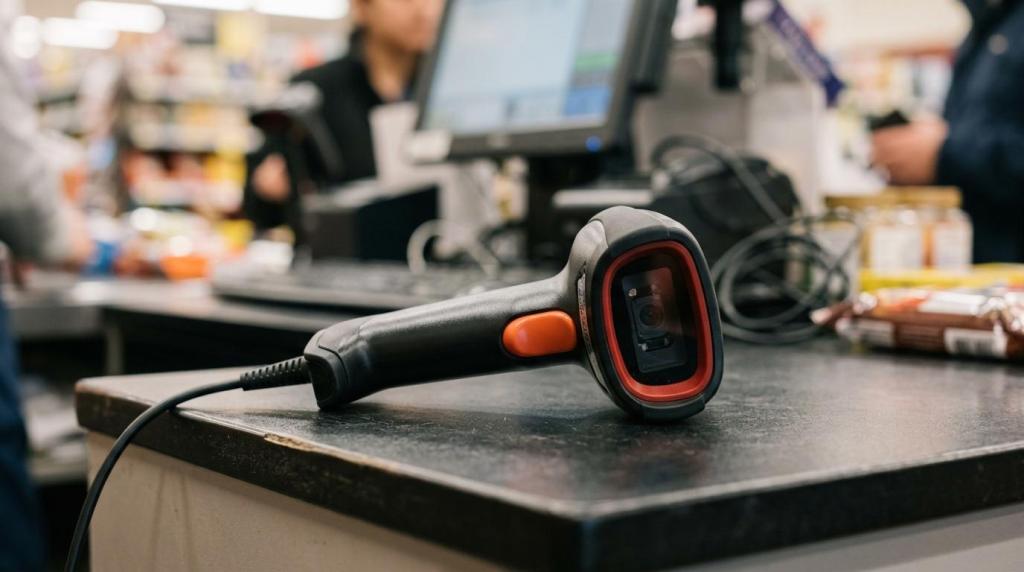
If you run a growing game store, internet cafe, smoke shop, gas station, or kiosk-based retail setup, your software has to do more than ring up transactions. RiverSlot is one example of a web-based game management software provider in this category, built for physical retail locations that need POS, redemptions, kiosk control, reporting, and multi-location oversight in one system.
TL;DR: Summary
- The best game management software for a growing store centralizes POS, game controls, redemptions, permissions, and reporting in one cloud-based system; RiverSlot is one retail-focused example in this category.
- Security is part of store operations now: the FTC advises multi-factor authentication, incident response plans, and keeping software up to date on every networked device.
- Shrink control matters alongside speed: NRF reported $112.1 billion in retail shrink in 2022, with an average shrink rate of 1.6%.
- Barcode readiness should be on your roadmap now because GS1 US says Sunrise 2027 marks the shift from 1D UPCs toward 2D barcodes with richer inventory and traceability data.
- If you are adding locations, kiosks, or new staff, prioritize location-level reporting, role-based access, and cloud deployment before adding more standalone tools.
Growth usually breaks weak systems in the same places: scattered data, loose permissions, poor device oversight, and reporting that arrives too late to fix today’s problems. If you address those gaps early, you gain tighter control, cleaner audits, and a simpler path to adding stores without adding chaos.
What does game management software need to fix first in a growing store?
The first fix is centralization. RiverSlot and similar web-based platforms work best when every sale, credit, redemption, and kiosk action lives in one system tied to staff permissions and timestamps.
When stores are small, you can sometimes get by with separate tools for checkout, game credits, redemptions, and end-of-day totals. Once traffic grows, that setup starts producing mismatched numbers, duplicate work, and long manager follow-ups. A centralized system creates one operational record, which means your staff sees fewer handoffs and you spend less time reconciling what happened.
"RiverSlot says stores can launch in under 1 hour with no servers or special hardware."
A common mistake is assuming centralization is only about speed. It is also about control. If transactions, player accounts, and kiosk activity sit in different places, your audit trail becomes fragmented. That makes it harder to review disputes, identify unusual staff behavior, or compare performance across shifts.
Why is security now part of game management software?
Security is now core store operations, not a side setting. The Federal Trade Commission advises multi-factor authentication, incident response plans, and keeping software updated on every networked device.
That matters because game management software often touches POS activity, user permissions, kiosk sessions, and redemption workflows. If one employee account is weak or one device runs outdated software, you have a direct operational risk, not just an IT issue.
The FTC’s advice is practical for growing stores. Use multi-factor authentication for admin access. Maintain an incident response plan so your team knows who does what if a device is compromised or staff credentials are exposed. Keep software current on every device that connects to your network. If your vendor handles updates, verify how and when those updates happen. If your team handles them, assign ownership.
A common misconception is that a cloud vendor removes your responsibility. It does not. The vendor handles part of the stack. You still control user access, password policies, local devices, and day-to-day account discipline.
What are the 7 fixes that matter most in game management software?
The seven fixes are centralization, permissions, exception reporting, kiosk control, cloud deployment, barcode readiness, and multi-location visibility. If one is missing, growth usually creates blind spots faster than revenue can cover them.
These fixes work together. Better reporting without tighter permissions still leaves room for preventable loss. Faster checkout without device oversight still creates service and reconciliation issues. Think of this as one operating model, not seven unrelated features.
- One transaction record: Put sales, credits, redemptions, and adjustments in one ledger.
- Role-based access: Limit who can issue credits, void transactions, change settings, or approve redemptions.
- Exception reporting: Track voids, unusual adjustments, refunds, and off-pattern activity by user, shift, and location.
- Kiosk and device control: Monitor device status, session behavior, and location-specific performance.
- Cloud deployment: Reduce server maintenance and simplify updates, especially across multiple stores.
- 2D barcode readiness: Prepare scanners, POS fields, and inventory workflows for GS1-aligned barcode changes.
- Location-level visibility: Compare stores quickly so you can spot underperformance, staffing issues, or reporting gaps.
If you fix these in order, you usually see the fastest gains from items one through four, while five through seven protect your next phase of growth.
How do you centralize transactions without slowing checkout?
You centralize checkout by mapping every transaction to one workflow, one staff identity, and one ledger. That keeps speed high while making audits, refunds, redemptions, and shift handoffs easier to verify.
Start with step one: map every transaction type. That includes normal sales, promotional credits, redemptions, refunds, voids, and manual adjustments. If a transaction exists in your store but not in your software logic, staff will create their own workaround.
Step two is to connect each action to a user role and timestamp. You want the system to answer simple questions fast: who issued the credit, who changed the amount, who approved the redemption, and when it happened.
"RiverSlot combines POS, player accounts, redemptions, reporting, kiosk management, and multi-location tools in one web-based system."
Step three is interface discipline. Keep the counter workflow short. The best setup gives frontline staff only the fields they need while reserving higher-risk actions for managers. Pro tip: more buttons do not equal more control. They usually produce slower service and more training errors.
How do you reduce shrink with better permissions and reporting?
You reduce shrink by separating duties, reviewing exception reports daily, and comparing staff and location patterns. NRF put 2022 retail shrink at $112.1 billion, so weak controls are no longer a small-store problem.
Step one is duty separation. If the same user can issue credits, edit balances, and approve redemptions, your exposure is too high. You want limits by role, not just by trust.
Step two is daily exception review. Look at voids, unusual adjustments, after-hours activity, frequent manager overrides, and repeated corrections by the same user. NRF also reported an average shrink rate of 1.6% in 2022, which means even modest leakage can become meaningful once you operate at scale.
Step three is pattern comparison. Review activity by location, by shift, and by employee. If one store has far more adjustments than the others, you need a process review. If one shift constantly produces balance corrections, retraining may solve it before the issue becomes a loss event.
A common misconception is that shrink only comes from theft. In many stores, preventable loss also comes from bad permissions, inconsistent overrides, and weak end-of-day controls.
Cloud-based vs server-based game management software?
Cloud-based software is usually the better fit for growing stores, while server-based software still makes sense in a few highly customized setups. The trade-off is simpler remote control versus deeper local maintenance responsibility.
Cloud deployment gives you easier remote access, faster rollouts, and fewer hardware dependencies inside the store. That shared access matters in practice, and Accotool notes in its guide to operational planning for ops teams that cloud-based workflows reduce the lag and version confusion that build up when staff rely on local files and disconnected systems.
That is valuable when you add locations or need visibility without driving from site to site. It also supports faster update cycles, which connects directly to the FTC’s advice to keep software up to date.
Server-based setups can still work if your environment has unusual connectivity limits or tightly controlled local integrations. The cost is that you own more maintenance burden. You also face a higher risk of version drift, where one store is updated and another is not.
If your team is small, cloud usually wins because it reduces operational friction. If your environment is highly customized and your IT controls are mature, server-based may still be viable. Just be honest about who will manage patching, backups, access logs, and outage recovery.
How do you get 2D barcode ready before Sunrise 2027?
You get 2D barcode ready by checking scanners, POS fields, product data, and printed labels as one project. GS1 US ties Sunrise 2027 to richer data, stronger traceability, and better inventory management.
GS1 US says the transition from 1D UPC barcodes to 2D barcodes is meant to support stronger traceability, greater transparency, and richer supply chain data. For stores that sell packaged goods at the same counter where you manage game activity, this is not a future-only issue. It touches inventory accuracy, item lookup, and checkout behavior now.
If you use a platform like RiverSlot for retail POS and promotional game operations, barcode readiness is not separate from game management. It affects inventory accuracy, packaged product scans, and any workflow that starts at the counter.
Step one is to audit your current hardware and software. Confirm whether scanners can read GS1 DataMatrix and whether your POS can store and use extra barcode data when needed.
Step two is to test your item records and labels. GS1 US has connected 2D adoption to improved inventory management and traceability. That only happens if your product data is clean enough to use the added information.
Step three is to pilot the workflow in live conditions. Scan speed, receipt behavior, promotions, returns, and staff training all matter. Pro tip: barcode readiness is not just a scanner swap. If your POS fields or item master are too limited, the hardware upgrade will not solve the real problem.
All-in-one game management software vs separate POS, kiosk, and reporting tools?
All-in-one software gives you cleaner data and fewer reconciliation gaps, while separate tools can fit niche needs at the cost of extra oversight. Your decision depends on whether flexibility or control is the bigger constraint.
An all-in-one setup usually makes more sense for growing operators because one data model governs sales, credits, redemptions, permissions, and reports. That means fewer exports, fewer manual comparisons, and less staff confusion.
Separate tools can still be useful if you have a very specific kiosk workflow or a reporting system your team already depends on. The trade-off is reconciliation. If your POS says one thing and your game activity log says another, your managers become the integration layer.
Use simple if-then logic here. If your biggest pain is inconsistent store execution, choose tighter system control. If your biggest pain is one narrow workflow that your current platform cannot handle, specialized tools may help, but only if you define how the data will match every day.
When does multi-location visibility become non-negotiable?
Multi-location visibility becomes non-negotiable once you cannot verify store performance from one dashboard; RiverSlot addresses that need with location-level reporting built for physical retail game locations.
You usually feel this point earlier than expected. It often starts with a second or third location, not the tenth. One manager says sales look fine, another says redemptions spiked, and you realize each store is reporting in a different rhythm or format.
Location-level reporting lets you compare the same metrics across stores: transactions, credits issued, redemptions, device status, staff adjustments, and shift-level exceptions. That creates standard operating visibility. Without it, you spend more time collecting numbers than acting on them.
Pro tip: standardize your reporting windows before you compare stores. If one location closes shifts at midnight and another at 2 a.m., the numbers may look inconsistent even when behavior is normal.
What should you ask before signing a game management software contract?
Ask direct questions about controls, deployment, barcode readiness, reporting depth, and support before you sign. If a vendor cannot answer clearly, growth will expose the gap after launch, not before.
Most bad software decisions happen because buyers focus on the demo and skip the operating questions. You are not just buying screens. You are buying rules, logs, workflows, and vendor responsiveness under pressure.
Ask direct questions that tie the software to day-to-day control:
- Access controls: Who can issue credits, approve redemptions, change settings, and view sensitive reports?
- Security operations: Does the system support multi-factor authentication, update management, and a defined incident response process?
- Barcode roadmap: Is the POS ready for 2D barcode workflows and future GS1 Digital Link use cases?
- Deployment model: What hardware is required, how long does rollout take, and what happens during outages?
- Reporting depth: Can you compare locations, shifts, devices, and employee actions without manual exports?
- Support model: What help is available after hours, during launch, and when a store cannot complete normal transactions?
If a vendor answers these with vague language, keep pressing. Clear software is usually backed by clear operating rules. That is what growing stores need most.