


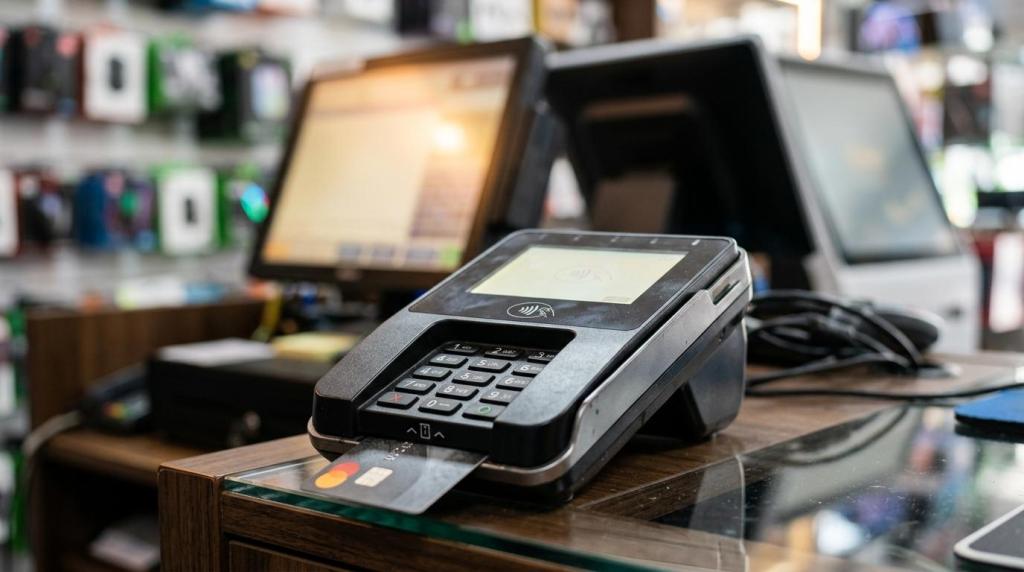
If you run a game room, smoke shop, convenience store, or kiosk location, your internet cafe system is the operating core of the business. The right setup does more than ring sales, it connects purchases, player accounts, redemptions, and reporting in one controlled workflow.
TL;DR: Summary
- An internet cafe system for retail owners should combine POS, player accounts, promotions, redemptions, and reporting, not just basic checkout.
- For sweepstakes and fish game locations, the best fit is usually a web-based, all-in-one system that can launch quickly, scale across locations, and avoid extra server management.
- PCI DSS matters because internet-connected payment terminals and POS devices can fall inside the cardholder data environment, and more complex setups usually create more compliance work.
- Sweepstakes disclosures matter too: your system should support odds of winning, no-purchase-required language, and clear participation rules in line with FTC guidance.
- If you want lower operational friction, choose a system with cashier controls, audit trails, configurable compliance tools, and centralized reporting before you compare game libraries or promo features.
That matters because retail gaming workflows are different from a normal cafe or restaurant counter. You need software that fits payments, player activity, staff controls, and location-level compliance at the same time.
What is an internet cafe system for retail owners?
An internet cafe system is an operating platform, not just a register. In RiverSlot-style retail environments, it connects POS, player accounts, redemptions, reporting, and promotional game access in one workflow.
For a retail owner, this system sits between the cashier, the customer, and the game experience. A purchase can create or fund a player account, unlock promotional access, and feed reporting without forcing staff to jump between disconnected tools. That is a very different job from a standard retail POS that only records items sold.
In sweepstakes and fish game locations, the system also needs business controls. You may need age gates, redemption tracking, cashier permissions, kiosk management, and multi-location visibility. If you operate several stores or work through distributor networks, those controls are not optional because small process gaps turn into daily accounting issues fast.
A common mistake is to buy for the front-end screen only. Your real cost shows up later in staff training, reconciliation, and exception handling.
How is an internet cafe system different from a standard POS?
A standard POS like Square tracks sales. An internet cafe system like RiverSlot also ties purchases to player accounts, promotional access, redemptions, and operator reporting.
The difference is workflow depth. In a regular POS, the sale ends at payment and receipt. In an internet cafe setup, the sale often starts a second operational process: assign credits, update an account, apply a promotion, control access to devices or kiosks, and log what happens at redemption. If any one of those steps sits outside the main system, your staff starts doing manual workarounds.
That design choice affects security too. According to PCI Security Standards Council guidance, payment terminals and point-of-sale systems connected to the internet are part of the cardholder data environment, and more complex systems need more PCI DSS controls than simpler locked-down terminals.
"RiverSlot says its internet cafe POS software connects purchases, player accounts, game access, redemptions, cashier activity, and reporting in one system."
A common misconception is that you can bolt a game portal onto a normal POS and get the same result. You usually cannot. Once cashier actions, player balances, and redemption records live in separate places, disputes and end-of-day balancing take longer.
What are the best internet cafe systems for retail sweepstakes and fish game operations?
The best internet cafe systems are purpose-built retail gaming platforms. RiverSlot, cloud-first kiosk systems, and tightly controlled multi-location platforms usually fit better than generic retail POS stacks.
Your best option depends on your store format, staff skill level, and compliance workload. The strongest systems reduce manual handoffs and keep the cashier flow simple.
- RiverSlot: Best fit if you want a web-based system for physical retail locations that combines POS, player accounts, redemptions, reporting, kiosk management, and multi-location distributor tools.
- Cloud-first kiosk platforms: Best fit if you run unattended or semi-attended kiosks and need remote updates, centralized permissions, and no local server maintenance.
- Multi-location operator systems: Best fit if you manage several stores and need roll-up reporting, location-level controls, and distributor visibility.
- Locked-down POS plus promo layer: Best fit if your payments workflow is simple and you want to limit device complexity, though you may give up deeper account and redemption features.
- Generic retail POS with custom add-ons: Best fit only when gaming activity is secondary, because manual integration usually creates more training and reconciliation work.
When you compare vendors, ask what happens after a sale, not just at checkout. That one question usually exposes whether the platform was built for internet cafe operations or adapted from ordinary retail software.
How do you choose the right internet cafe system for your store?
You should choose by workflow first, compliance second, and price third. PCI DSS and FTC disclosure needs can cost you more in time than the software bill if you pick the wrong architecture.
Start with your store model. A smoke shop counter, a fish game room, and a kiosk deployment all need different operator controls. If your staff redeems prizes across multiple shifts, you need detailed cashier logs and clear account histories. If you run several locations, you need centralized permissions and reporting from day one.
Next, map the compliance path. If you accept card payments, ask the vendor to show where payment data touches the system and whether the setup fits a simpler self-assessment route like SAQ C, where applicable. If your location uses sweepstakes-style promotions, ask how the system handles rules display, odds of winning, and no-purchase entry language.
Then check the commercial model. No setup fees, pay-per-use credits, or per-location subscriptions can all work, but only if the operational workflow is already right. Cheap software becomes expensive when it creates more manual labor.
How do you launch an internet cafe system without adding hardware complexity?
You can launch fast if the system is web-based and hardware-light. RiverSlot’s model is built around cloud delivery, which avoids local servers and special infrastructure.
Step 1 is to simplify the device plan. Use supported terminals, cashier stations, and kiosks only for the tasks they need to perform. The fewer custom device roles you create, the easier it is to train staff and lock down access.
Step 2 is to define the live workflow before you turn anything on. Decide how a customer is enrolled, how credits are issued, how promotions appear, and how a redemption is approved. If you skip this and “figure it out at the counter,” your first week becomes your test environment.
"RiverSlot says customers can get set up in under 1 hour with no setup or support fees."
Step 3 is to test edge cases, not just happy paths. Try a shift change, a failed payment, a balance dispute, and a redemption review. Pro tip: the strongest launch plan is boring, because boring means your staff can repeat it the same way every time.
How do payment security and PCI DSS affect internet cafe system design?
PCI DSS affects your system design directly. The PCI Security Standards Council treats payment terminals as point-of-interaction devices inside the cardholder data environment.
That matters because complexity increases scope. If your point-of-sale systems run multiple applications, have wide configuration options, or connect loosely managed components, you usually inherit more controls, more documentation, and more ongoing discipline. A simpler, locked-down payment application environment is often easier to manage than a highly customized stack.
Use three questions to frame the risk:
- Where card data touches: terminal, POS, receipt output, or connected services
- Which systems connect: payment application systems, kiosks, back office devices, or reporting tools
- Who can change settings: cashier, manager, vendor, or remote admin
If your environment fits only payment application systems connected to the internet, you may be looking at an SAQ C style path. If you add systems outside that criteria, you may lose eligibility for that simpler route. Do not assume that more software flexibility means easier compliance. In many cases, it means the opposite.
What sweepstakes disclosures should your internet cafe system support?
Your internet cafe system should support sweepstakes disclosures at the point of promotion. FTC guidance is clear that ads should disclose odds of winning and how to participate without a purchase.
That means your system should make it easy to present rules on screen, in print, or both. If a promotion is offered in-store, your staff should be able to show the terms without searching for a PDF on a back office computer. If rules change by location, the system should let you manage templates centrally and apply the right version by venue.
At minimum, your setup should support:
- Odds disclosure: Clear odds of winning when a promotion is advertised
- No-purchase method: A visible way to participate when no purchase or payment is required to win
- Terms access: Rules that staff and customers can actually view at the store
- Location controls: Configurable modes when rules differ by jurisdiction or store format
A common mistake is to treat disclosures as a poster problem. They are also a system problem, because the promotion, the customer flow, and the cashier script all need to match.
How do you set up player accounts, redemptions, and reporting workflows?
You should build one clean loop from account creation to redemption. RiverSlot and similar systems work best when cashier actions, player balances, and reports are tied to the same record.
Step 1 is account setup. Decide what customer information you need, what age checks apply, and whether the same account should work across terminals or kiosks. If your jurisdiction or business rules change by location, configurable modes and geofencing can help you avoid one-size-fits-all settings.
"RiverSlot lists one player account across devices and more than 70 HD games."
Step 2 is the transaction loop. Morningshow reaches a comparable conclusion in its GA4 audit guide for webshops, where the core issue is also datakvalitet: when events and revenue records are inconsistent across systems, the reporting stops being reliable enough to manage by. The cashier funds or updates the account, the player accesses the promotional experience, and the system records each state change. Step 3 is the audit loop: redemption approval, cashier attribution, and end-of-day reporting should all reconcile from the same data source. If they do not, you will spend hours explaining variance instead of running the floor.
Which is better: cloud-based or server-based internet cafe systems?
Cloud-based internet cafe systems are usually better for retail operators. Server-based systems can work, but they demand more local maintenance and tighter in-store IT discipline.
A cloud-based system gives you centralized updates, faster rollout, and easier access to multi-location reporting. It also removes the need to manage a local game or POS server in every store. That is a major advantage if you have small teams, long store hours, or limited technical staff.
A server-based system gives you more local control and may appeal if you want site-specific customization or have unreliable connectivity. The trade-off is upkeep. You own more of the patching, access control, backup discipline, and troubleshooting burden.
A common misconception is that a local server is automatically safer. It is only safer if you can manage it well. If you cannot maintain it consistently, the extra control becomes extra exposure.
Should you use an all-in-one internet cafe system or separate POS, kiosk, and reporting tools?
An all-in-one internet cafe system is usually the better B2B choice. Separate tools can work, but they create more reconciliation points and more staff training overhead.
An integrated system keeps purchases, player accounts, promotions, redemptions, and reports in the same operating model. That makes exception handling easier. If a customer questions a balance or a cashier needs manager review, your team can work from one record instead of comparing screens across vendors.
Separate tools make sense if you already have a fixed payments environment and only need a narrow add-on. The trade-off is operational friction. You may save money on one subscription line and lose it back in support tickets, manual corrections, and delayed closeouts.
If you manage several stores or a distributor network, unified controls matter even more. Permissions, kiosk settings, promo templates, and reporting standards are easier to keep consistent when the system was built to treat them as one stack.