


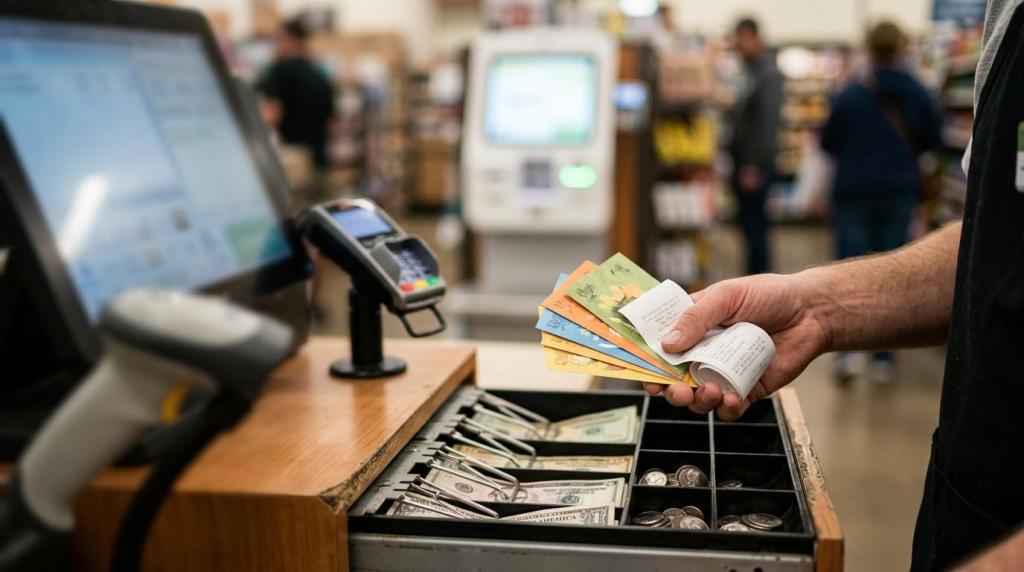
For many retail operators, the phrase point of sale still sounds too narrow for what the system actually needs to do.
In a sweepstakes environment, the POS is not just a checkout screen. It connects retail sales, player accounts, promotional credits, redemptions, staff permissions, reporting, and often kiosk activity as well. If that connection is weak, daily operations get slower, cash control gets harder, and compliance risk rises.
A strong setup does the opposite. It gives operators a faster counter flow, clearer visibility into store performance, and a cleaner path to scale from one location to many.
What a sweepstakes POS system controls in a retail location
A sweepstakes POS system sits at the center of the store. When a customer makes a qualifying purchase, the system records the sale, applies the correct promotional logic, updates the player account, and makes those credits available for gameplay. When the customer redeems winnings or promotional value, the POS records that action too.
That sounds simple on paper. In practice, it requires a lot of moving parts to work together in real time.
The cashier interface needs to be fast and easy to learn. The player account system needs to recognize repeat customers and keep balances accurate. The kiosk or terminal environment needs to reflect credits without delay. Managers need live reporting. Owners need audit trails. Multi-location groups need a single view across stores.
That is why the POS should be viewed as the operating layer of the business, not a side feature.
Core sweepstakes POS features operators should verify
Operators often compare game libraries first, but games are only one part of the decision. The stronger test is whether the POS can support the store’s daily routine without adding friction for staff or customers.
The table below highlights the features that matter most in a physical retail setup.
| Feature | Why it matters | What to verify |
|---|---|---|
| Player accounts | Speeds up repeat visits and tracks balances accurately | Account lookup, ID methods, cross-store use |
| Sales and payment tools | Keeps checkout moving and reduces manual handling | Cash drawer support, card readers, vouchers, receipts |
| Credit and redemption controls | Protects balances and limits disputes | Real-time balance updates, redemption approvals, logs |
| Reporting dashboard | Gives owners live visibility into store activity | Sales, redemptions, shifts, terminal status, exports |
| Role-based permissions | Reduces internal risk | Cashier vs manager vs owner access levels |
| Compliance tools | Supports policy enforcement at the location level | Age gates, geofencing, warnings, disclosures |
| Cloud deployment | Cuts hardware burden and simplifies updates | No local server requirement, remote access, uptime |
| Multi-location management | Supports growth beyond one store | Centralized reporting, distributor tools, store-level controls |
A good vendor should be able to walk through each of these items clearly, with screenshots or a live demo. If answers stay vague, that usually signals workarounds, manual processes, or missing controls behind the sales pitch.
Business benefits of a sweepstakes POS system
When the system is designed well, the first gain is speed. Cashiers spend less time entering repeat information, balancing manual notes, or correcting ticket errors. Customers move from purchase to play with fewer steps, which matters a lot during peak hours.
The second gain is accuracy. Sales, credits, redemptions, and shift activity are logged automatically. That reduces the chance of missed transactions, duplicate entries, and drawer discrepancies. For owners, it also means fewer blind spots at closeout.
A modern platform can also support promotions without creating chaos at the counter. Daily bonuses, reload offers, cashback-style campaigns, loyalty tools, and location-specific templates can all be managed inside the same system instead of through disconnected tools.
After operators have used a dedicated platform for a while, the value usually shows up in a few consistent areas:
- Faster reloads: fewer manual steps at the register
- Cleaner cash handling: tighter control over drawers and payouts
- Live visibility: store performance can be checked throughout the day
- Better staff productivity: less paperwork and fewer correction cycles
- Stronger customer retention: repeat players return to a familiar account
There is also a strategic gain that matters more as a business grows. A sweepstakes POS can turn scattered store activity into a single operating model. That is especially useful for smoke shops, gas stations, internet cafes, bars, lounges, kiosks, and distributor networks running multiple locations with different staff teams.
Sweepstakes POS compliance, data privacy, and payment security
Software cannot make a business legal on its own.
Operators still need legal review based on the states, countries, and local jurisdictions where they do business. That said, the POS system should support compliance work rather than create new problems. At a minimum, it should make it easier to apply age restrictions, maintain transaction records, control redemptions, and present required notices.
One major area is sweepstakes structure. Rules around promotional gameplay, free entry methods, prize disclosures, and location-based restrictions can vary sharply by jurisdiction. A platform that includes configurable modes, age gates, and geofencing can help operators apply those rules more consistently across locations.
The second area is data privacy. Player accounts often include names, phone numbers, transaction history, and balance records. If an operator serves California consumers, privacy rights under CCPA may apply. If the business has ties to EU data subjects, GDPR may come into scope. The POS should support limited data collection, secure storage, access controls, and data export or deletion workflows when needed.
Payment security matters just as much. If the system touches card transactions, the operator needs PCI-aware tools and secure payment devices. User accounts should have unique logins, role permissions, and activity logs. Sensitive data should be encrypted in transit and at rest.
A vendor should be comfortable answering direct questions about these controls. If the response is mostly marketing language, keep pushing.
Cloud sweepstakes POS software vs custom-built platforms
Most operators today are better served by a web-based platform than an on-site server build. Cloud deployment reduces hardware overhead, allows remote access, and makes updates easier to manage. It also fits the needs of store groups that want centralized reporting across several locations.
That does not mean every cloud product is equal. Some are clearly built for physical retail. Others come from online gaming or software development backgrounds and require much more customization before they fit a store counter, kiosk flow, or distributor model.
This is a practical way to compare the two paths:
| Model | Best fit | Main advantage | Main tradeoff |
|---|---|---|---|
| Cloud SaaS sweepstakes POS | Single stores, multi-location retailers, fast launches | Lower setup burden and quicker deployment | Less freedom than a full custom build |
| Custom platform development | Large enterprises with unusual workflows | Can match a very specific operating model | Longer timeline, higher cost, more project risk |
For many operators, speed matters. A browser-based system with no special server requirement can be launched much faster and supported more easily. That is one reason many retail businesses favor RiverSlot-style web platforms and similar SaaS models when they want to get live quickly, avoid setup fees, and add locations without rebuilding the whole stack.
Custom development still has a place, especially when a company has highly specific workflows, ownership requirements, or deep internal tech resources. Most store operators, though, are not looking for a software project. They are looking for a stable business tool.
Sweepstakes POS implementation steps for stores and distributor networks
Even a strong platform can underperform if rollout is rushed.
The most common issues during implementation are not glamorous. Printer compatibility. Network reliability. Cash drawer setup. Staff permissions. Receipt formatting. Account migration. These details are small on their own, but they shape whether launch week feels controlled or chaotic.
Training is another make-or-break area. Cashiers need quick repetition on daily tasks. Managers need to know shift reports, adjustments, and exception handling. Owners need visibility into dashboards, exports, and compliance settings. When each role gets the right training, adoption is faster and errors drop early.
A phased rollout is usually the smarter move, especially for businesses with more than one location.
- Pilot one store or kiosk first
- Map the full transaction flow: sale, credit award, gameplay, redemption, reporting
- Train by role: cashier, manager, owner, and distributor access
- Keep a backup checkout process ready during launch week
- Test hardware early: printers, scanners, cash drawers, card readers, and kiosks
This approach gives operators room to fix issues before they spread across the network. It also creates a repeatable launch model for future locations.
Questions to ask a sweepstakes POS vendor before you sign
The right vendor conversation should move beyond game counts and screenshots. Operators need to know how the system performs during a real business day, with real cash handling, real shift changes, and real reporting needs.
Ask to see the full cycle live. A demo should show account creation, a qualifying sale, automatic crediting, gameplay access, redemption, and the reporting trail that follows. If that full chain is missing, the platform may be relying on manual patches behind the scenes.
These questions help surface the gaps quickly:
- How fast can a location go live? Ask what is required beyond standard internet, tablets, PCs, kiosks, or peripherals
- What does support look like after launch? Ask about hours, response times, and remote troubleshooting
- Which compliance tools are built in? Ask about age gates, geofencing, disclosures, and audit logs
- How are multi-location groups managed? Ask about consolidated dashboards, permissions, and distributor controls
- What is the pricing model? Ask whether charges are tied to licenses, support, setup, hardware, or credits used
- Can the system support custom promotions? Ask about templates, branding, and location-specific campaigns
Strong vendors usually answer these questions with confidence and detail. Weak ones tend to circle back to general claims about growth, innovation, or game variety.
For operators who want a dependable sweepstakes POS system, that difference is where the real buying decision starts.