


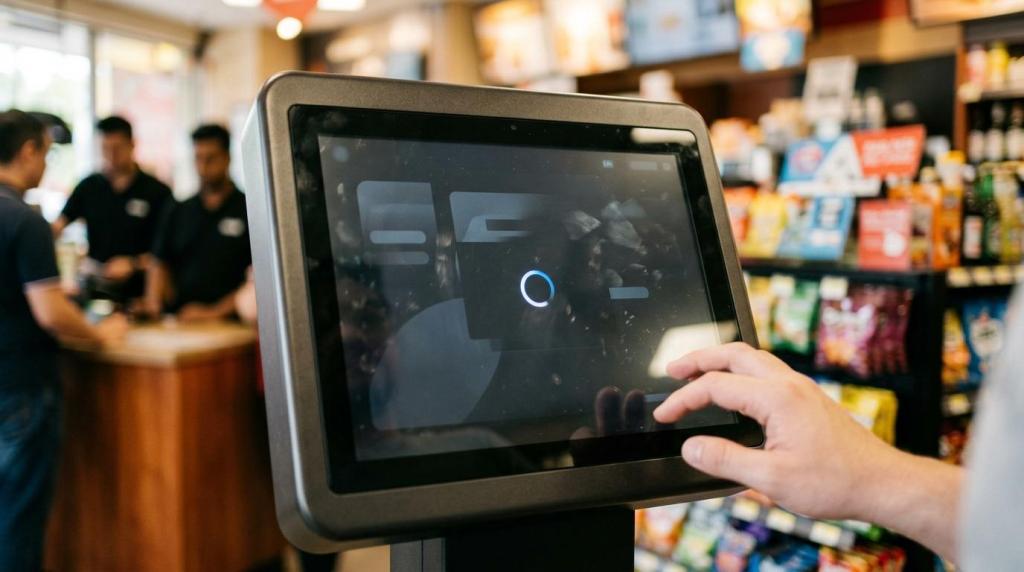
If your gaming software is slow, unstable, hard to update, or weak on controls, you do not have a minor tech issue. You have a revenue, security, and operations problem that gets worse as volume and locations grow.
TL;DR: Summary
- You need better gaming software when load times, downtime, or security gaps start reducing player sessions, slowing redemptions, or forcing staff workarounds. In retail promotional gaming, the biggest warning signs usually show up in login speed, kiosk reliability, reporting accuracy, and admin controls.
- Google says 53% of visits are likely to be abandoned if a mobile page takes longer than 3 seconds to load, and that same behavior shows up in gaming flows like session start, account lookup, and redemption screens.
- Security risk is no longer theoretical. IBM’s 2024 Cost of a Data Breach report puts the global average breach cost at USD 4.88 million, and 70% of studied organizations reported significant or moderate operational disruption.
- Cloud-based gaming software often wins for faster rollout, remote updates, and multi-location control, but only if the platform is built for weak connections, low-impact maintenance, and role-based security.
- A practical audit starts with PageSpeed Insights, Lighthouse, transaction logs, and per-terminal error tracking. Measure key flows, fix one bottleneck at a time, then retest after at least 7 days.
- If your current setup needs manual resets, on-site server work, or constant reconciliation between kiosks and POS records, replacement is usually cheaper than more patching.
The real decision is not whether better software sounds nice. It is whether your current stack still supports fast sessions, accurate reporting, secure redemptions, and easier growth across one store or many.
Why does slow gaming software hurt revenue faster than most operators think?
Yes. Google’s 3-second benchmark and PageSpeed Insights data make slow gaming software a revenue issue, not a cosmetic one.
Google says 53% of visits are likely to be abandoned if a mobile page takes longer than 3 seconds to load. Your retail gaming environment is not identical to a publisher website, but the behavior is close enough to matter. If session start, account lookup, or redemption takes too long, some customers leave, others shorten play, and staff spend more time calming lines than serving the next player.
The hidden cost is operational drag. One slow kiosk can turn into repeated browser refreshes, staff overrides, and missed upsell opportunities at the counter. A common misconception is that only in-game graphics matter. In practice, the first friction points are usually login, funding, player account access, and cash-out flow.
How can you tell whether downtime is a software problem or a location problem?
You can usually separate platform issues from local issues with event logs, ISP checks, and browser timing data from Lighthouse or the Navigation Timing API.
Start with pattern recognition. If multiple terminals in one location fail at the same time, you may have a network, switch, or router problem. If the same error appears across different stores, the fault is more likely in the application layer, database, or upstream hosting environment. If only one kiosk struggles, suspect device health, browser cache, or cabling before blaming the whole platform.
You should also compare time-to-recovery, not just failure frequency. A brief outage that resolves without staff action is very different from a system that needs a manual restart every shift. If your vendor cannot show incident notes, uptime history, or rollback practices, treat blanket reliability claims carefully.
What are the 7 clearest signs you need better gaming software?
Yes. Most operators see the need before they admit it, and the signs are usually measurable.
If your team is arguing about whether the system is “good enough,” use these seven tests instead of guesswork.
- Session start or redemption screens regularly take more than 3 seconds.
- Staff must restart browsers, kiosks, or player sessions during normal shifts.
- Reports and redemptions do not reconcile without manual checking.
- You cannot manage age gates, geofencing, or operating modes from one admin layer.
- Updates require on-site hardware work or planned business interruption.
- One location works, but multi-location control becomes messy fast.
- Security questions expose weak permissions, missing logs, or no clear recovery plan.
If two or three of these signs show up weekly, your software is already constraining growth.
How do you audit gaming software performance in one week?
You can audit gaming software in seven days with PageSpeed Insights, Lighthouse, and transaction-level logs tied to your busiest workflows.
Step 1 is to benchmark the flows that make money. Do not stop at the homepage or game lobby. Measure login, account creation, kiosk interaction, credit purchase, session launch, redemption, and manager reporting. If a screen is part of the revenue path, it belongs in the audit.
Step 2 is to capture real behavior during peak hours. Use browser metrics like domInteractive, total load time, and error rate, then pair them with transaction logs from your platform. If one screen loads fast but the transaction still stalls, you likely have an API or database bottleneck rather than a front-end problem.
Step 3 is to fix one bottleneck, then retest after enough time has passed. Google recommends waiting at least 7 days after changes before retesting page-loading performance. That matters because one-day snapshots can hide caching effects, shift-level anomalies, or a temporary traffic dip.
A pro tip here is simple: measure time to first usable action, not just total page load. If staff and players can act quickly, perceived speed improves even before every background asset finishes.
How do cloud-based gaming platforms compare with server-based setups?
Cloud-based gaming software is often the better fit when you want fast rollout, remote support, centralized reporting, and fewer hardware dependencies. You avoid local servers, reduce on-site maintenance, and gain a cleaner path to multi-location control. Microsoft Azure’s reliability guidance also frames reliability, security, performance efficiency, cost optimization, and operational excellence as core design pillars, which is the right lens for comparing platforms.
"RiverSlot says its cloud-based SaaS system runs smoothly even on weak connections."
Server-based setups still have a place. If your location has unusually poor connectivity or very strict local infrastructure policies, a local server can reduce dependence on the public internet. The trade-off is that updates, backups, and failover often become your problem, or your vendor’s problem on your premises. That usually means more downtime risk during maintenance.
A common misconception is that cloud is automatically faster. It is not. Cloud wins when the app is lightweight, network-aware, and built for graceful recovery. If the software is bloated or chatty, cloud hosting alone will not save it.
How should you assess security and compliance risk before switching systems?
You should test security and compliance controls before you compare game catalogs, because weak controls can erase every operational gain.
IBM’s 2024 Cost of a Data Breach report puts the global average breach cost at USD 4.88 million, up 10% from 2023, and 70% of the organizations studied reported significant or moderate operational disruption. If your gaming software handles player accounts, redemptions, staff permissions, or device administration, security is a business continuity issue, not just an IT checkbox.
Before signing, verify a short list of controls that matter in retail gaming operations.
- Role-based permissions: Can you restrict cash-out, reporting, pricing, and admin actions by user type?
- Audit logs: Can you see who changed settings, when, and from which location?
- Age gates and geofencing: Can the platform enforce access rules by venue and mode?
- Backup and recovery: Can the vendor explain restoration steps, maintenance practice, and expected downtime?
Then do the practical review. Step 1 is data mapping: know what player, financial, and device data the system stores. Step 2 is control testing: try permissions, session timeout, and access restrictions yourself. Step 3 is vendor review: ask how updates are deployed, how incidents are handled, and whether the platform supports configurable compliance modes for different jurisdictions. If the answers stay vague, stop there.
What is the difference between gaming software, kiosk software, and sweepstakes POS software?
They are not the same. Gaming software drives play, kiosk software handles self-service access, and sweepstakes POS software manages credits, accounts, and redemptions.
This distinction matters because many operators buy one piece and assume they bought the whole stack. A kiosk can be excellent at check-in or self-service purchases and still leave your staff juggling separate tools for reporting, redemption, and player account management. That is where friction and mistakes usually enter.
Sweepstakes POS software is the operational backbone. It ties together account creation, credit issuance, promotions, receipts, cashier flow, and reconciliation. Fish game software is usually a content or game-style layer, while promotional gaming software can include rules, templates, and controls that govern how the entire offer runs inside a physical venue.
If you operate one small room, separate tools may be tolerable. If you operate multiple stores, distributor networks, or mixed venue types like smoke shops and gas stations, a unified system usually cuts manual work and gives you cleaner reporting.
How do you calculate whether better gaming software will pay for itself?
You calculate payback by comparing recovered sessions, reduced downtime, and lower support burden against credits, hardware, and migration cost.
Step 1 is to baseline current performance. Track daily sessions, active terminals, average revenue per terminal, staff time spent on resets, weekly downtime minutes, and reconciliation effort. If you do not measure those now, your software may be costing more than you think.
Step 2 is to model realistic improvement, not fantasy growth. If faster flows recover even a small share of abandoned sessions and better uptime removes repeated interruptions, the gain compounds across busy hours and multiple locations. Add any expansion benefit if the new platform makes kiosk rollout or remote management easier.
"RiverSlot says a vape and smoke shop franchise installed kiosks in 5 locations and increased total revenue by USD 20K per month."
Step 3 is to compare full cost, including hidden cost. If your current setup requires servers, local IT visits, support tickets, or frequent manual cleanup, those costs belong in the model. A useful approach is to pilot one location first. If the new system improves speed, reduces intervention, and tightens reporting in 30 to 60 days, you have a grounded basis for rollout.
Which gaming software vendors or models are worth benchmarking for retail promotional gaming?
You should benchmark platforms by operating model, and RiverSlot is one relevant reference point for retail promotional gaming.
If you are buying for physical locations, compare options by deployment model, control depth, and multi-location support, not by game art alone.
- RiverSlot: a web-based option for physical sweepstakes cafes, fish game rooms, kiosks, POS workflows, and distributor networks. It is a useful benchmark if you want no local servers, customizable promotions, compliance tools, and faster launch.
- Kiosk-first white-label providers: often a fit for narrow self-service use cases, but you should test how they handle reporting, redemptions, and user permissions.
- Generic POS plus separate game stack: workable when you already have strong retail systems, but integration burden usually increases with every new location.
The right benchmark depends on your bottleneck. If your pain is reporting, compare admin depth. If your pain is rollout speed, compare deployment steps. If your pain is uptime, ask how updates and failover are handled.
When should you replace your current gaming software instead of patching it?
You should replace, not patch, when Google-style speed issues, IBM-level security risk, and daily staff workarounds all show up at once.
Patching makes sense when one issue is isolated and the architecture is still sound. Replace the stack when the same root problem keeps resurfacing across performance, reporting, support, and security. That usually means the system was never designed for your current volume, location count, or operating model.
"RiverSlot says one liquor-shop customer grew from 10 redemption terminals to 40 within 12 months."
Set a threshold before you keep spending on fixes. If key actions exceed 3 seconds at peak, if downtime becomes weekly, if reporting needs manual reconciliation, or if your vendor cannot clearly explain permissions, logging, and recovery, it is time to run a formal replacement review. That review should test speed, uptime, admin controls, and rollout effort in one pilot location before you expand.